Prompt caching in Claude works by storing the computational work done on messages so it can be reused in follow-up requests. This makes requests that use cached content both cheaper and faster to execute.
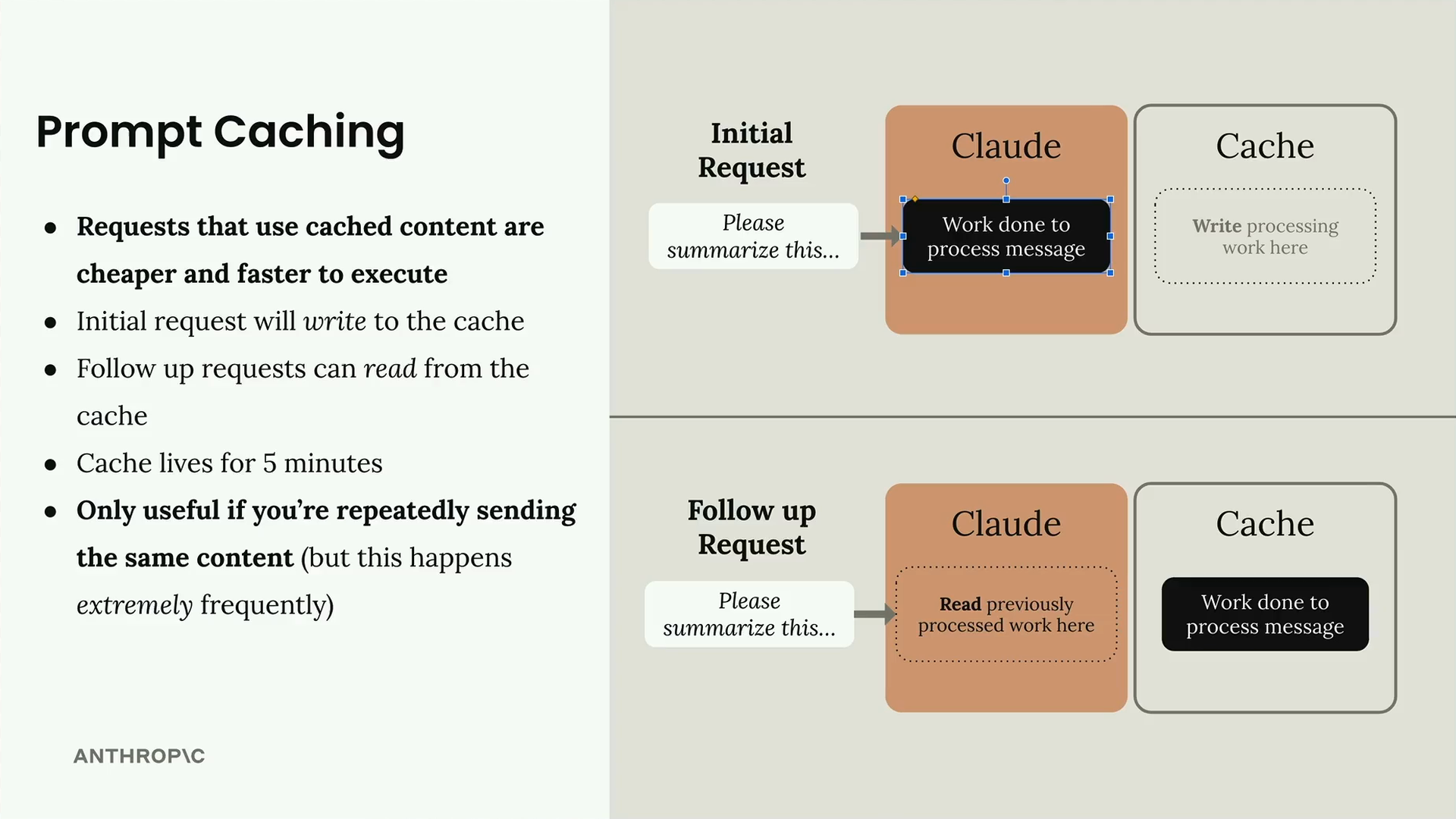
The process follows a simple pattern: your initial request will write to the cache, and follow-up requests can read from the cache. The cache lives for 5 minutes, so this feature is only useful if you're repeatedly sending the same content - but this happens extremely frequently in real applications.
Cache Breakpoints
Work done on messages is not cached automatically. We have to manually add a 'cache breakpoint' to a block. Work done for everything before the breakpoint will be cached, and the cache will only be used on follow-up requests if the content up to and including the breakpoint is identical.
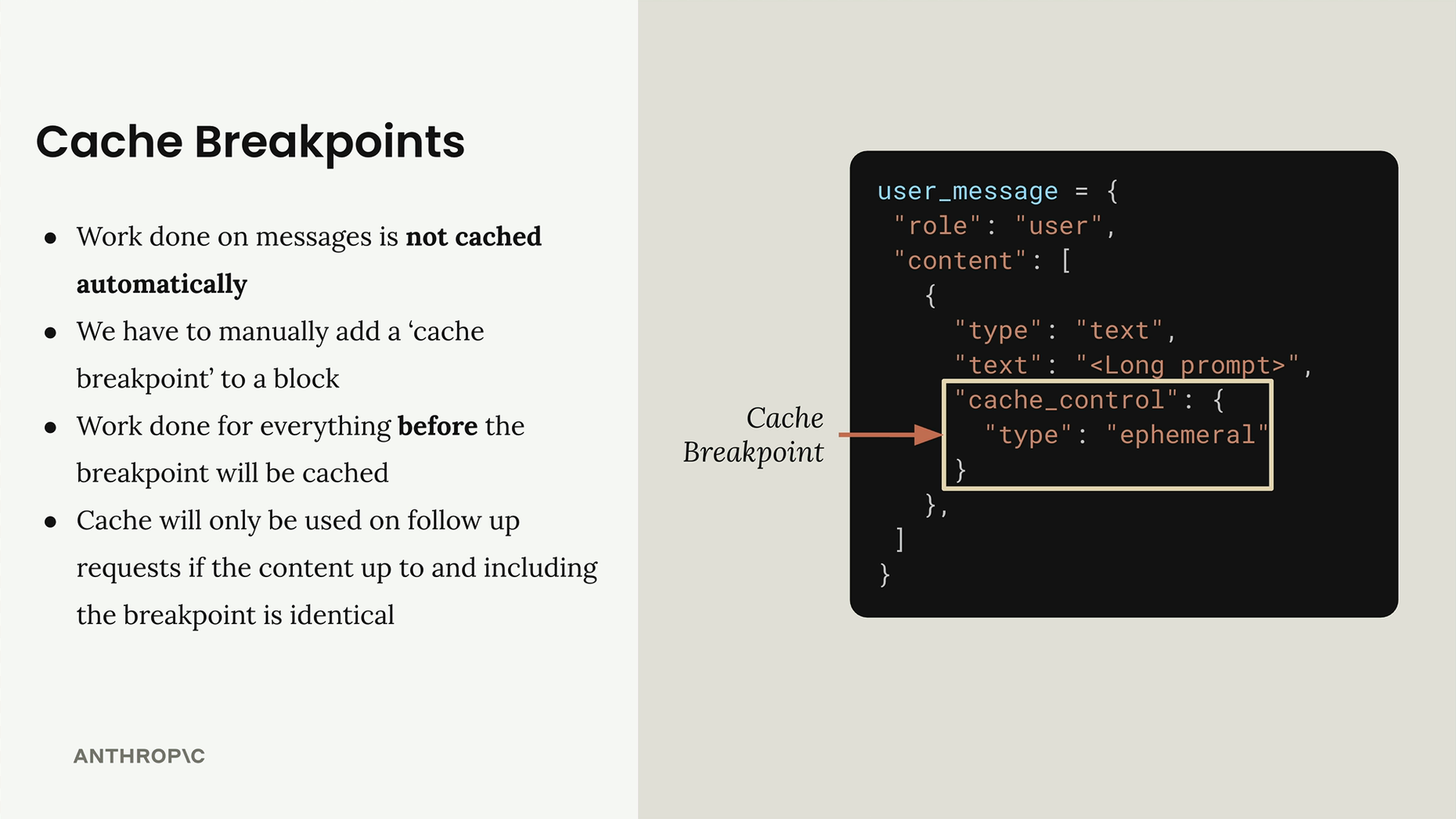
When you need to add cache breakpoints, you must use the longhand form for writing text blocks instead of the shorthand. Here's the difference:
# Shorthand - can't add cache breakpoints
user_message = {
  "role": "user",
  "content": "Hi there!"
}

# Longhand - required for cache breakpoints
user_message = {
  "role": "user",
  "content": [
    {
      "type": "text",
      "text": "Hi there!",
      "cache_control": {
        "type": "ephemeral"
      }
    }
  ]
}
How Cache Breakpoints Work
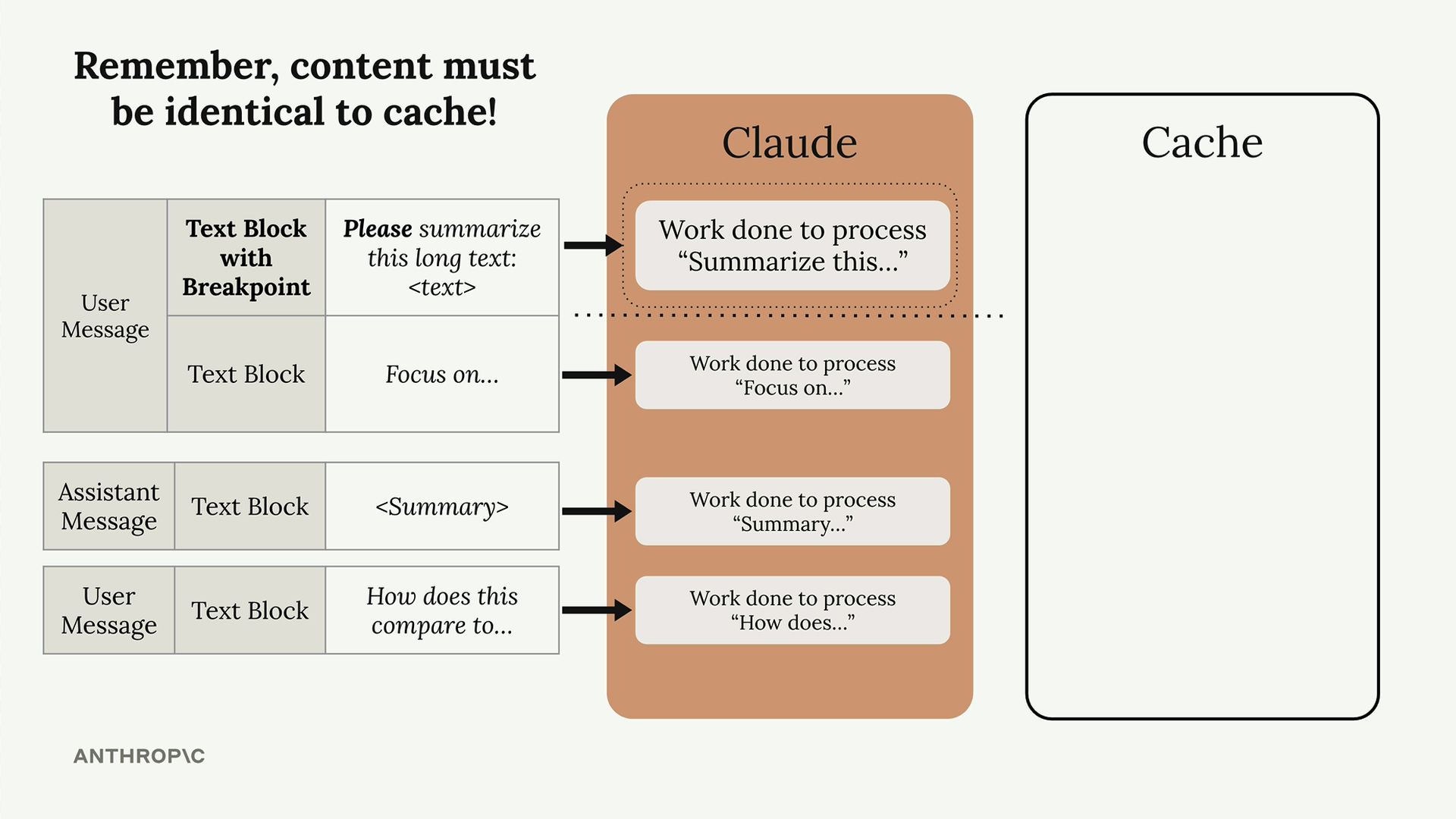
Cache breakpoints span messages and can cache assistant messages too. When you place a breakpoint, everything up to that point gets cached. Remember, content must be identical to use the cache!
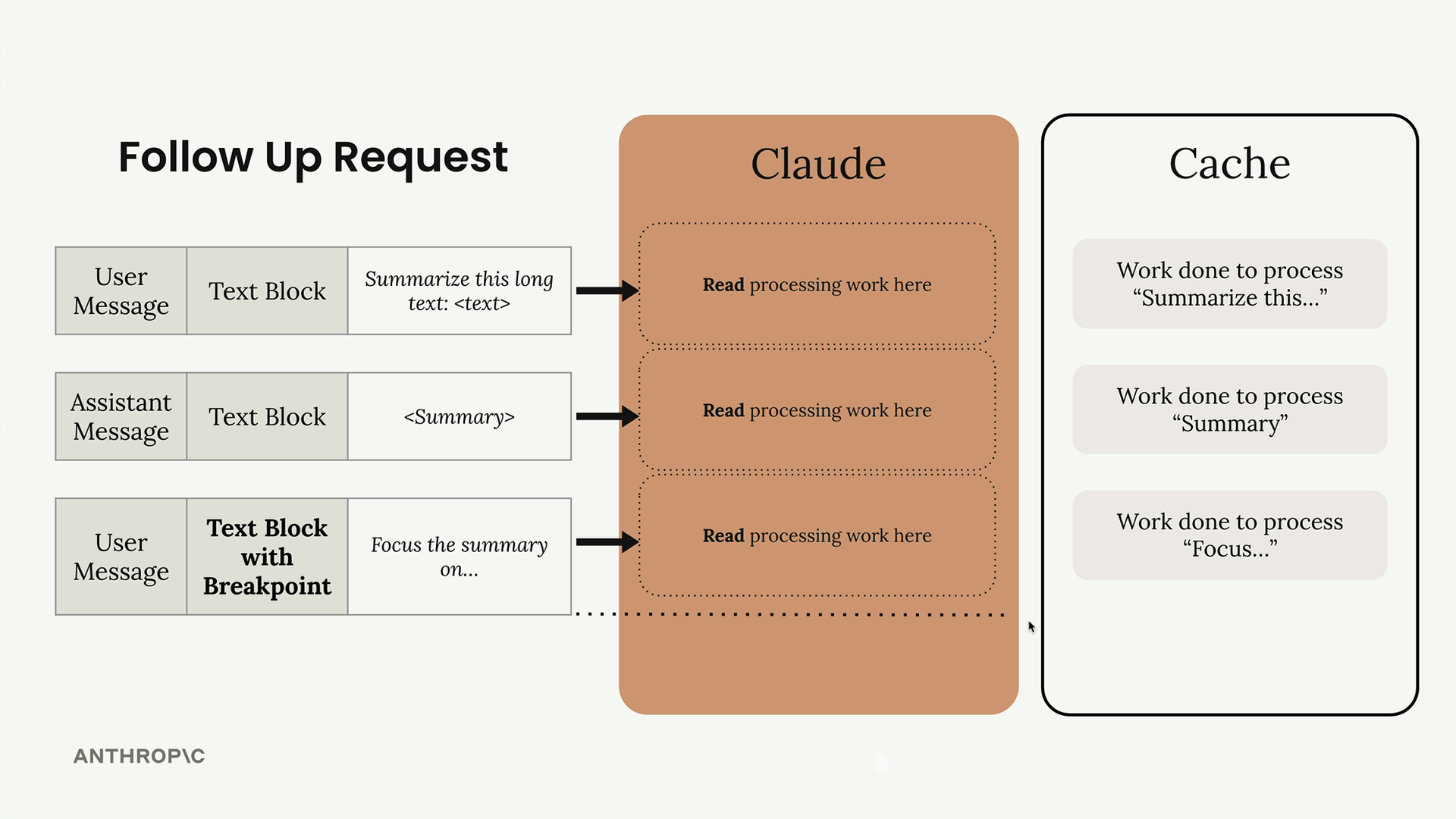
In a follow-up request, Claude reads the previously processed work from the cache instead of reprocessing it:
Breakpoint Location
You're not restricted to text blocks! You can add cache breakpoints to system prompts and tool definitions. These are actually the most common caching opportunities since they rarely change between requests.
# Tool definitions with cache breakpoint
tools = [
  add_duration_to_datetime_schema,
  get_current_datetime_schema,
  {
    "name": "set_reminder",
    "description": "Sets a reminder...",
    "input_schema": { ... },
    "cache_control": {"type": "ephemeral"}
  }
]

# System prompt with cache breakpoint
system = [
  {
    "type": "text",
    "text": "You are a senior software...",
    "cache_control": {"type": "ephemeral"}
  }
]
Cache Ordering
Behind the scenes, tools, system prompts, and messages get joined together in that specific order when fed into Claude. This affects how your cache breakpoints work.
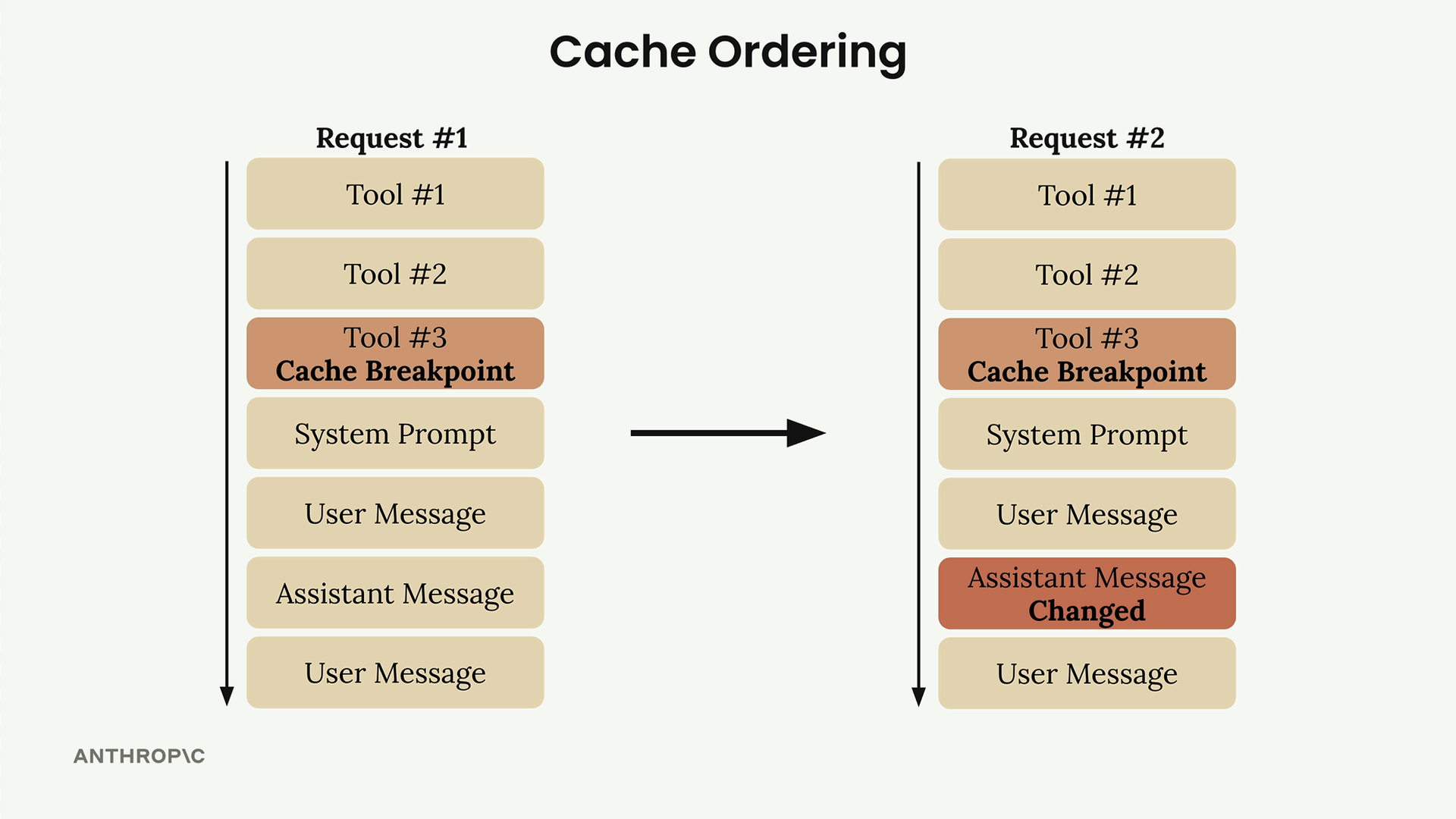
You can add up to four cache breakpoints total. If you place a breakpoint on your last tool, everything up to that tool gets cached, but the system prompt and messages won't be. This gives you fine-grained control over what gets cached based on what changes in your application.
Minimum Content Length
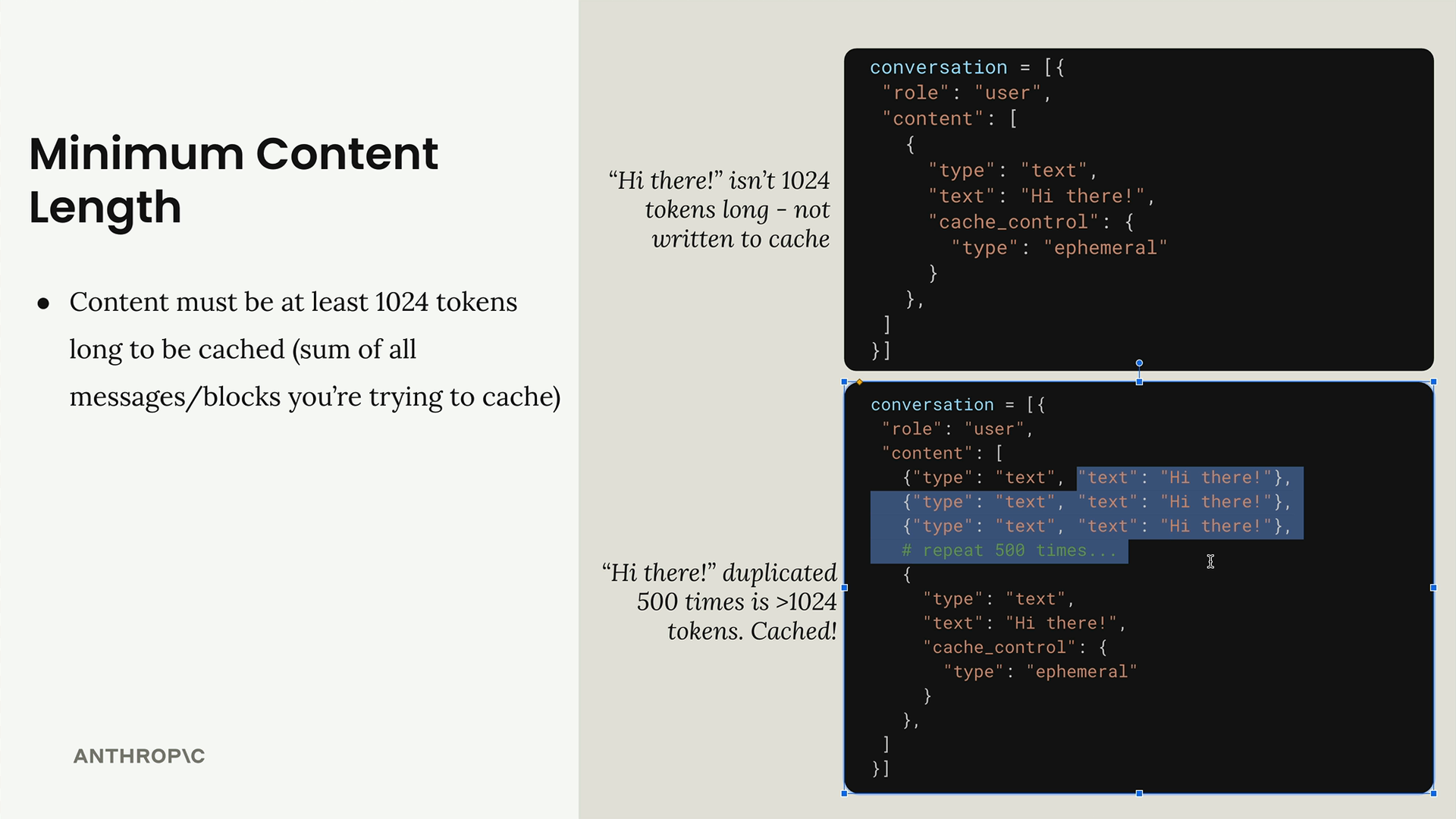
Content must be at least 1024 tokens long to be cached (sum of all messages/blocks you're trying to cache). A simple "Hi there!" message won't meet this threshold, but if you duplicate that text 500 times, you'll have enough tokens to cache.
The key to effective prompt caching is identifying the parts of your requests that stay consistent - usually your system prompts and tool definitions - and placing breakpoints strategically to maximize cache hits while minimizing reprocessing.