Chaining workflows might seem obvious at first, but they're actually one of the most useful patterns you'll encounter when working with Claude. This approach becomes especially valuable when dealing with complex tasks or when Claude isn't consistently following all your constraints.
What is Chaining?
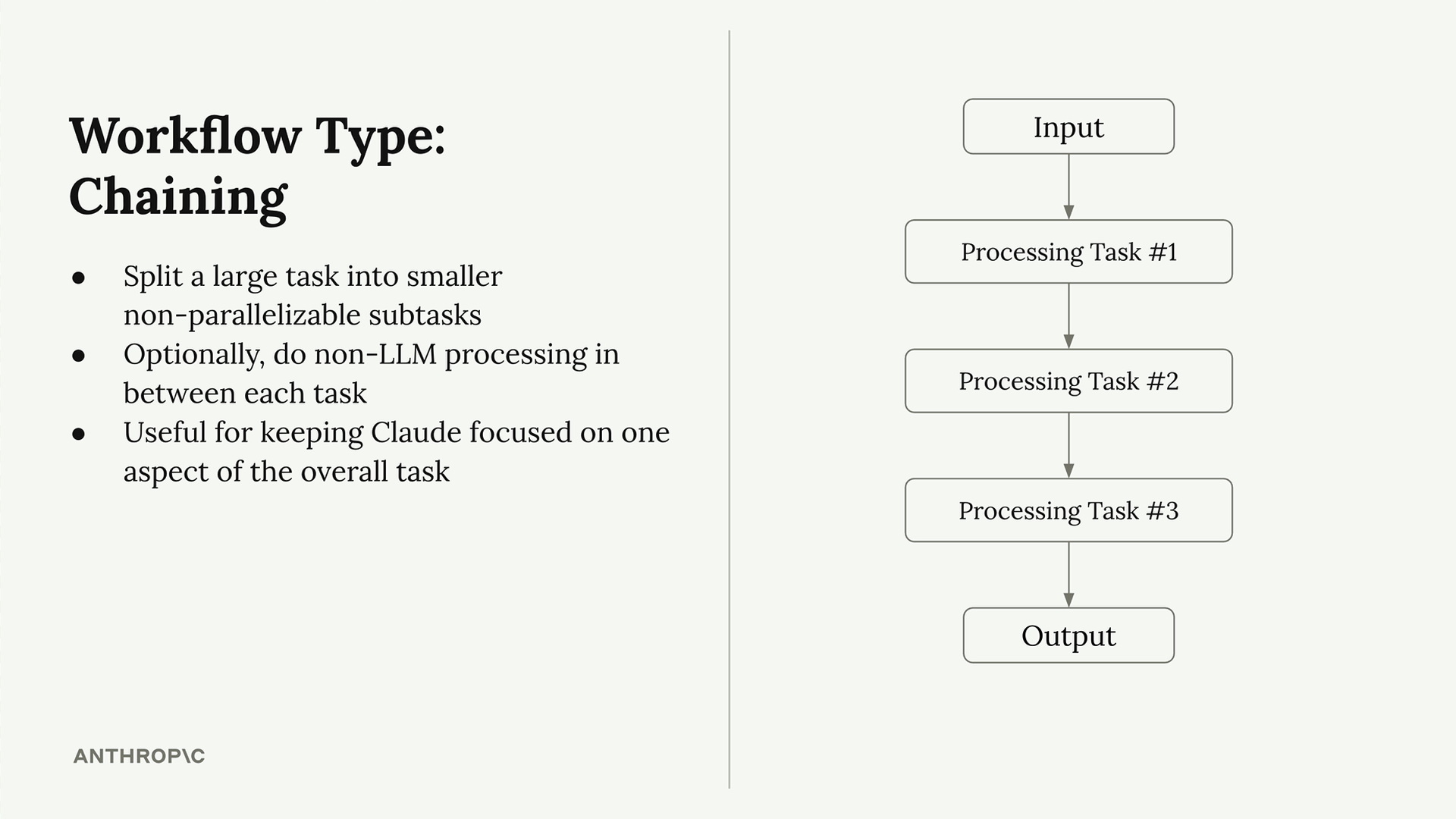
A chaining workflow breaks down one large task into smaller, sequential subtasks. Instead of asking Claude to handle everything at once, you split the work across multiple focused requests.
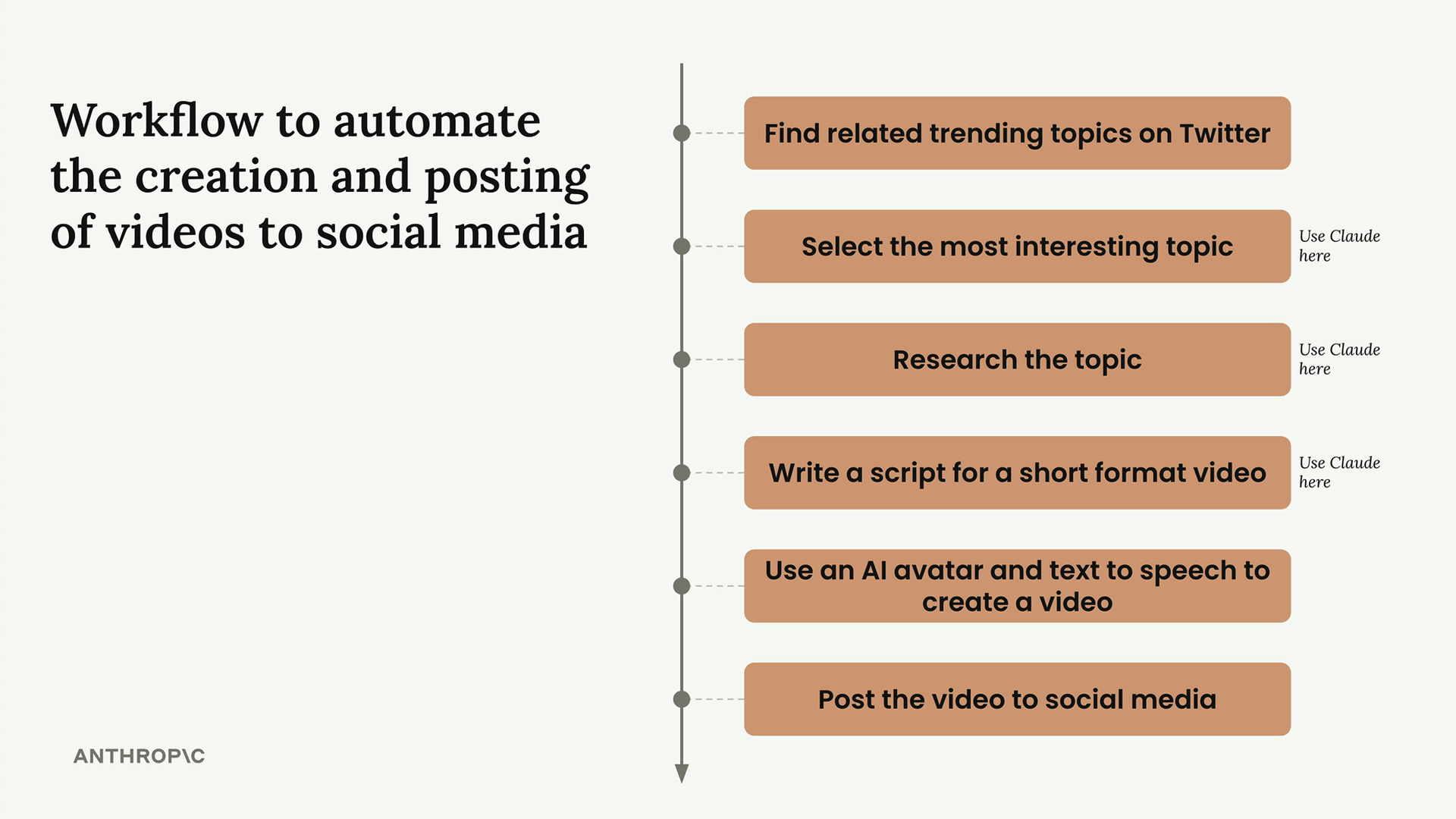
Here's a practical example: imagine building a social media marketing tool that creates and posts videos. Rather than one massive prompt, you could chain together these steps:
- Find related trending topics on Twitter
- Select the most interesting topic (using Claude)
- Research the topic (using Claude)
- Write a script for a short format video (using Claude)
- Use an AI avatar and text-to-speech to create a video
- Post the video to social media
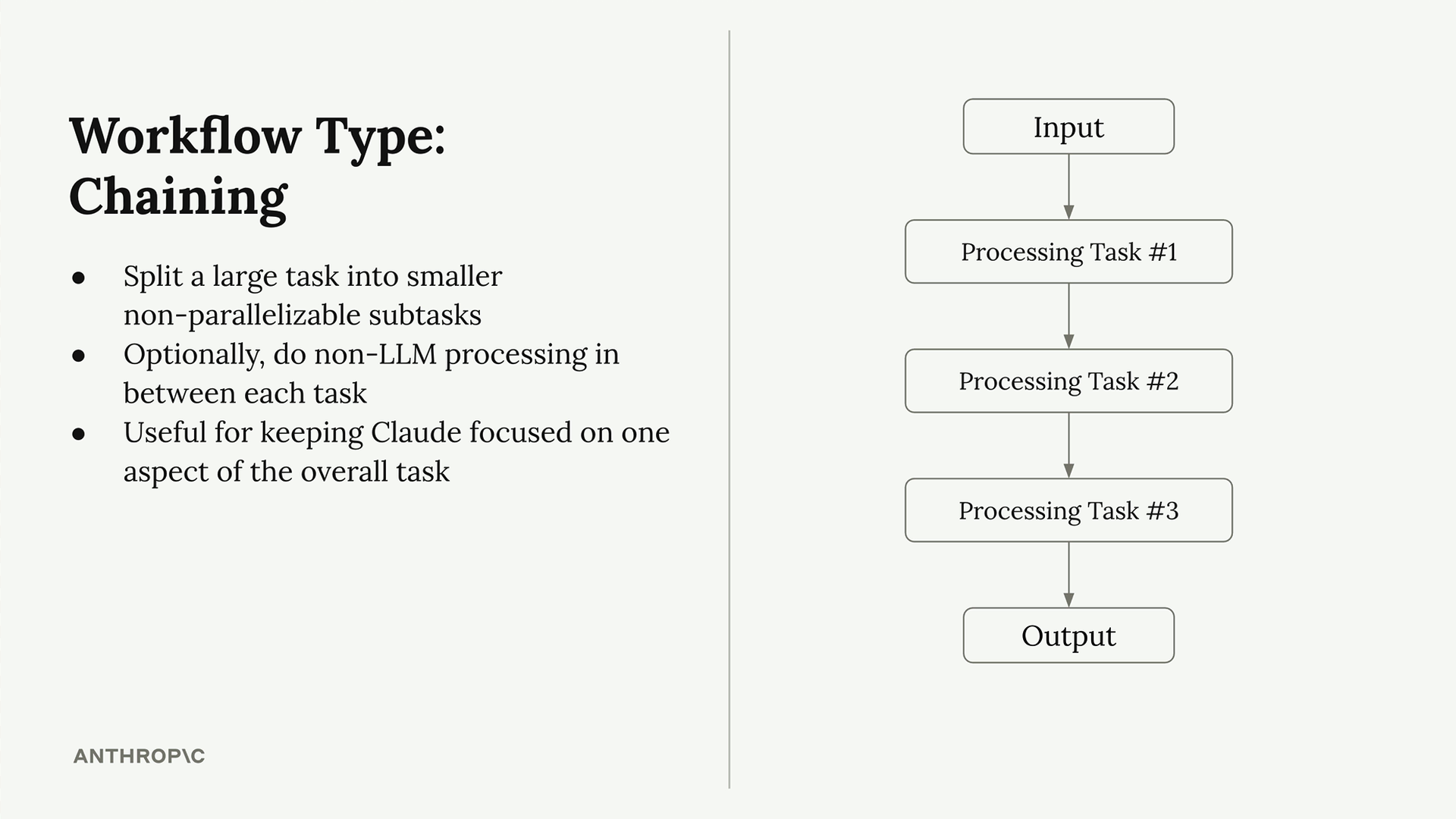
The key benefits of this approach:
- Split large tasks into smaller, non-parallelizable subtasks
- Optionally do non-LLM processing between each task
- Keep Claude focused on one aspect of the overall task
The Real-World Problem Chaining Solves
Here's where chaining becomes invaluable: dealing with constraint violations in complex prompts.
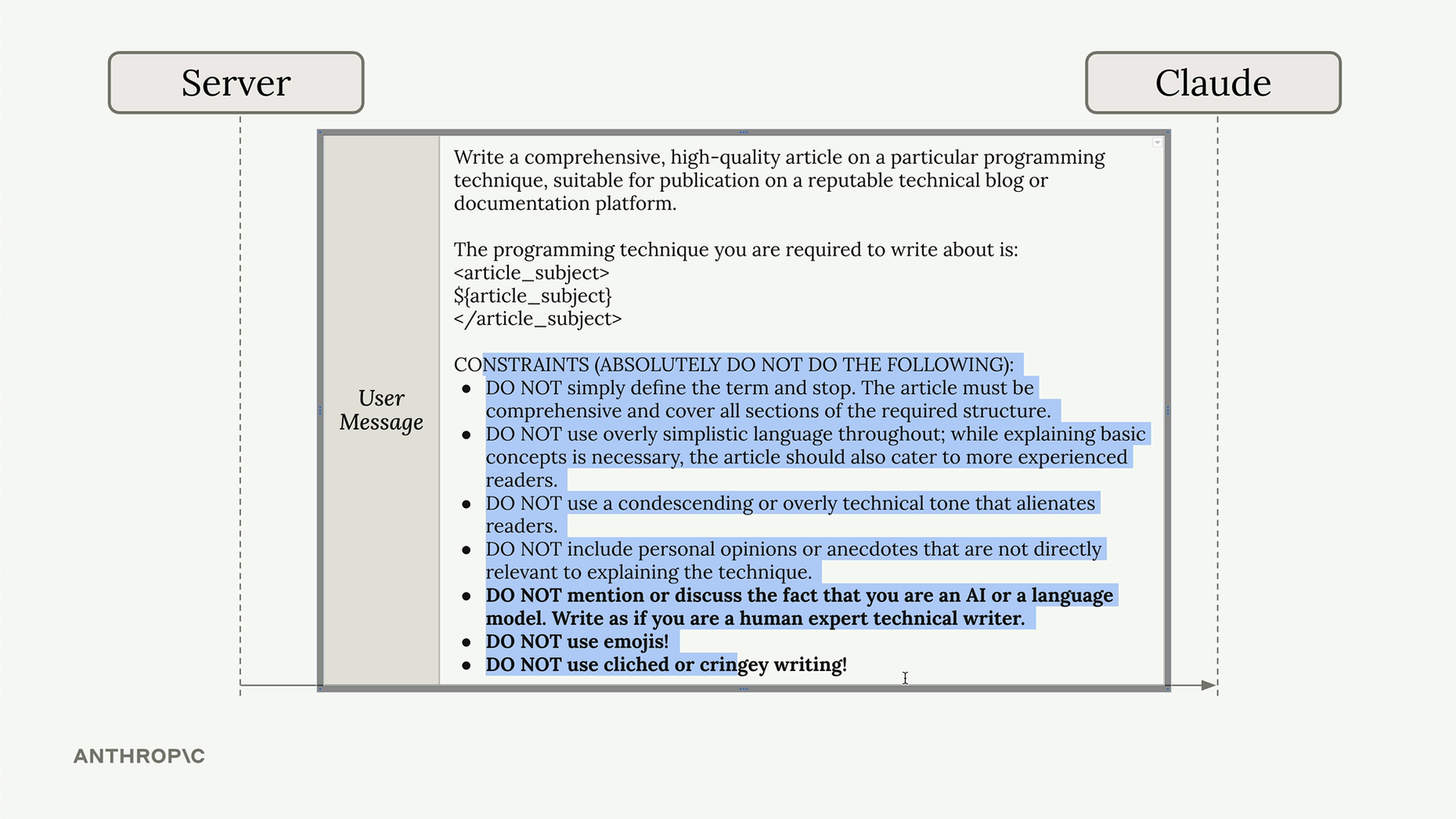
Picture this scenario: you're using Claude to write technical articles. You start with a simple prompt, but the output isn't quite right. Claude might mention it's an AI, use too many emojis, or write in a cringey tone. So you add constraints to your prompt.
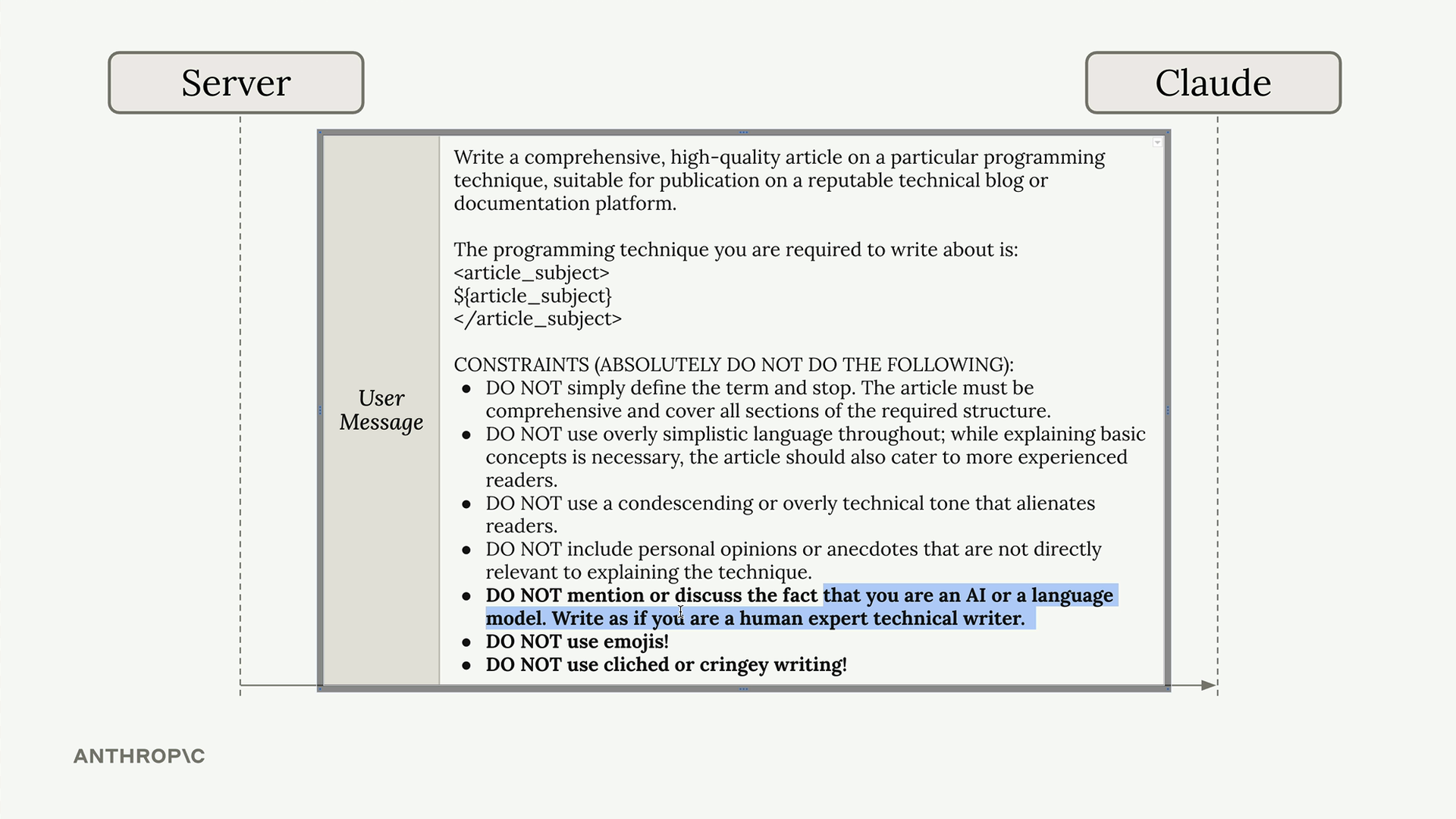
Over time, your prompt grows into a long list of "DO NOT" instructions. But no matter how many constraints you add, Claude sometimes still violates them - using emojis, mentioning it's an AI, or maintaining that unprofessional tone.
The Chaining Solution
Instead of fighting this in one massive prompt, use a two-step chaining approach:
- First request: Send your original prompt with all constraints, accepting that you'll get an imperfect article
- Second request: Ask Claude to revise the article with specific, focused instructions
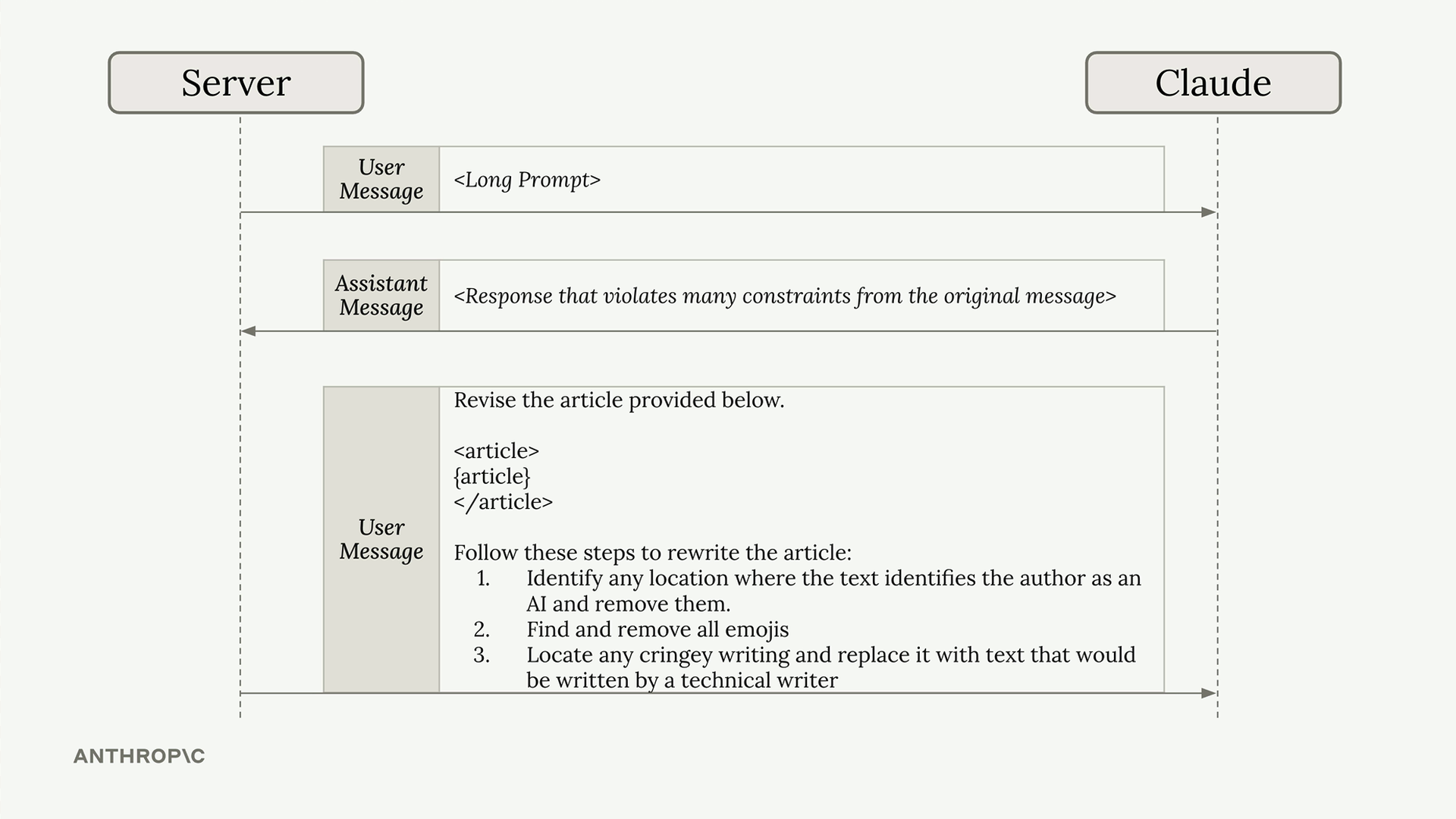
Your follow-up prompt might look like:
Revise the article provided below. Follow these steps to rewrite the article: 1. Identify any location where the text identifies the author as an AI and remove them 2. Find and remove all emojis 3. Locate any cringey writing and replace it with text that would be written by a technical writer
This approach works because it allows Claude to focus on one specific aspect at a time. Even if the initial response doesn't satisfy all your requirements, the follow-up prompt gives Claude a clear, focused task for improvement.
When to Use Chaining
Chaining workflows are particularly useful when:
- You have a complex task with many constraints
- Claude isn't consistently following all your requirements
- You want to process or validate outputs between steps
- You need to maintain focus on specific aspects of a larger task
While it might seem like extra work, chaining often produces more reliable results than trying to cram everything into a single, complex prompt. It's a pattern you'll find yourself reaching for regularly as you build more sophisticated Claude-powered applications.