Building a custom prompt evaluation workflow starts with creating a solid prompt and then generating test data to see how well it performs. Let's walk through setting up an evaluation system for a prompt that helps users write AWS-specific code.
Setting Up the Goal
Our prompt needs to assist users in writing three specific types of output for AWS use cases:
- Python code
- JSON configuration files
- Regular expressions
The key requirement is that when a user requests help with a task, we return clean output in one of these formats without any extra explanations, headers, or footers.
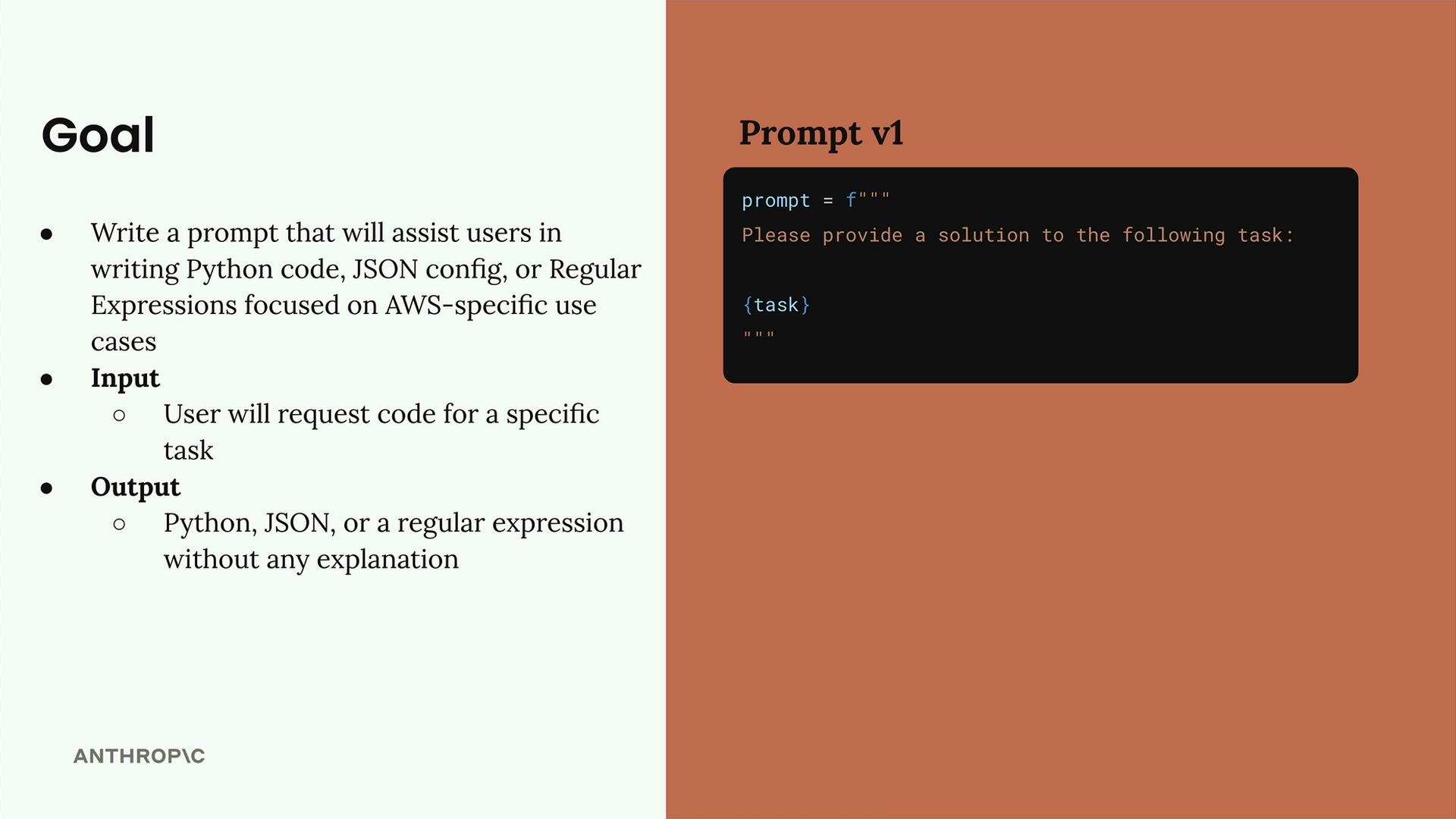
Here's our initial prompt template:
prompt = f"""
Please provide a solution to the following task:
{task}
"""
Creating an Evaluation Dataset
An evaluation dataset contains inputs that we'll feed into our prompt to test its performance. For our case, we need an array of JSON objects where each object has a "task" property describing what we want Claude to accomplish.
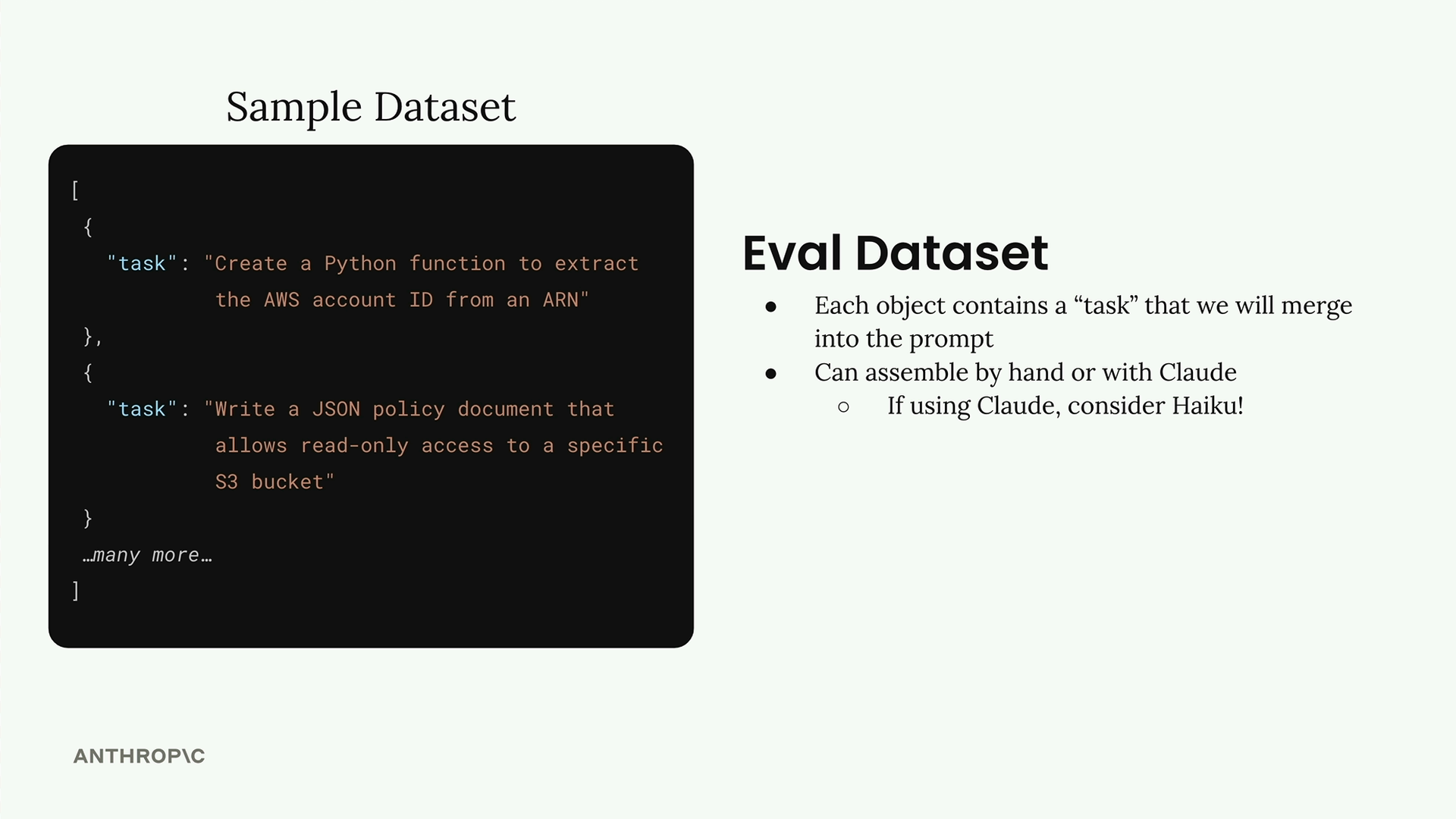
You can create datasets in two ways:
- Assemble them manually
- Generate them automatically using Claude
For automatic generation, using a faster model like Haiku makes sense since we're generating test data rather than production output.
Generating Test Data with Code
Let's build a function that asks Claude to generate test cases for us. The function will create a comprehensive prompt that requests specific types of AWS-related tasks.
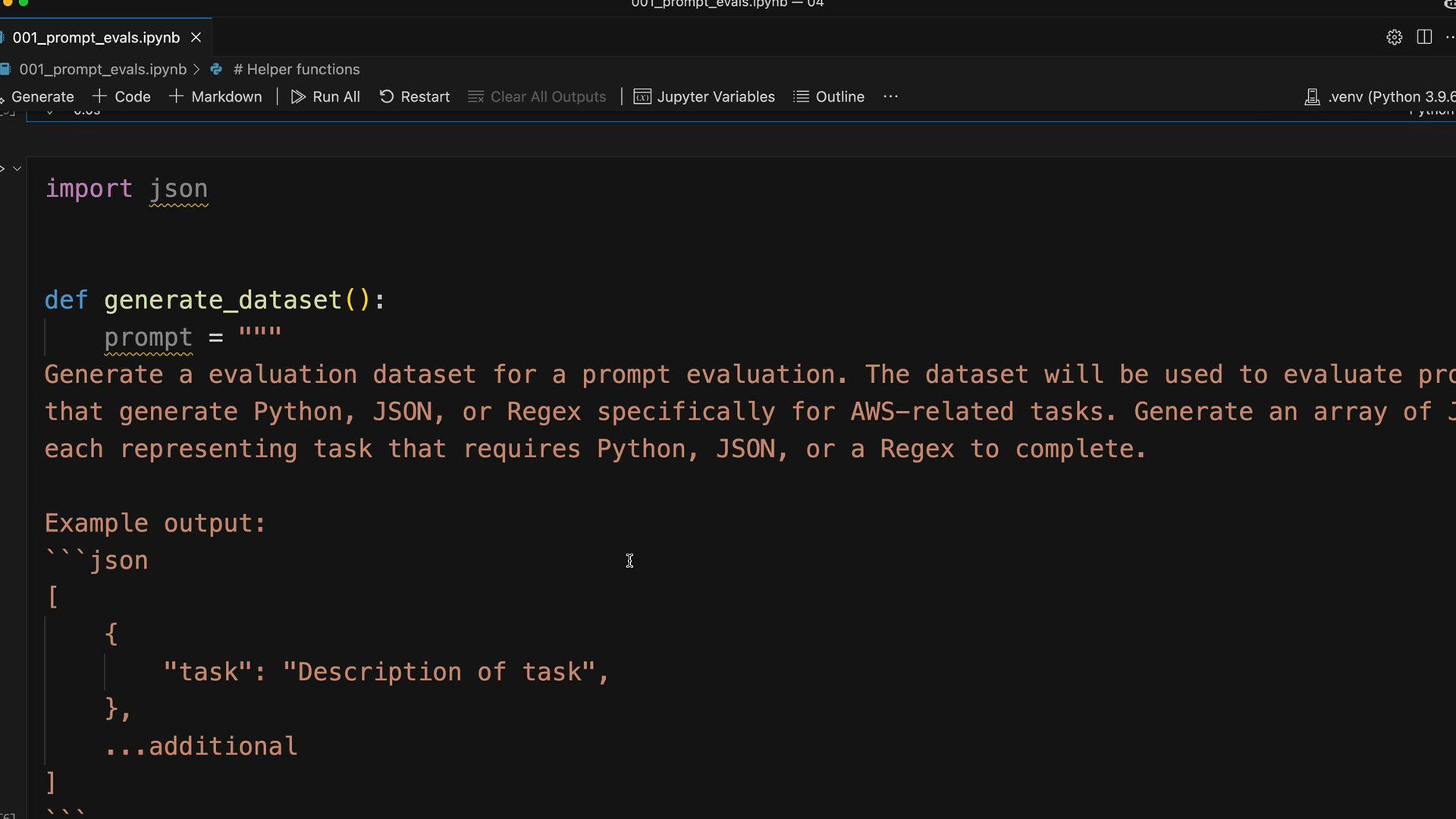
Here's the core function structure:
def generate_dataset():
    prompt = """
    Generate an evaluation dataset for a prompt evaluation. The dataset will be used to evaluate prompts
    that generate Python, JSON, or Regex specifically for AWS-related tasks. Generate an array of objects,
    each representing task that requires Python, JSON, or a Regex to complete.

    Example output:
    ```json
    [
        \{
            "task": "Description of task",
        \},
        ...additional
    ]
    ```

    * Focus on tasks that can be solved by writing a single Python function, a single JSON object, or a single regex
    * Focus on tasks that do not require writing much code

    Please generate 3 objects.
    """
Implementing the Generation Logic
To get clean JSON output from Claude, we'll use the pre-filling technique with stop sequences:
messages = []
add_user_message(messages, prompt)
add_assistant_message(messages, "```json")
text = chat(messages, stop_sequences=["```"])
return json.loads(text)
This approach ensures Claude starts its response with properly formatted JSON and stops at the closing markdown fence.
Testing and Saving the Dataset
After running the generation function, you should get back realistic test cases like:
- Create a Python function to extract the AWS region from an ARN
- Write a JSON configuration for an AWS Lambda function
- Develop a regular expression to validate an AWS S3 bucket name
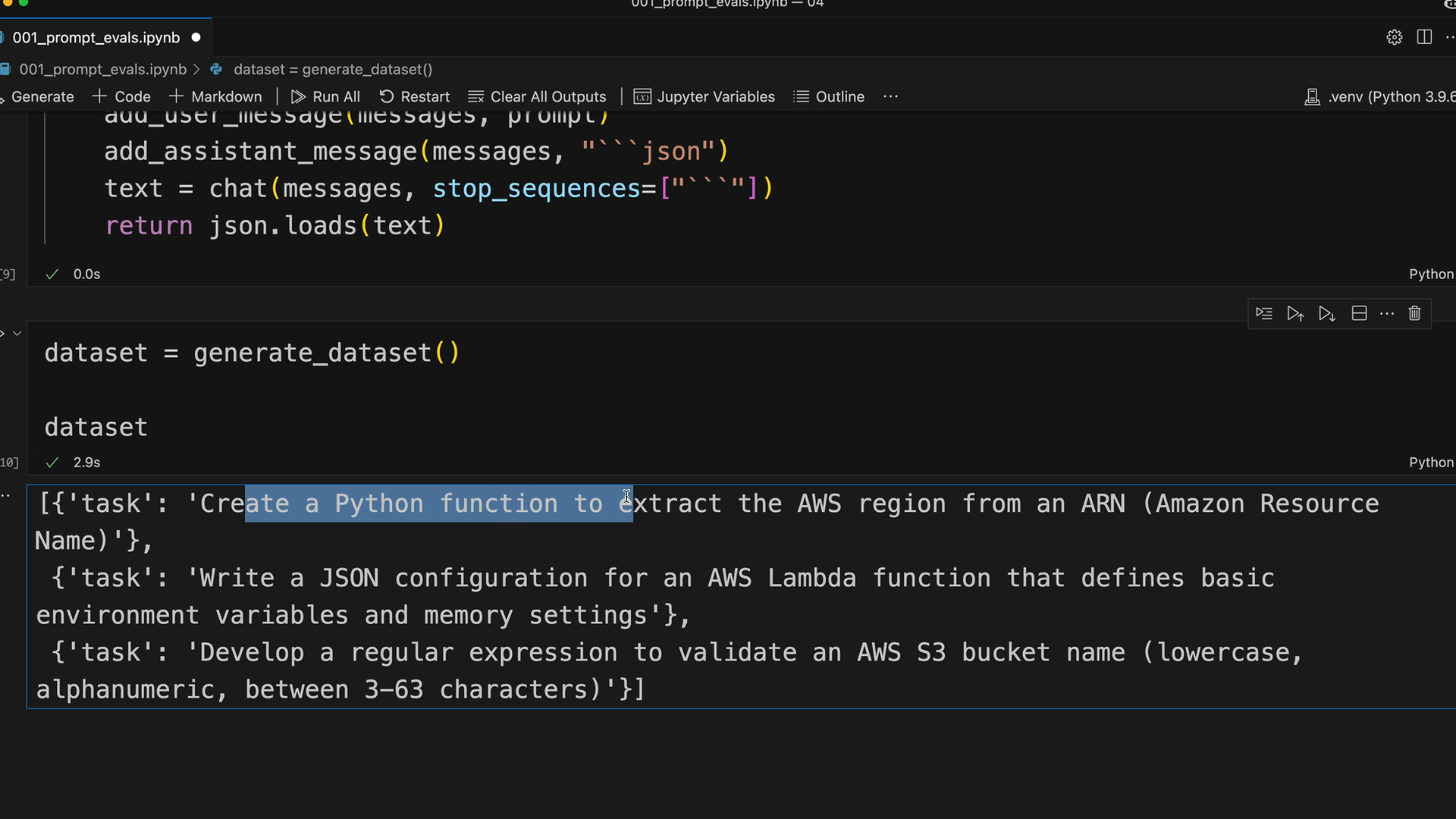
Save your generated dataset to a file for easy reuse:
dataset = generate_dataset()

with open('dataset.json', 'w') as f:
    json.dump(dataset, f, indent=2)
This creates a dataset.json file in your notebook directory containing all your test cases, ready to use for prompt evaluation in the next steps of your workflow.