Prompt caching is a feature that speeds up Claude's responses and reduces the cost of text generation by reusing computational work from previous requests. Instead of throwing away all the processing work after each request, Claude can save and reuse it when you send similar content again.
How Claude Normally Processes Requests
To understand prompt caching, let's first look at what happens during a typical request without caching enabled.
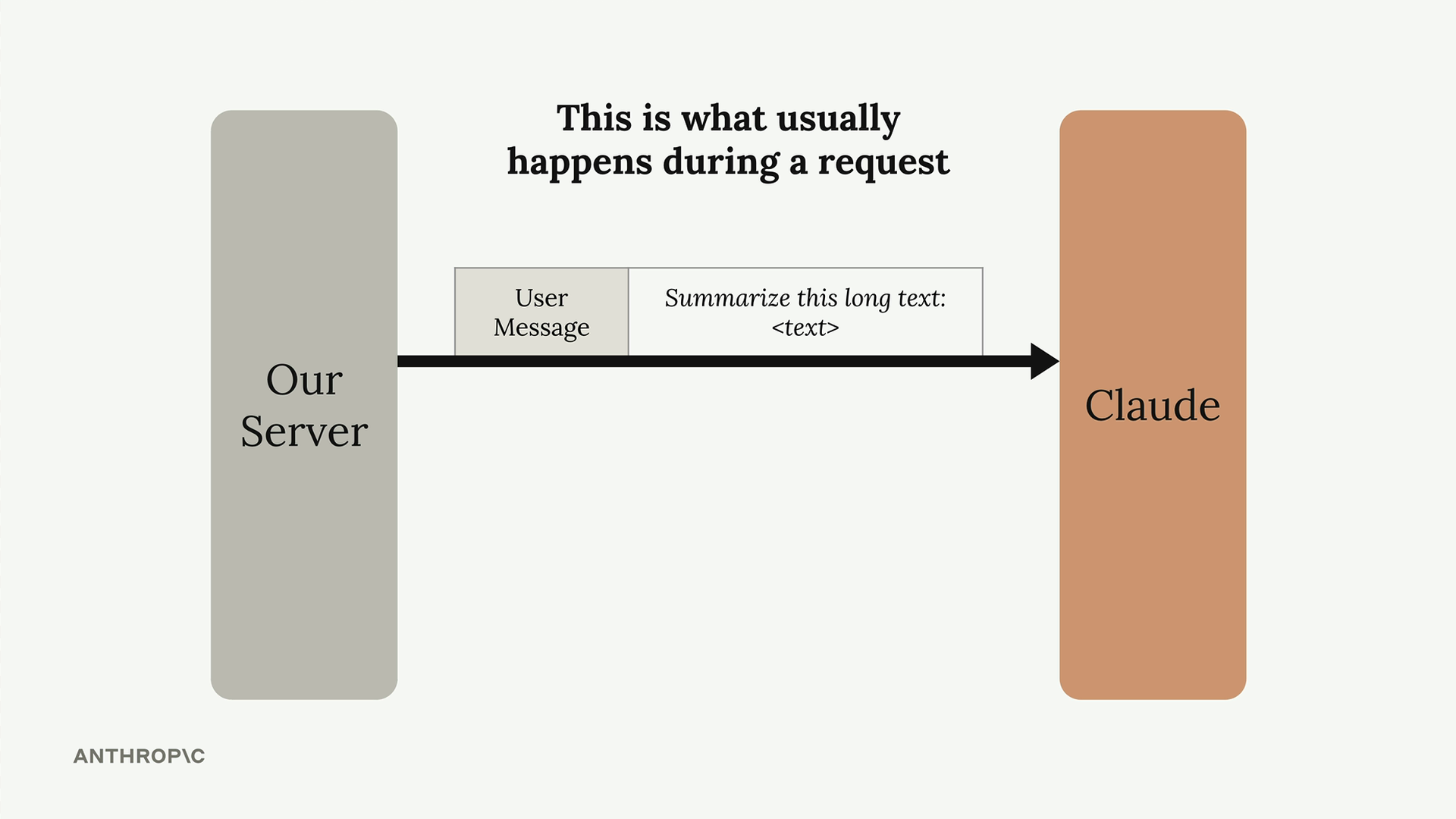
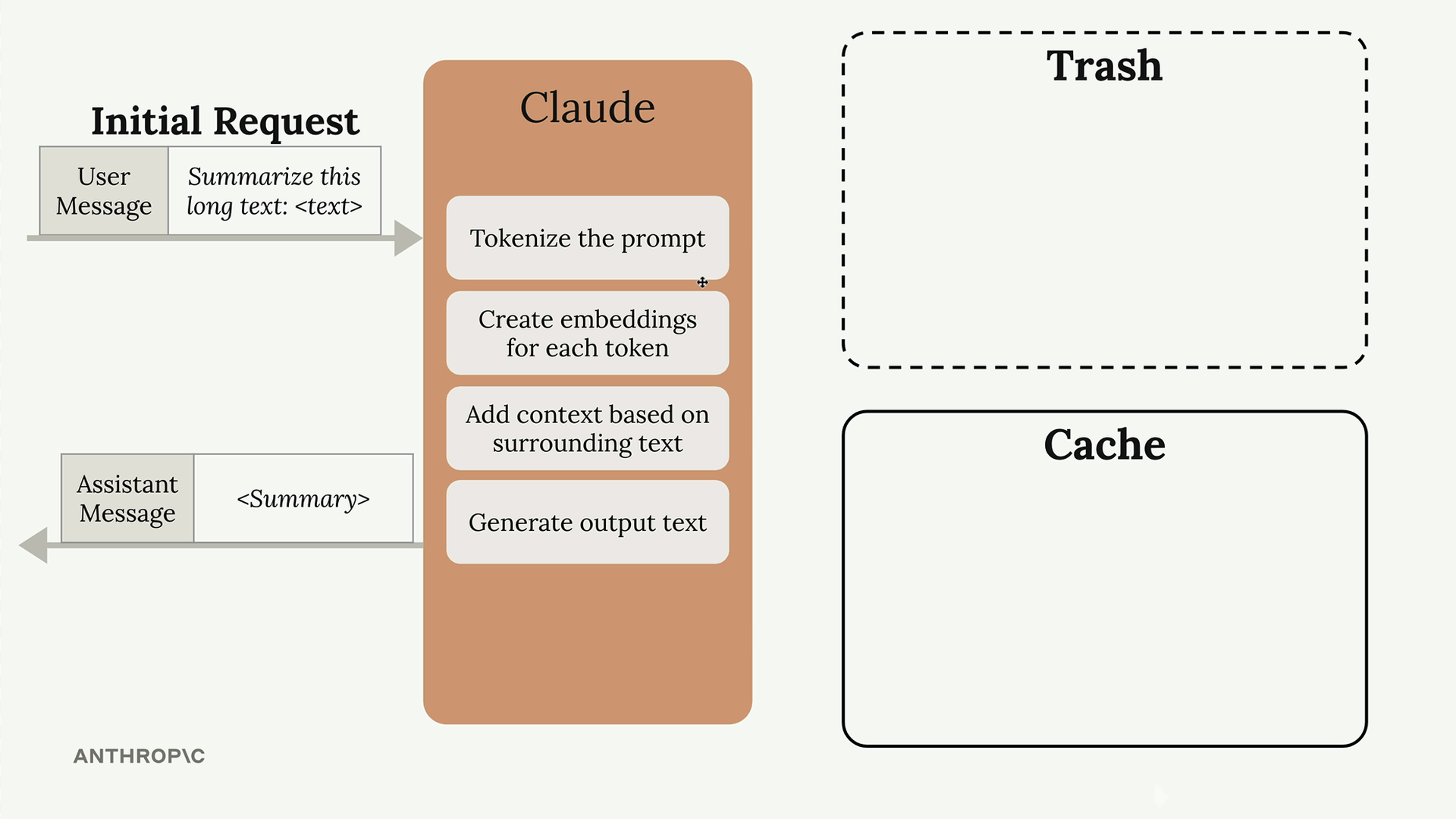
When you send a message to Claude, it doesn't immediately start generating a response. Instead, Claude performs extensive preprocessing work on your input:
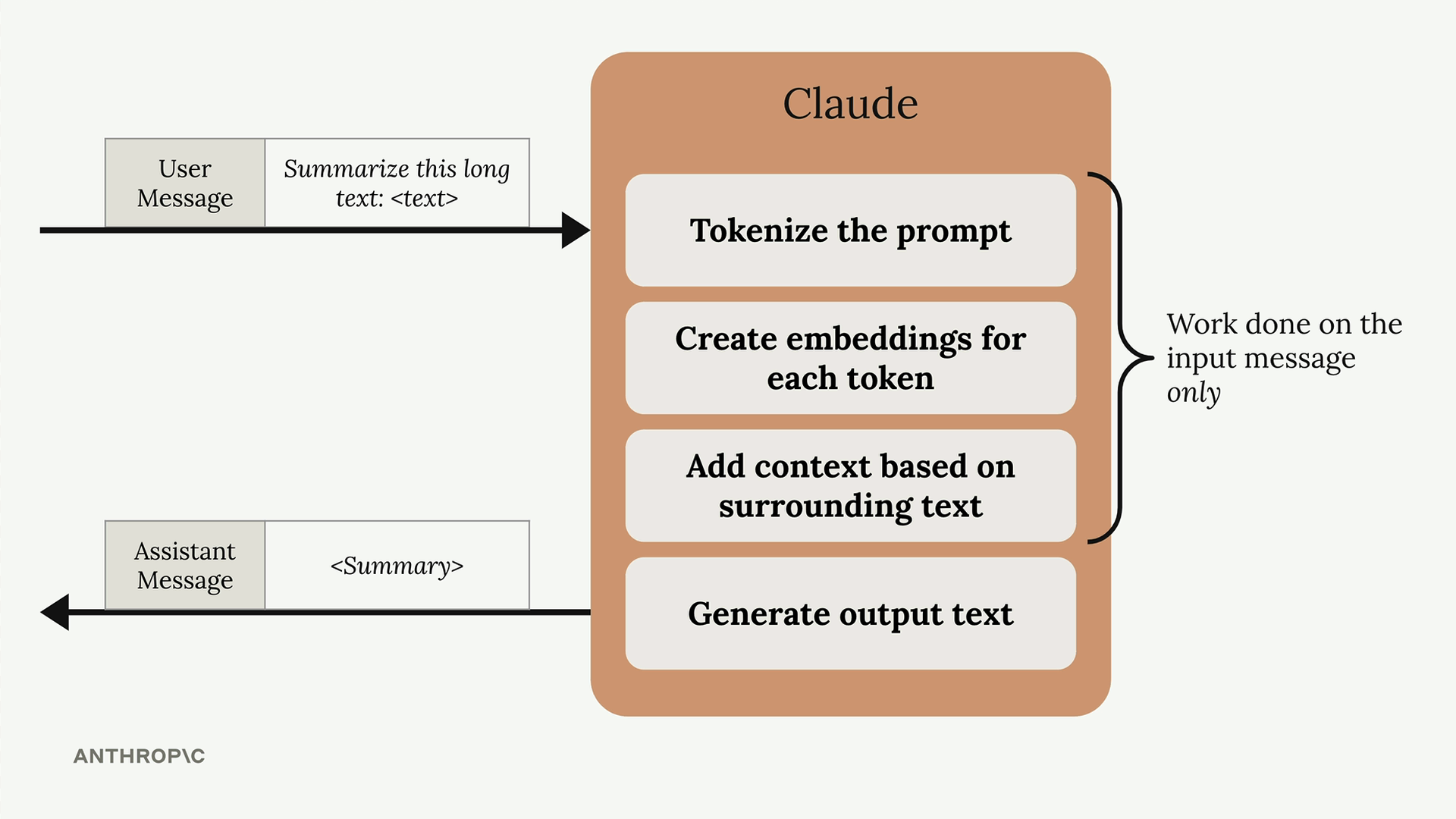
- Tokenizes the prompt (breaks text into smaller units)
- Creates embeddings for each token (mathematical representations)
- Adds context based on surrounding text
- Only then generates the actual output text
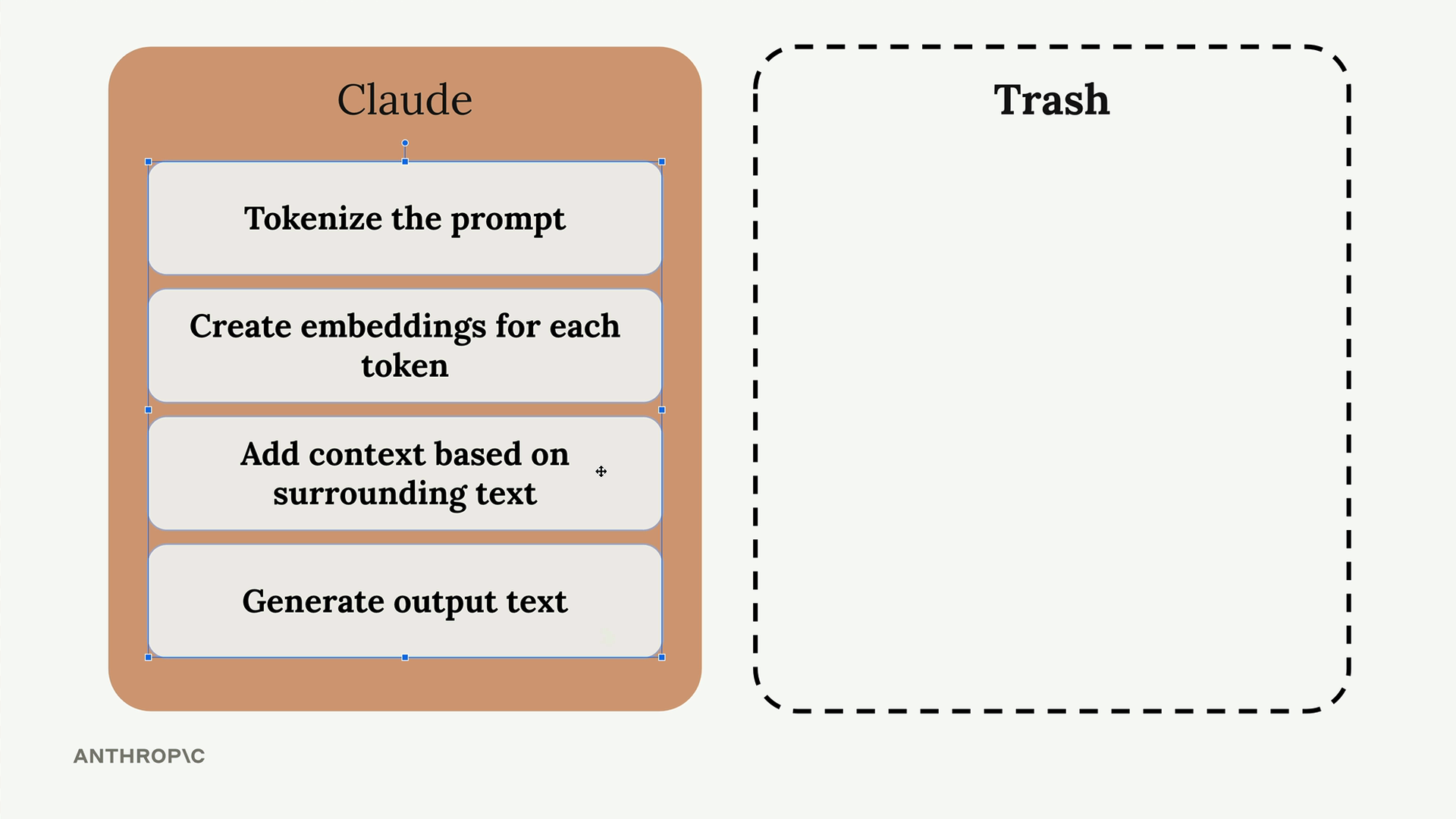
After sending you the response, Claude discards all this computational work. Everything gets thrown away, and Claude declares itself ready for the next request.
The Problem with Repeated Content
Here's where things get inefficient. Imagine you're having a conversation with Claude, so your follow-up request includes:
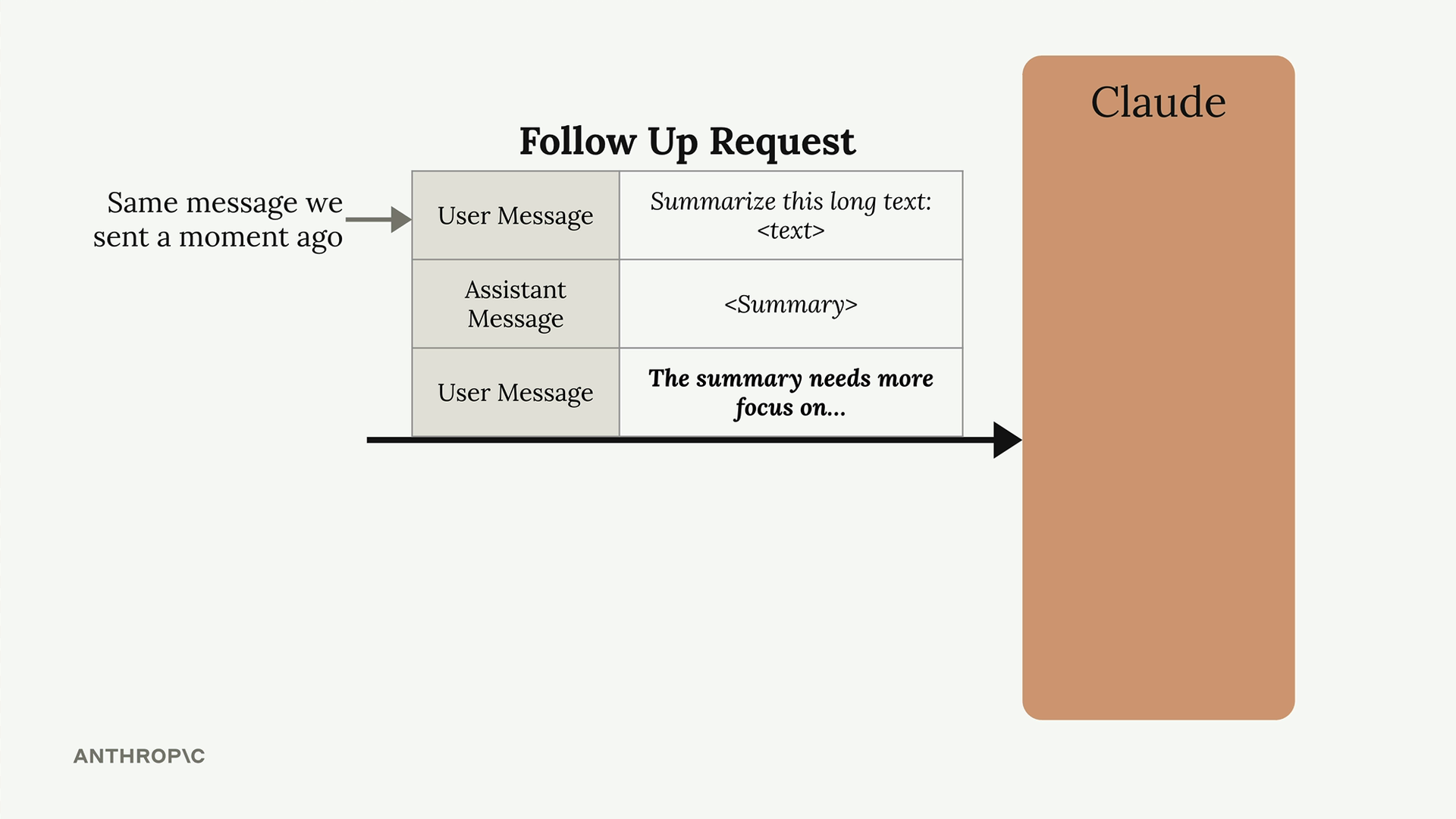
- The same original user message from before
- Claude's previous response
- Your new follow-up message
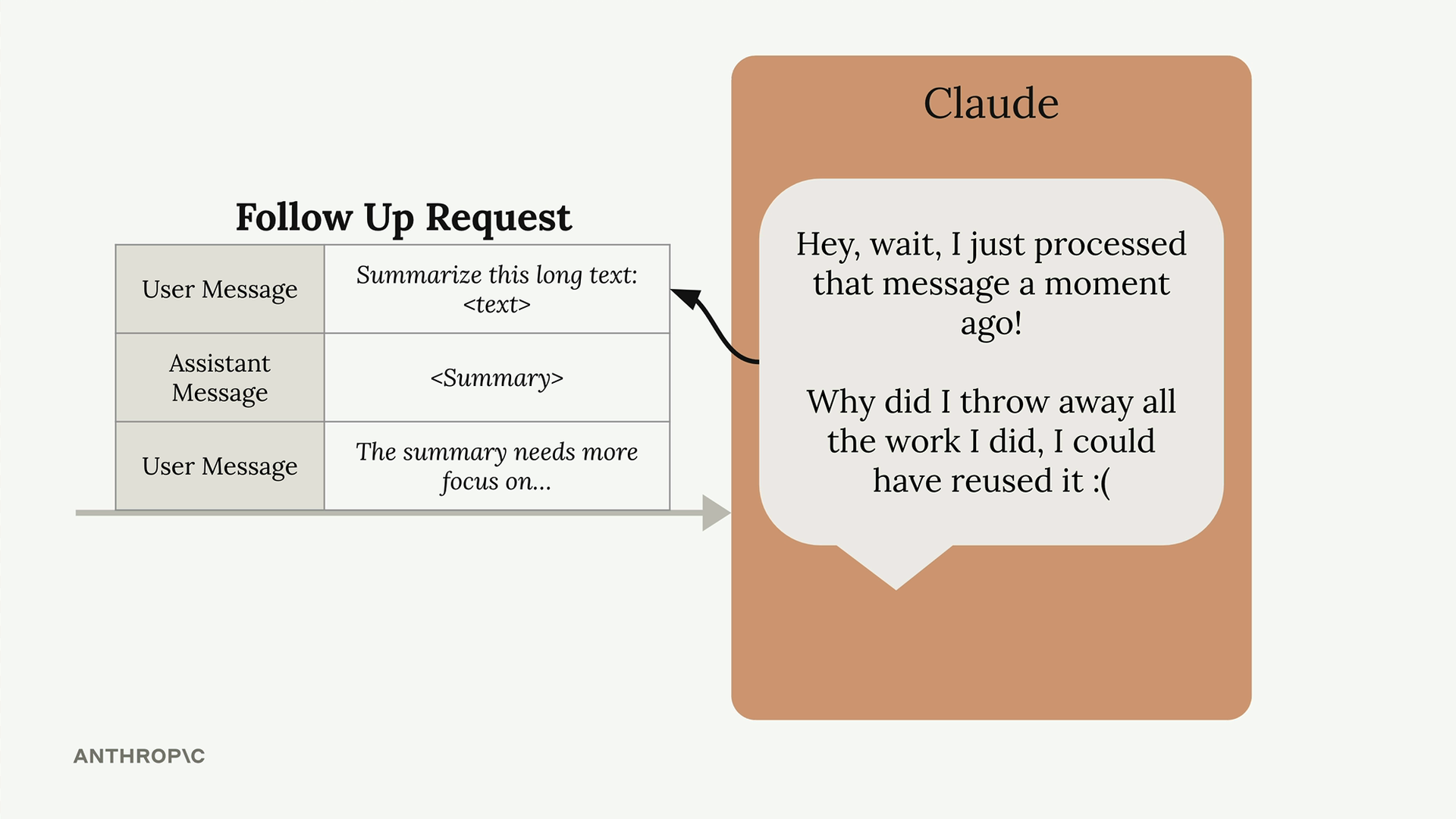
Claude has to reprocess that original message all over again, even though it just analyzed the exact same content moments earlier. As Claude might think: "I just processed that message and threw away all the work I did. I could have reused it!"
How Prompt Caching Solves This
Prompt caching changes this wasteful process. Instead of discarding the preprocessing work, Claude saves it in a cache.
Here's how it works:
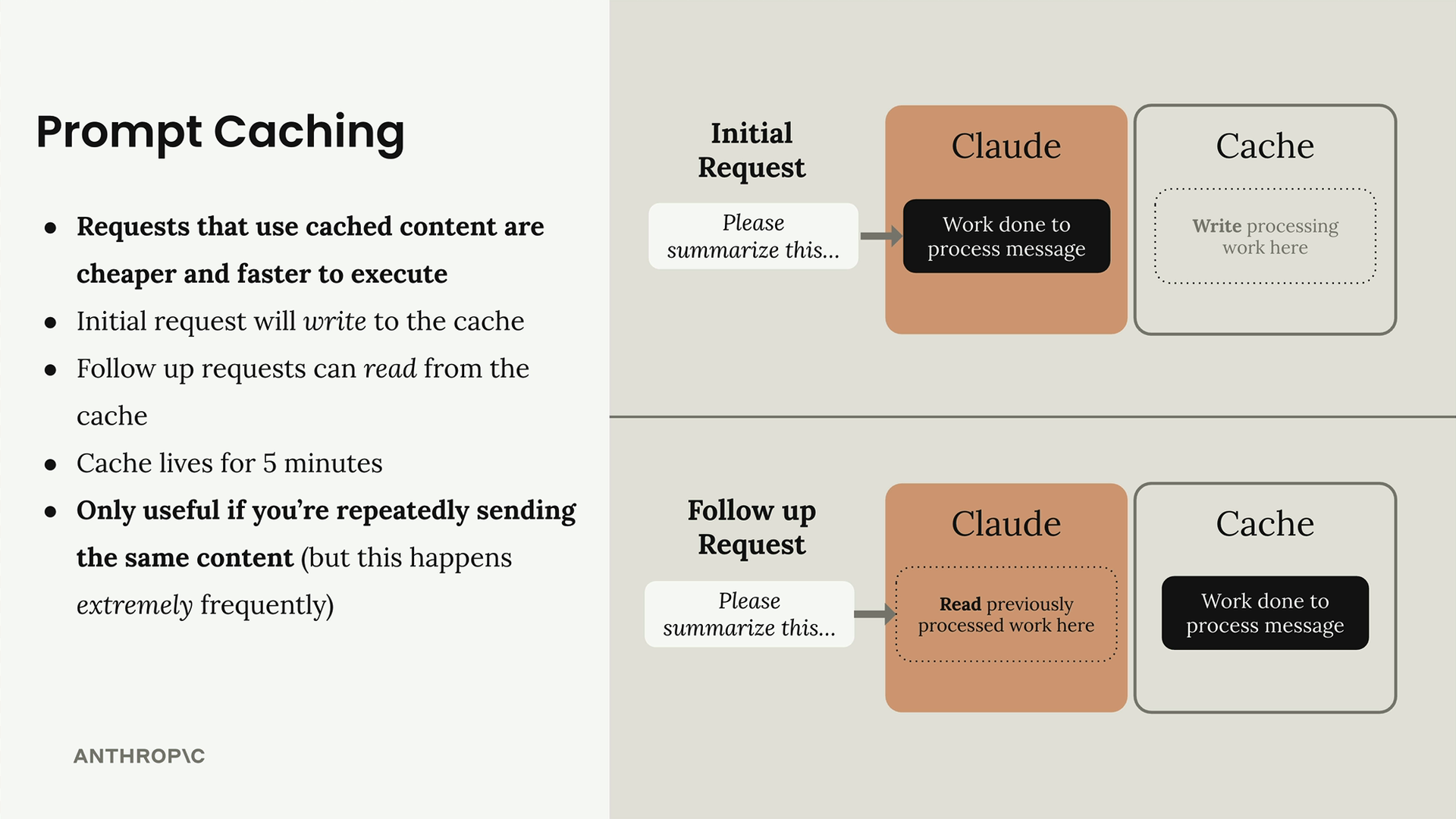
- Initial request: Claude processes your message and writes the computational work to a cache
- Follow-up requests: When Claude sees the same content again, it reads the previously processed work from the cache instead of starting over
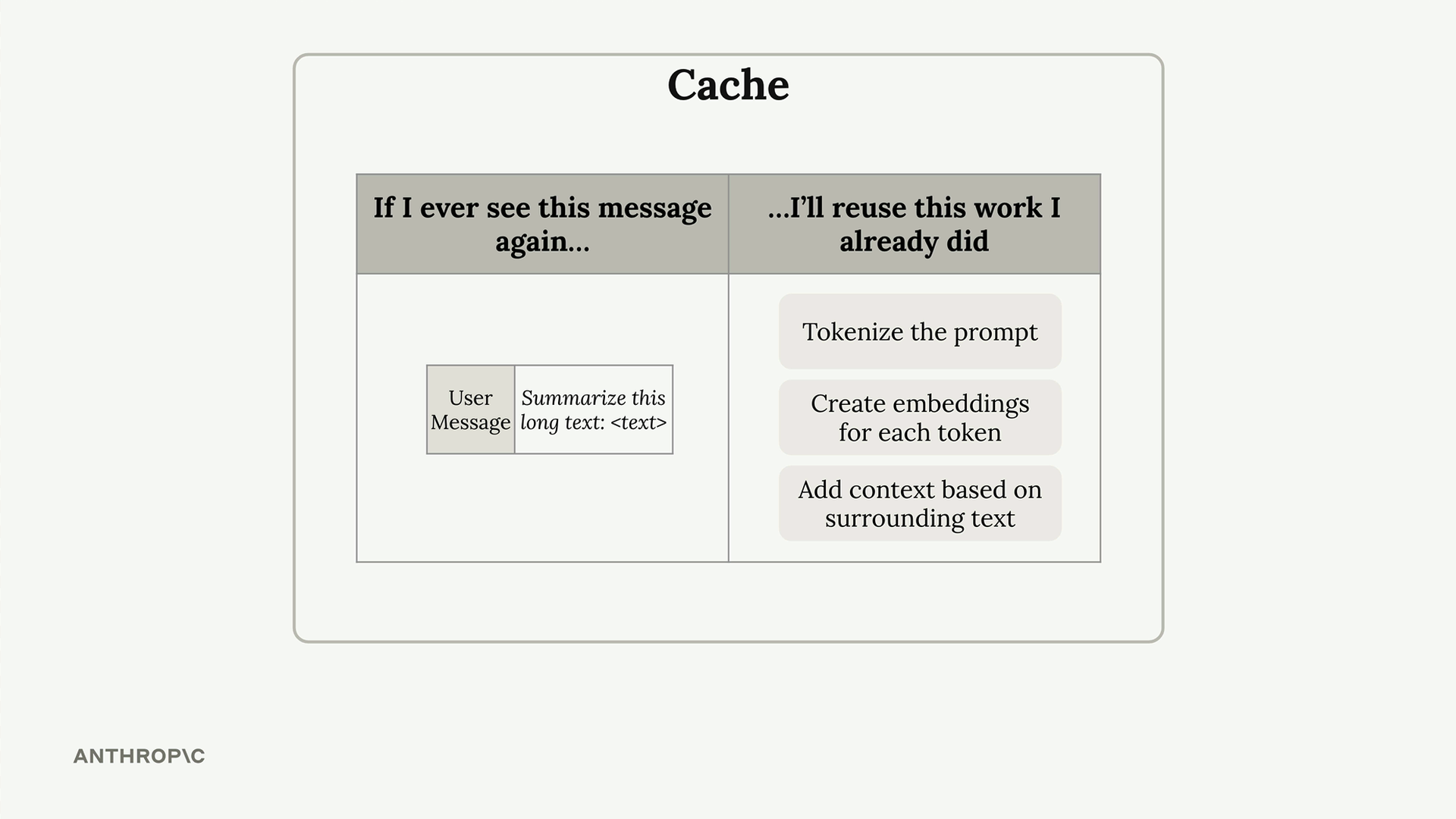
The cache acts like a lookup table: "If I ever see this message again, I'll reuse this work I already did."
Key Benefits and Limitations
Prompt caching offers several advantages:
- Faster responses: Requests using cached content execute more quickly
- Lower costs: You pay less for processing that reuses cached work
- Automatic optimization: The initial request writes to cache, follow-up requests read from it
However, there are important limitations to keep in mind:
- Short lifespan: Cache only lives for 5 minutes
- Exact matches required: Only useful when you're repeatedly sending the same content
- Common use case: This happens extremely frequently in conversational applications and document analysis workflows
Prompt caching is particularly valuable for applications where users frequently reference the same documents, continue conversations, or iterate on similar prompts within a short timeframe.