The MCP client serves as the communication bridge between your server and MCP servers. Think of it as your access point to all the tools that an MCP server provides. When you need to use external functionality, the client handles all the message passing and protocol details for you.
Transport Agnostic Communication
One of MCP's key strengths is being transport agnostic - a fancy way of saying the client and server can talk to each other using different communication methods. The most common setup runs both the MCP client and server on the same machine, where they communicate through standard input/output.
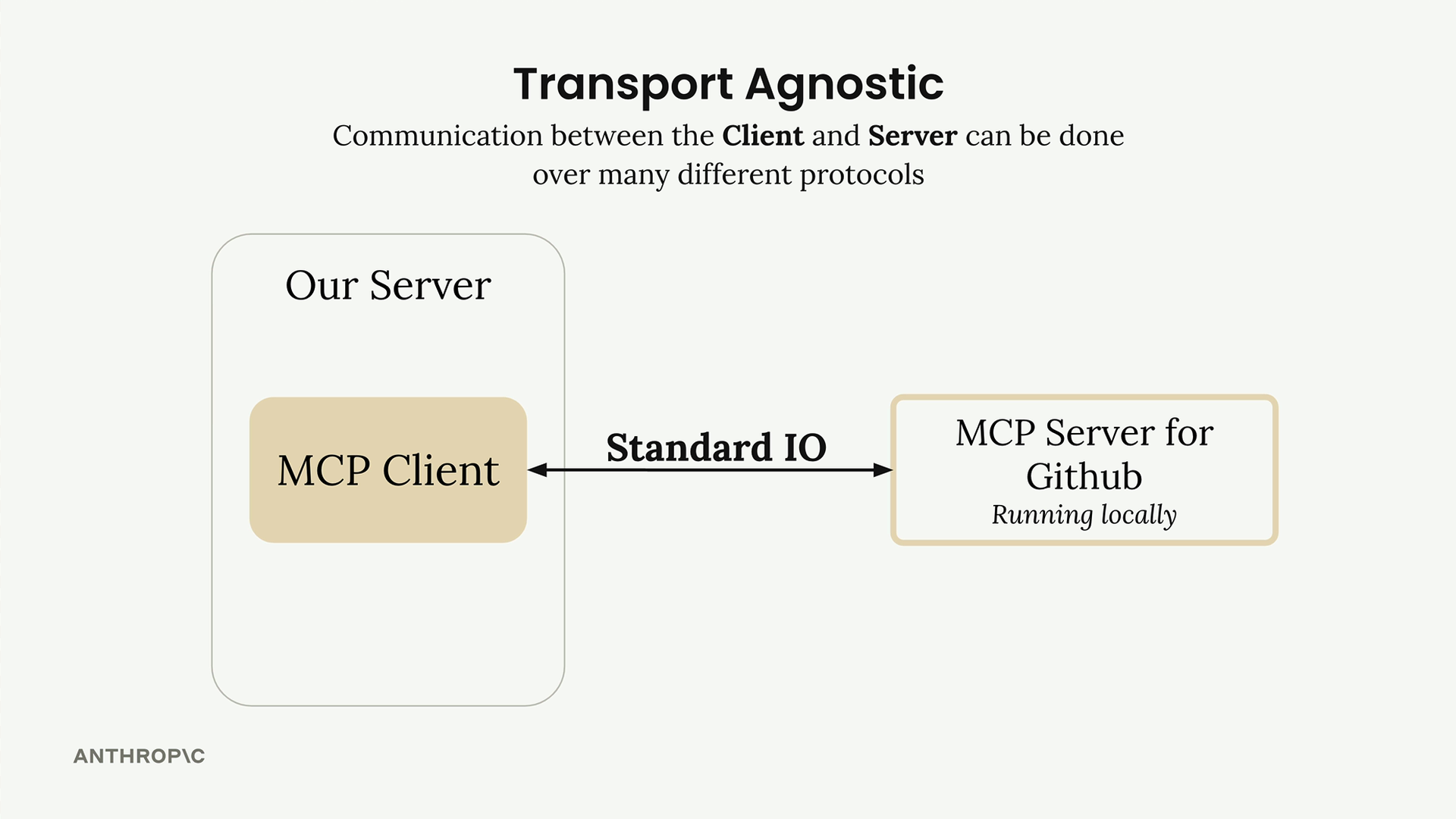
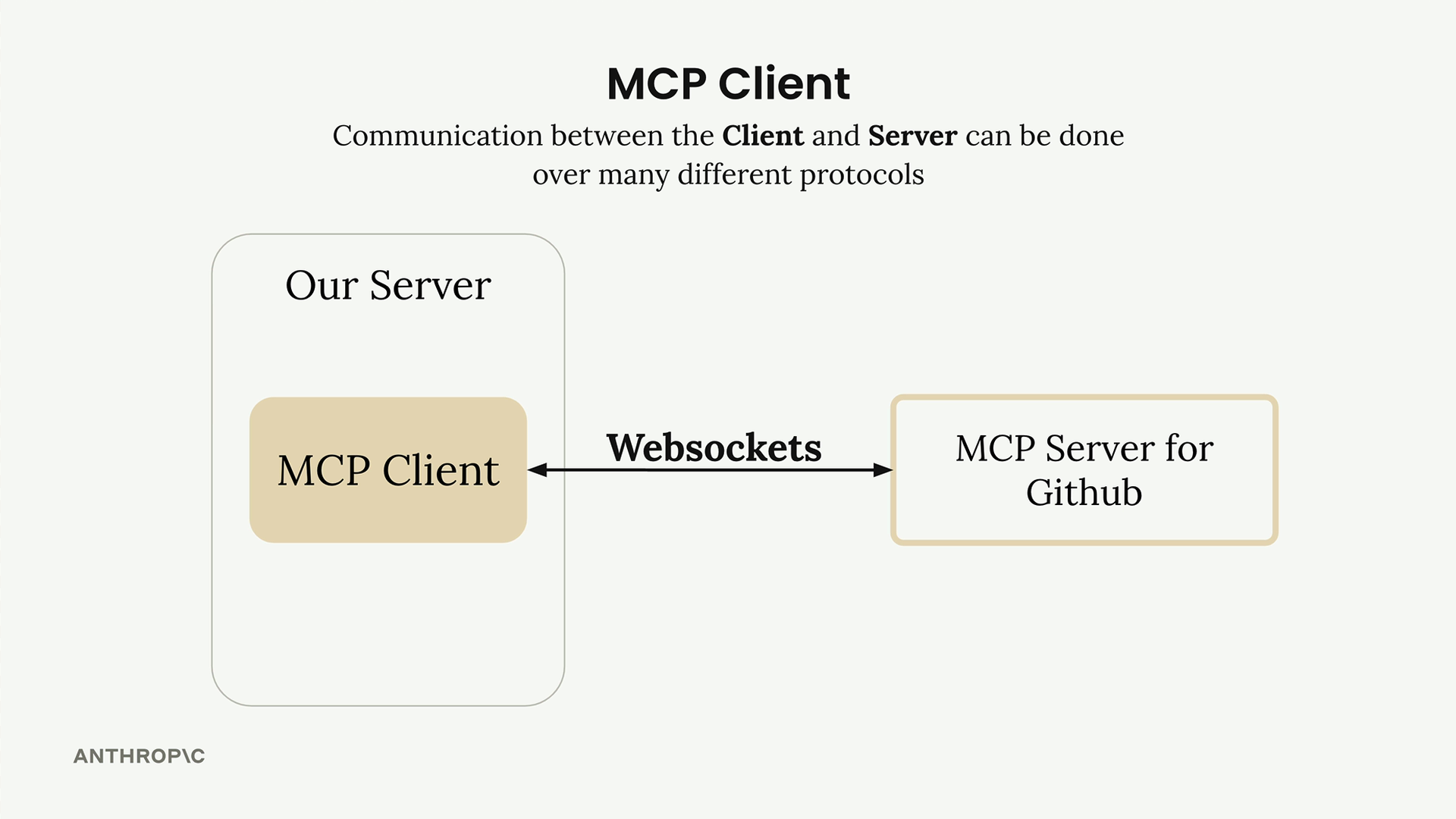
But you're not limited to that approach. MCP clients and servers can also connect over:
- HTTP
- WebSockets
- Various other network protocols
Message Types
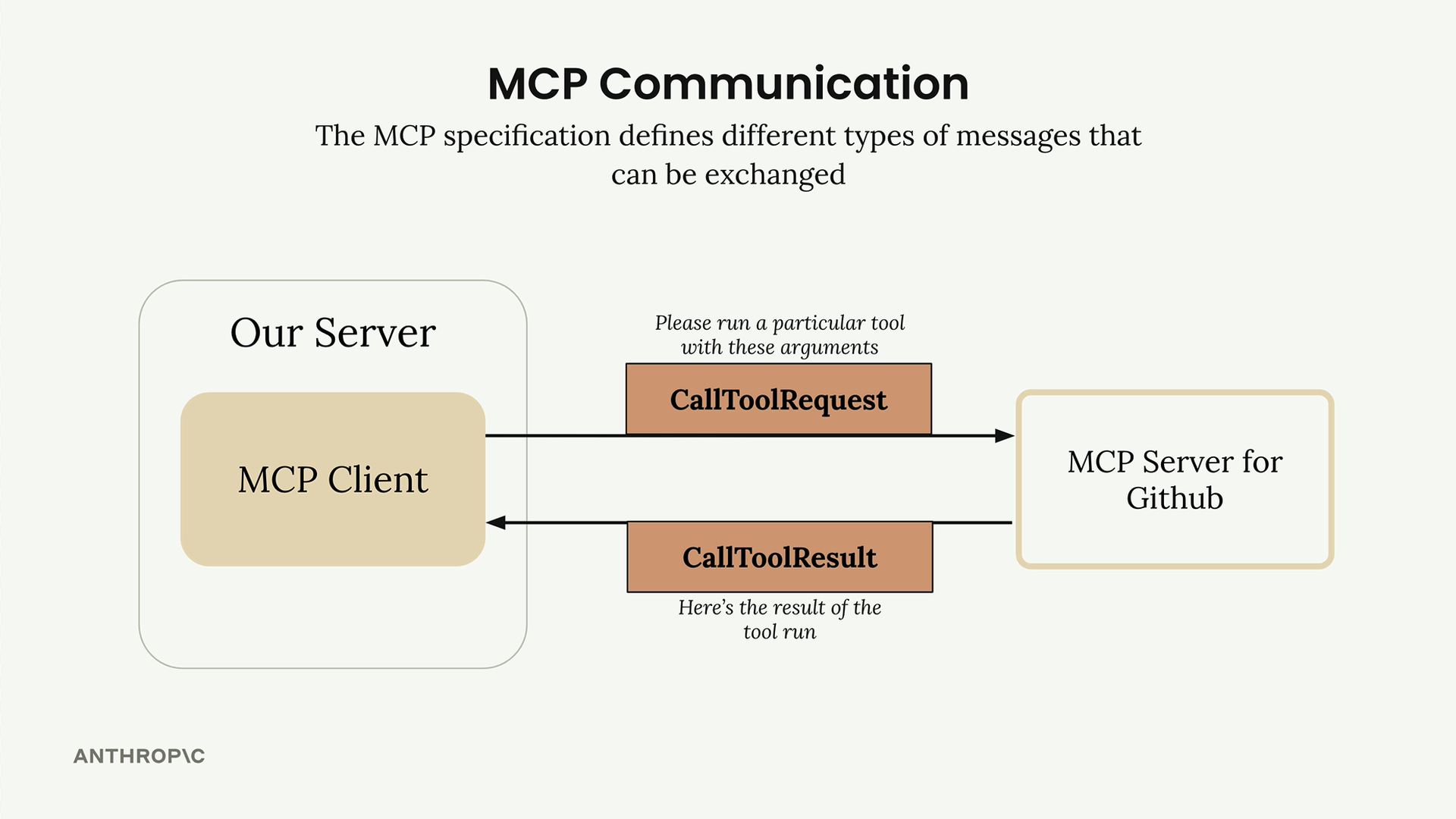
Once connected, the client and server exchange specific message types defined in the MCP specification. The main ones you'll work with are:
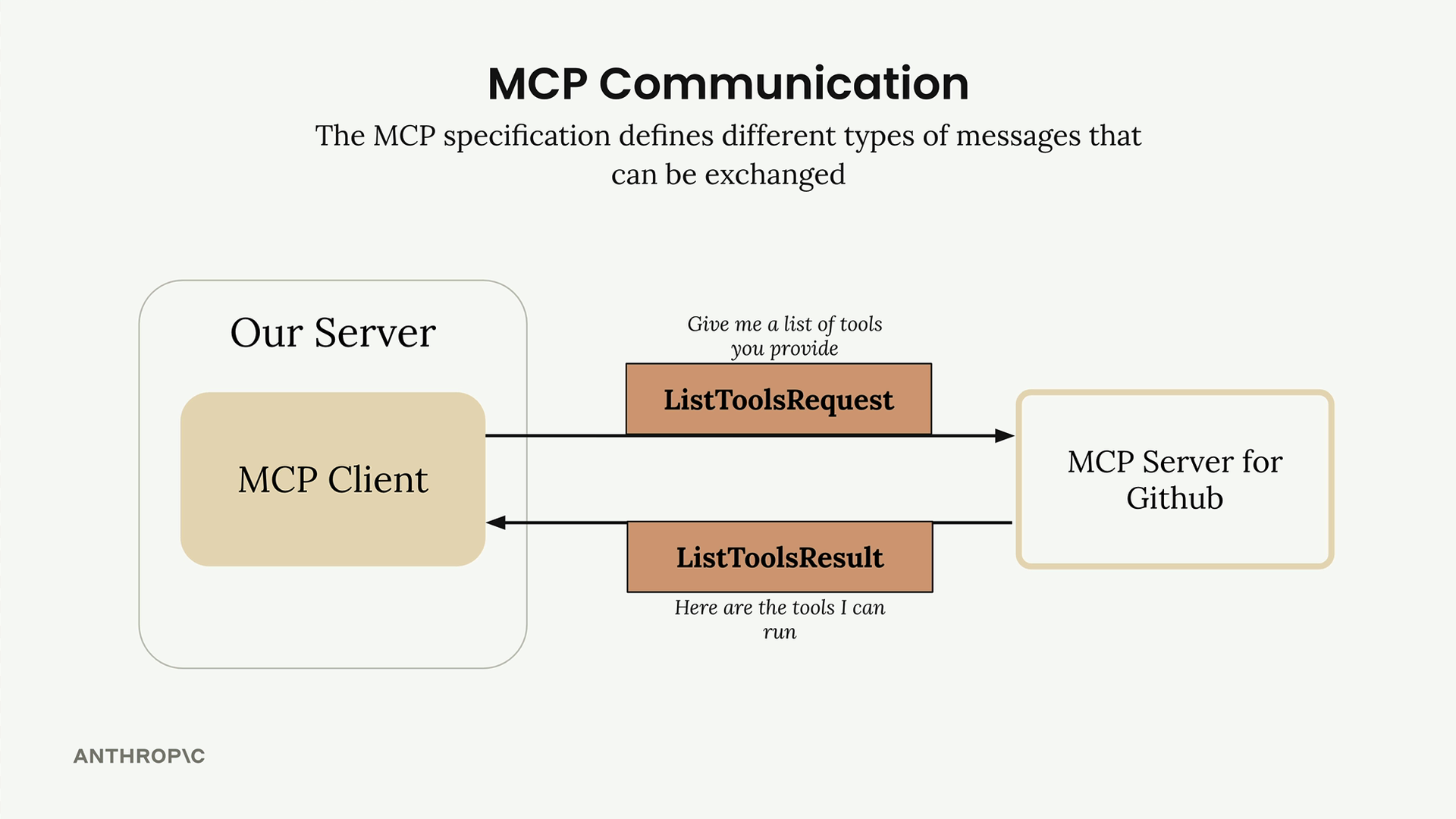
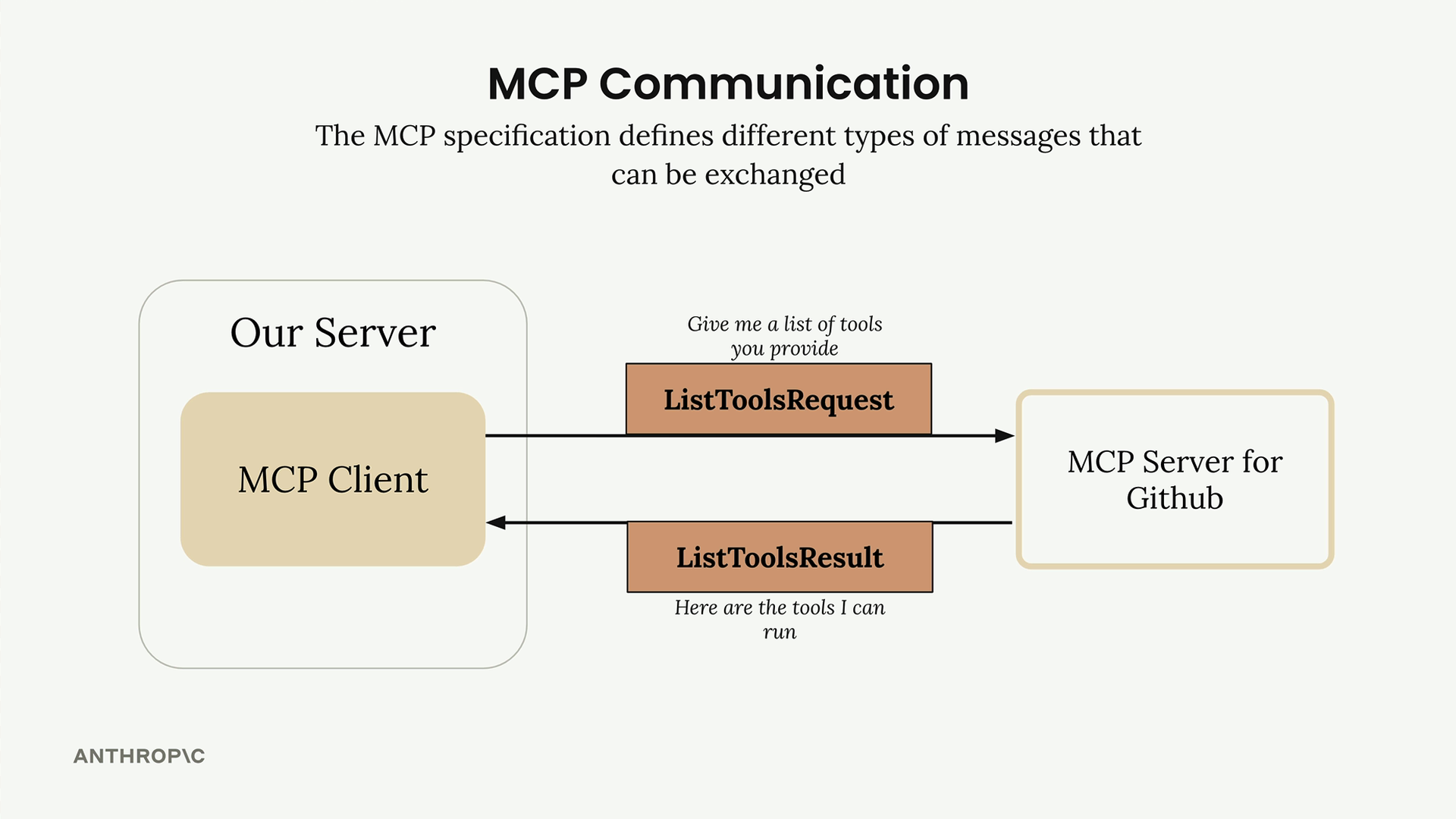
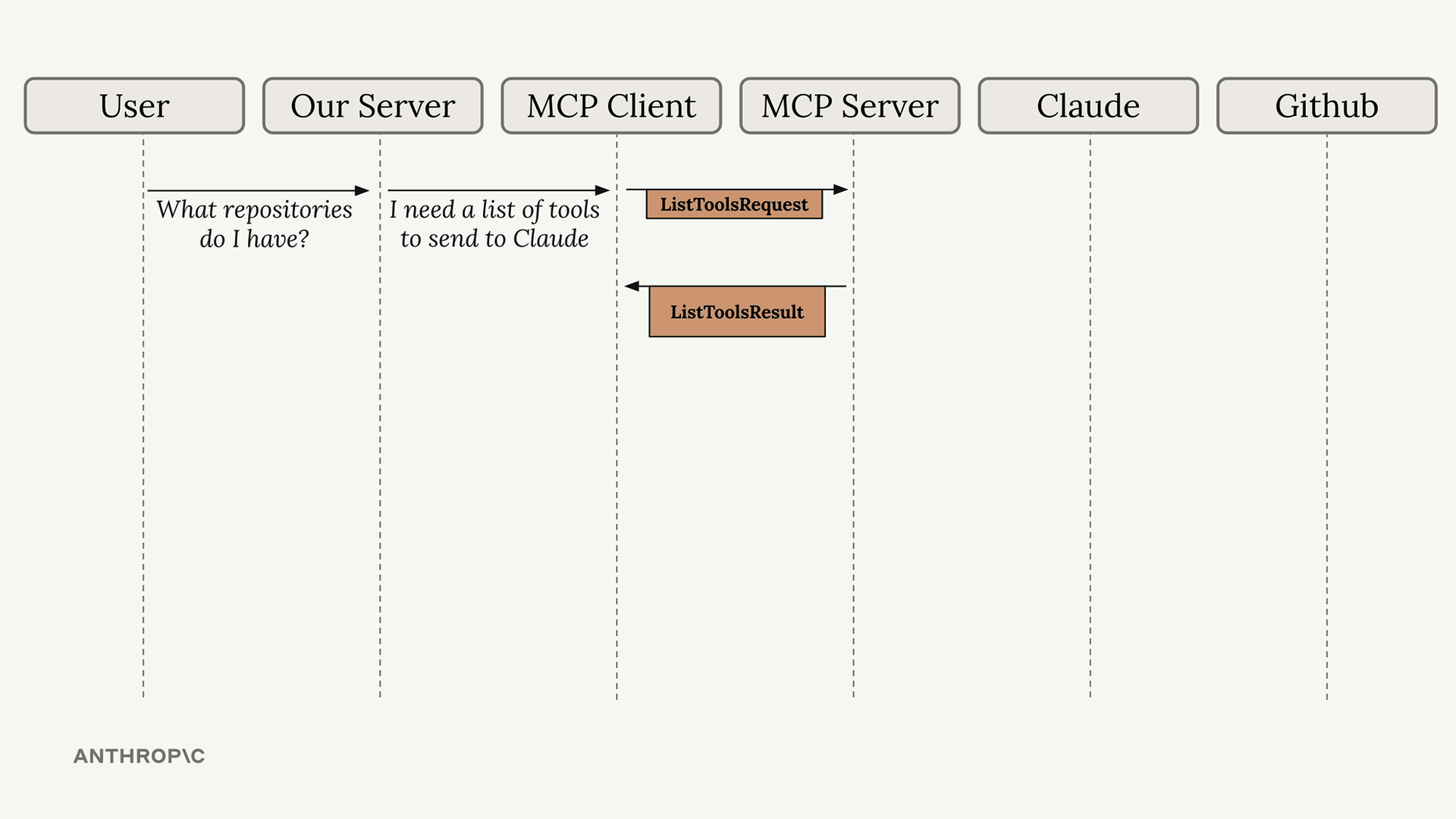
ListToolsRequest/ListToolsResult: The client asks the server "what tools do you provide?" and gets back a complete list of available functionality.
CallToolRequest/CallToolResult: The client tells the server "run this specific tool with these arguments" and receives the execution results.
Real-World Example Flow
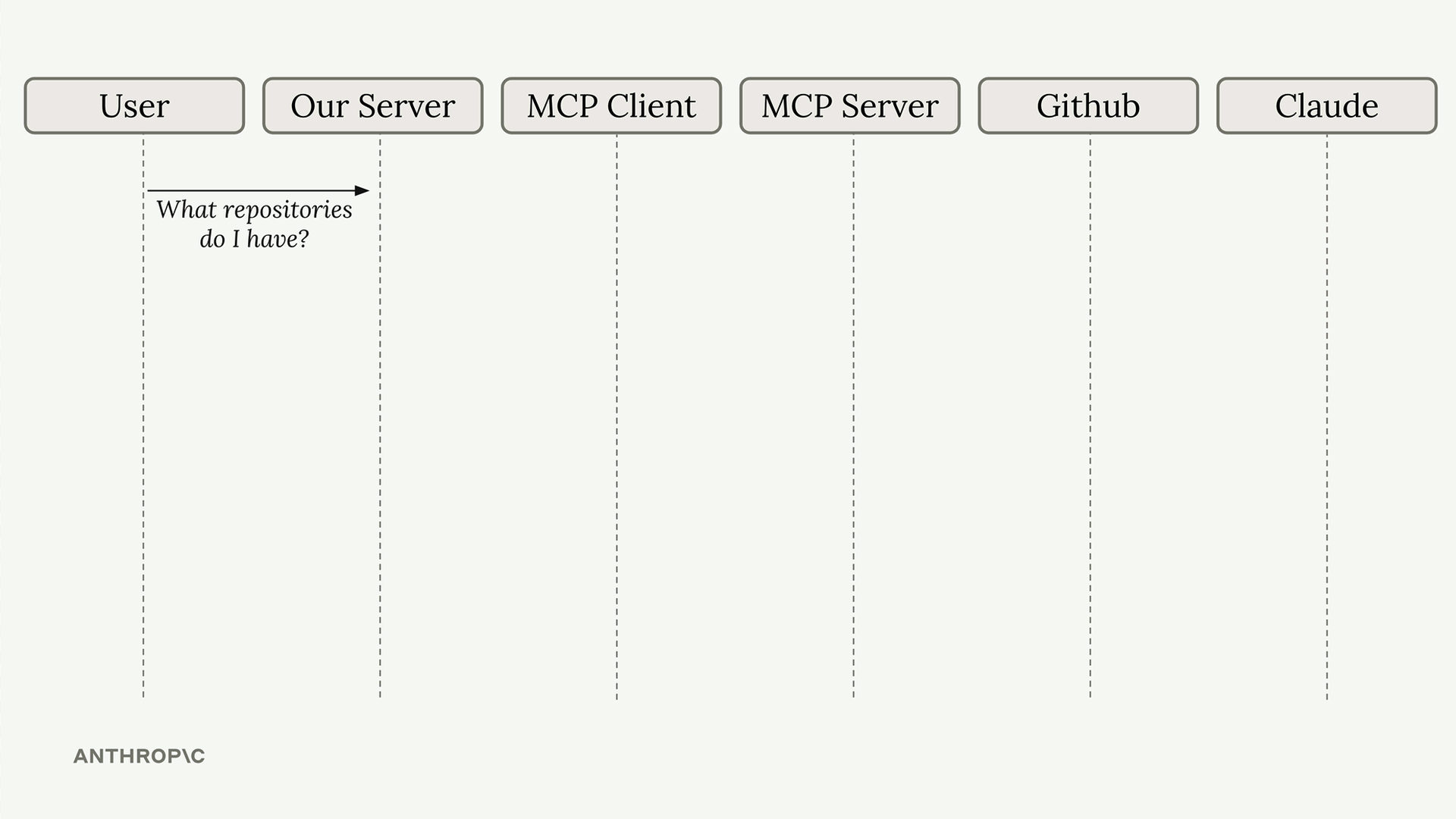
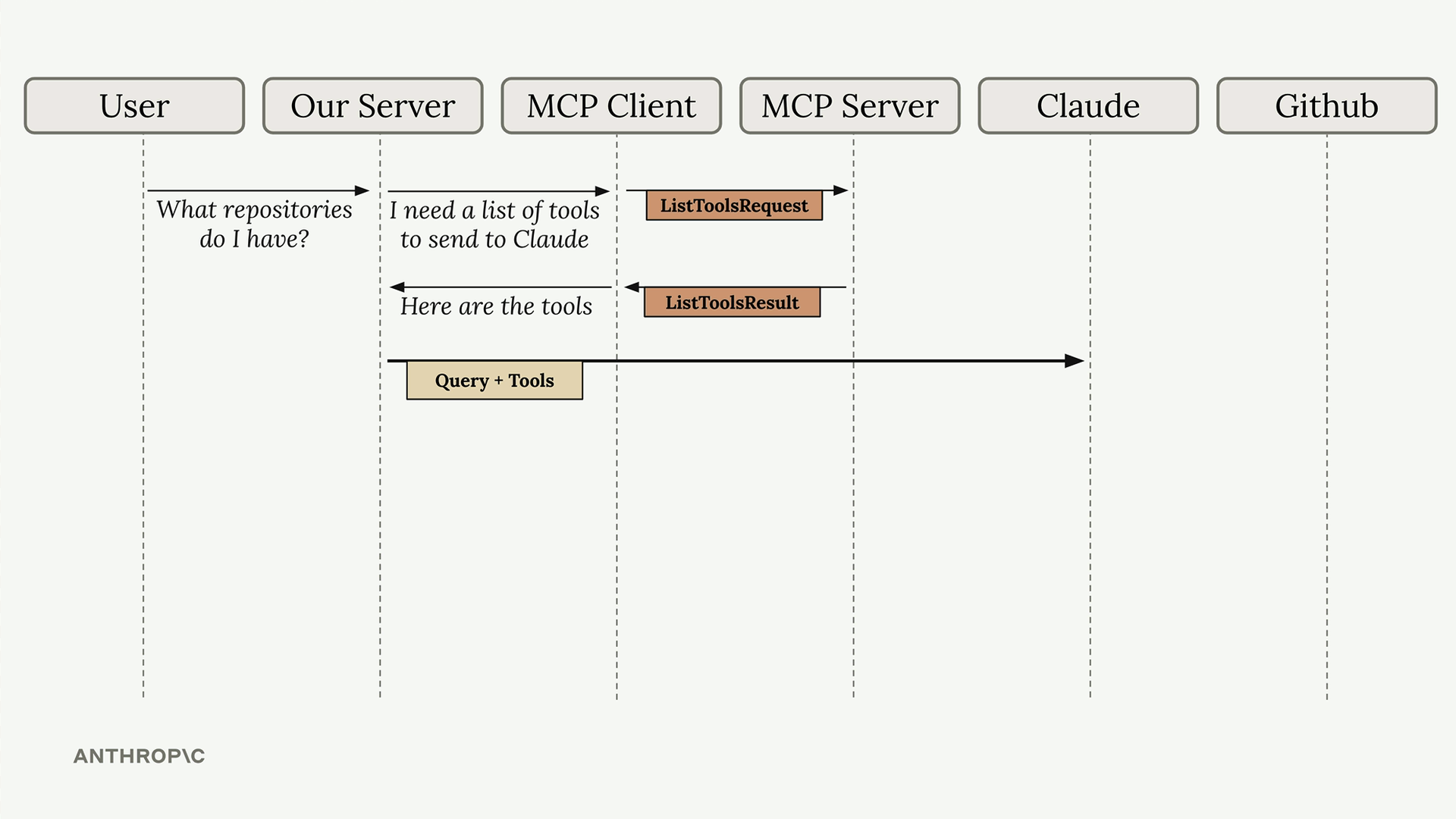
Let's walk through a complete example to see how all these pieces work together. Imagine a user asks "What repositories do I have?" - here's the entire communication chain:
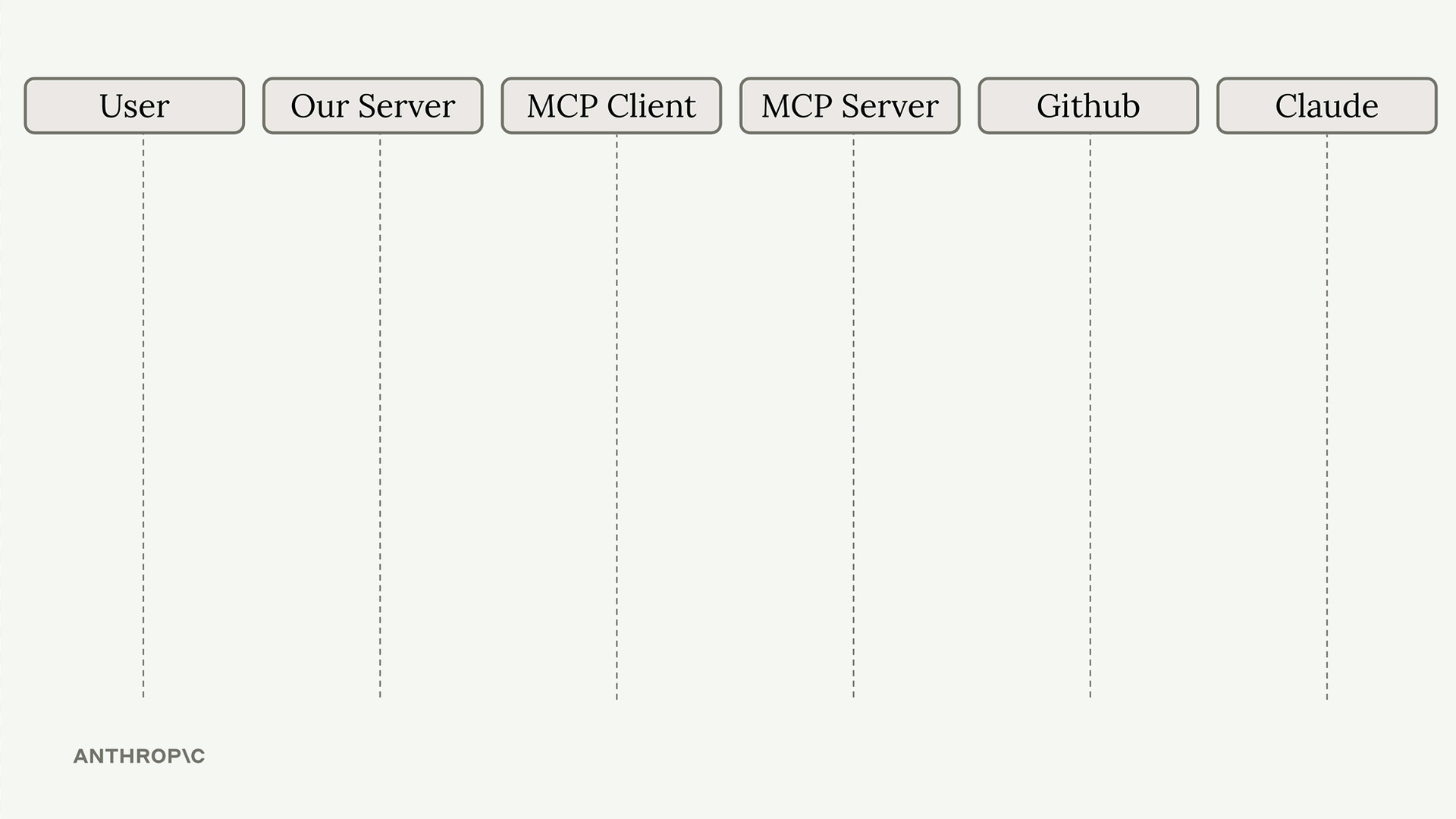
The process starts when a user submits their question to your server. Your server realizes it needs to provide Claude with available tools before making the AI request.
Your server asks the MCP client for a tool list, which triggers a ListToolsRequest to the MCP server. The server responds with ListToolsResult containing all available tools.
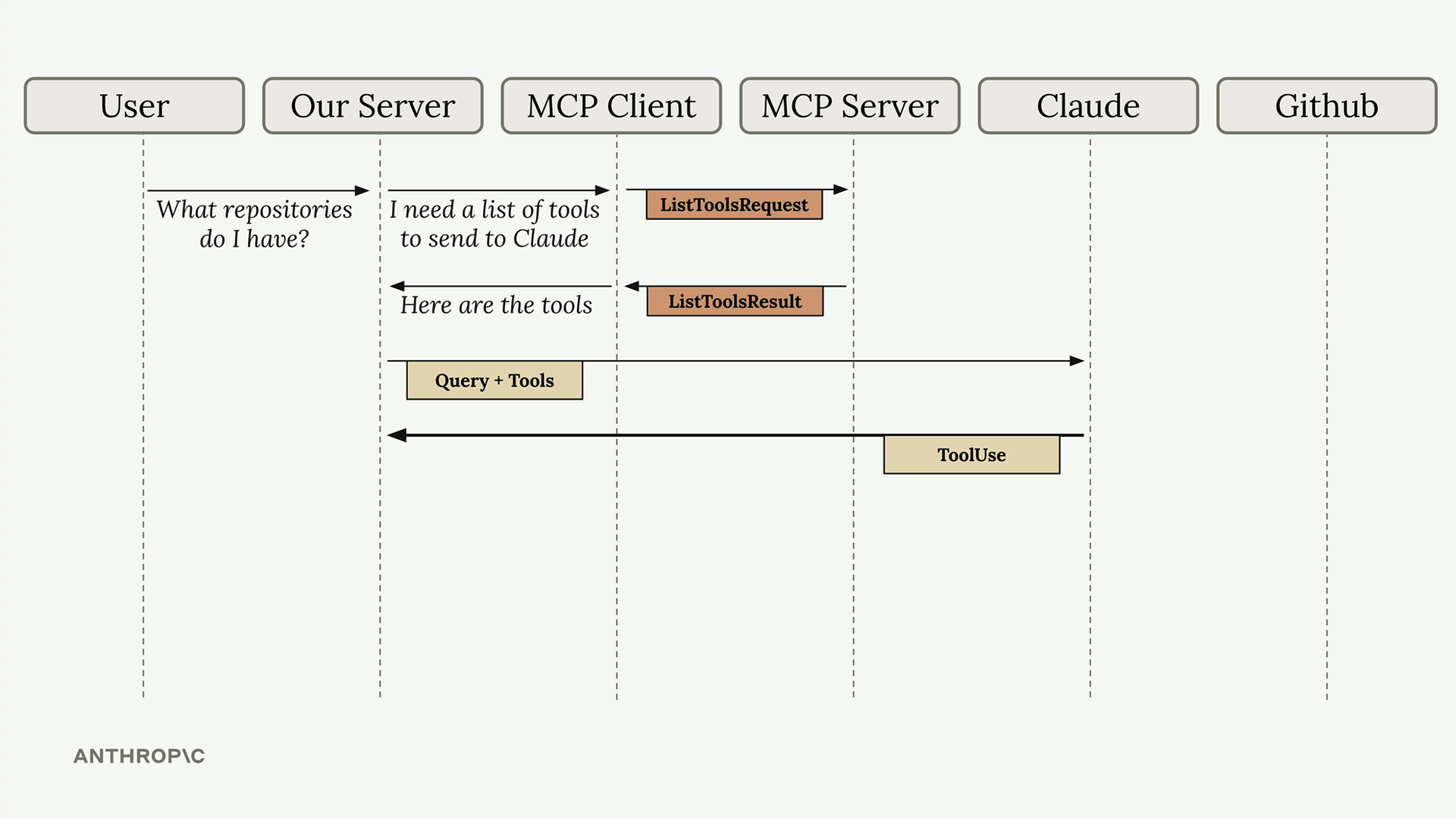
Now your server has everything needed to make the initial Claude request: the user's question plus the available tools. Claude analyzes the tools and decides it needs to call one to answer the question properly.
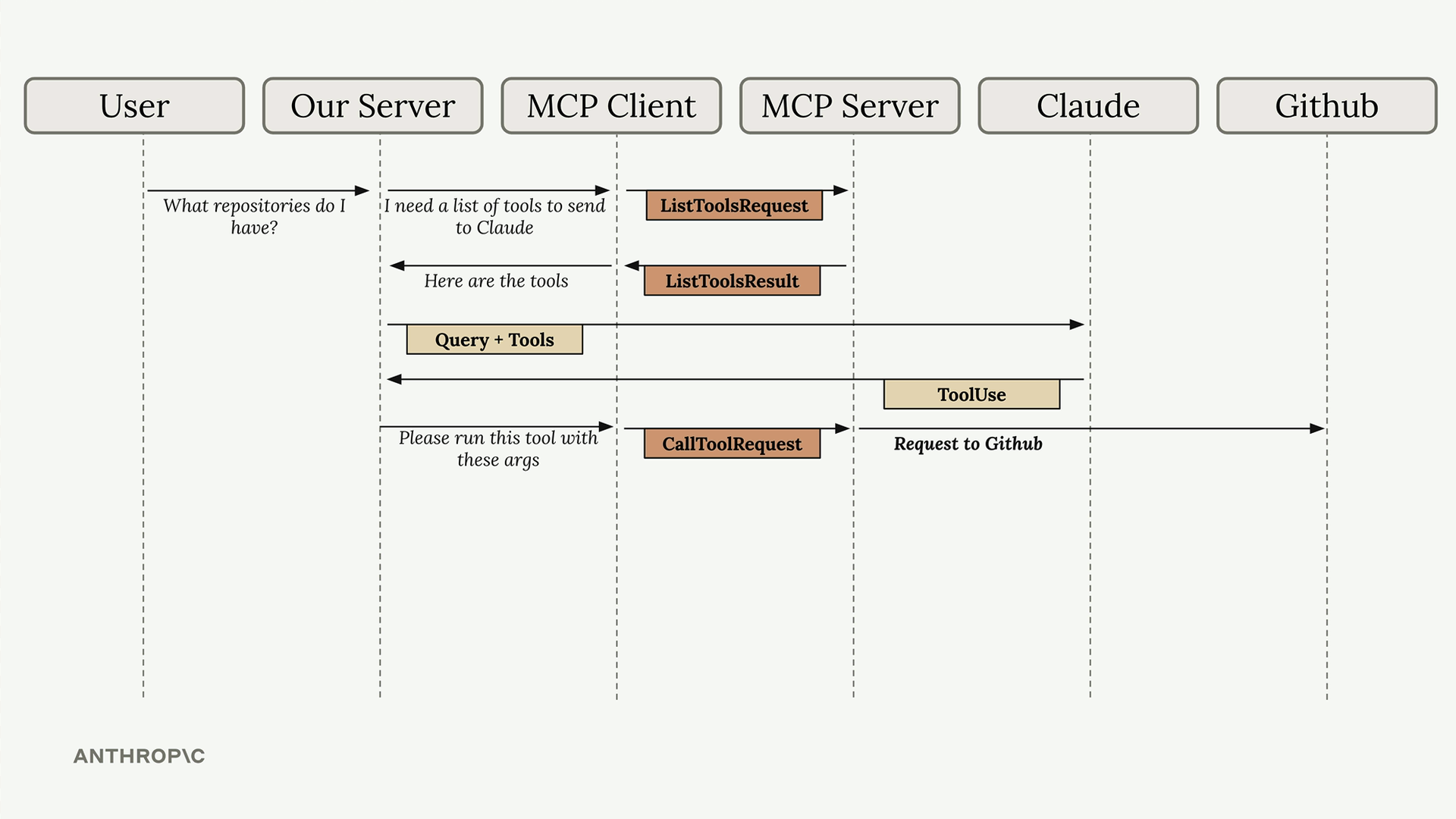
Claude responds with a tool use request. Your server recognizes this and asks the MCP client to execute the tool with Claude's specified arguments.
The MCP client sends a CallToolRequest to the MCP server, which then makes the actual API call to GitHub to fetch the user's repositories.
GitHub returns the repository data, which the MCP server wraps in a CallToolResult and sends back through the chain. Your server receives this data and can now make a follow-up request to Claude.
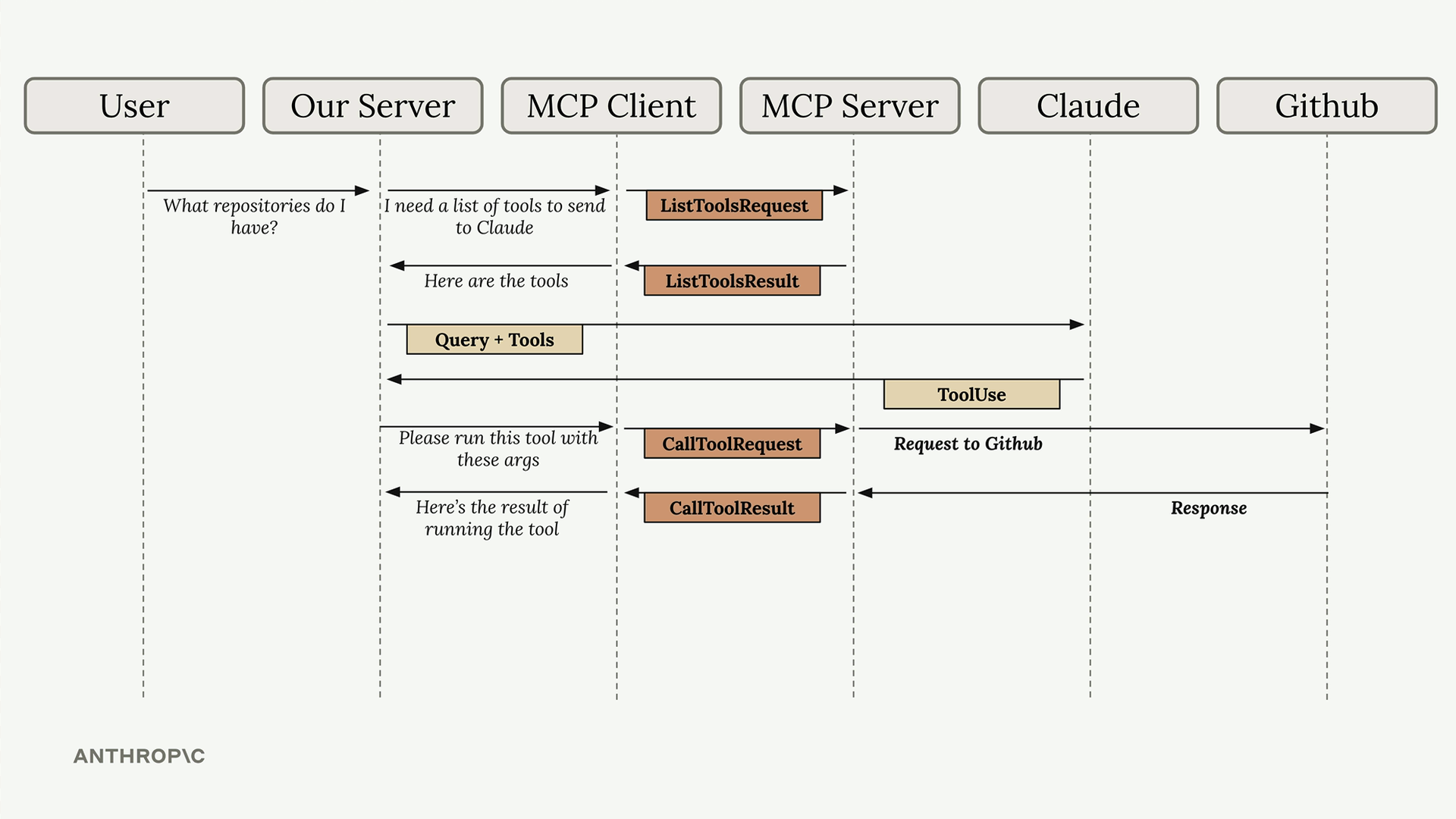
The final step sends the tool results to Claude as part of a user message. Claude now has all the information needed to formulate a complete response about the user's repositories.
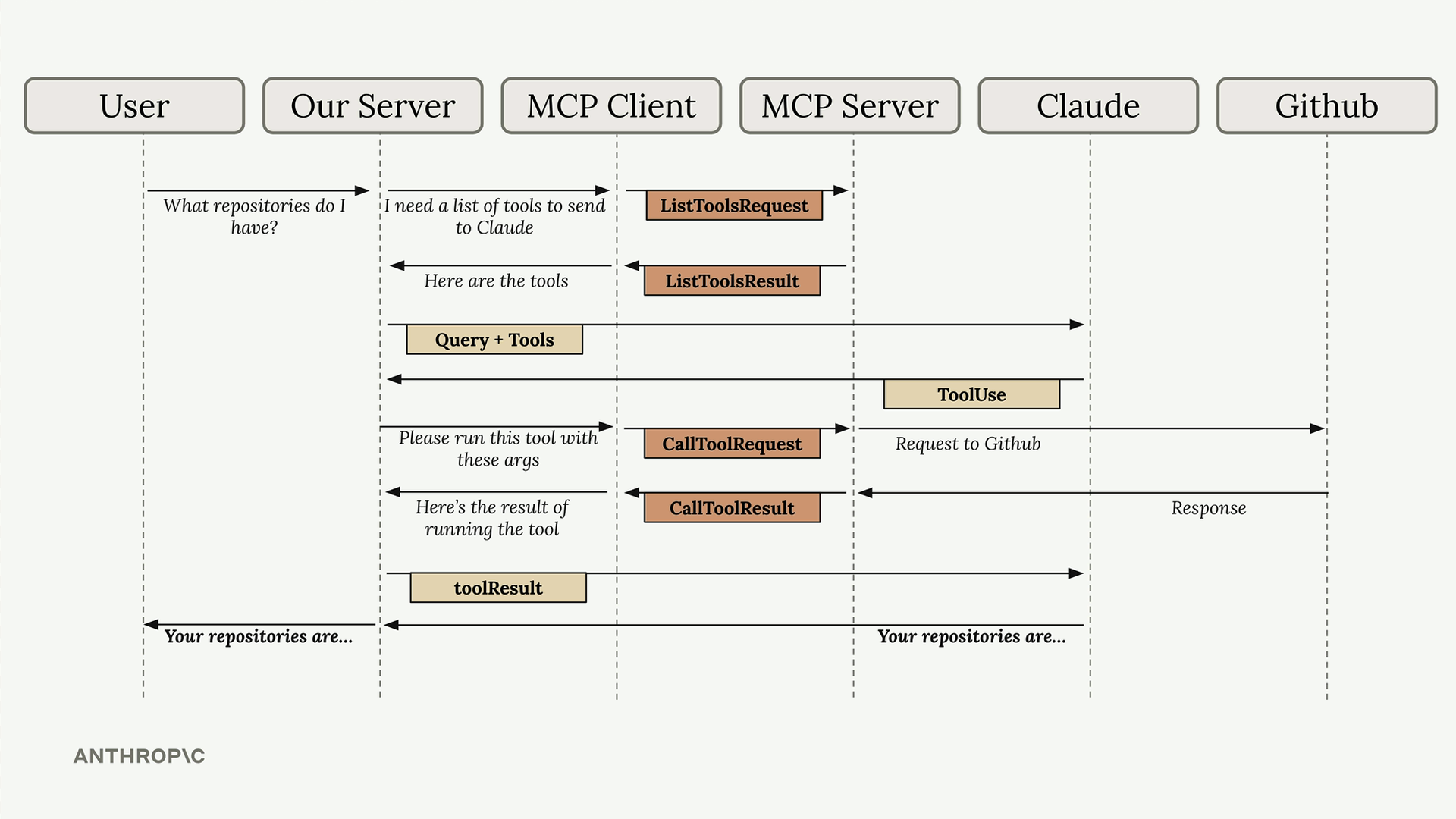
Yes, this flow involves many steps, but understanding it prepares you for implementing your own MCP clients and servers. Each component has a specific role, and the standardized message types ensure everything works together smoothly regardless of the underlying transport mechanism.