Making your first API request to AWS Bedrock requires three essential components: a Bedrock Runtime Client to connect to the service, a Model ID to specify which model you want to run, and a User Message containing the text you want to feed into the model.
Setting Up the Bedrock Client
Start by creating a client using boto3 to connect to the Bedrock runtime service:
import boto3

client = boto3.client("bedrock-runtime", region_name="us-west-2")
Understanding Model IDs and Regional Availability
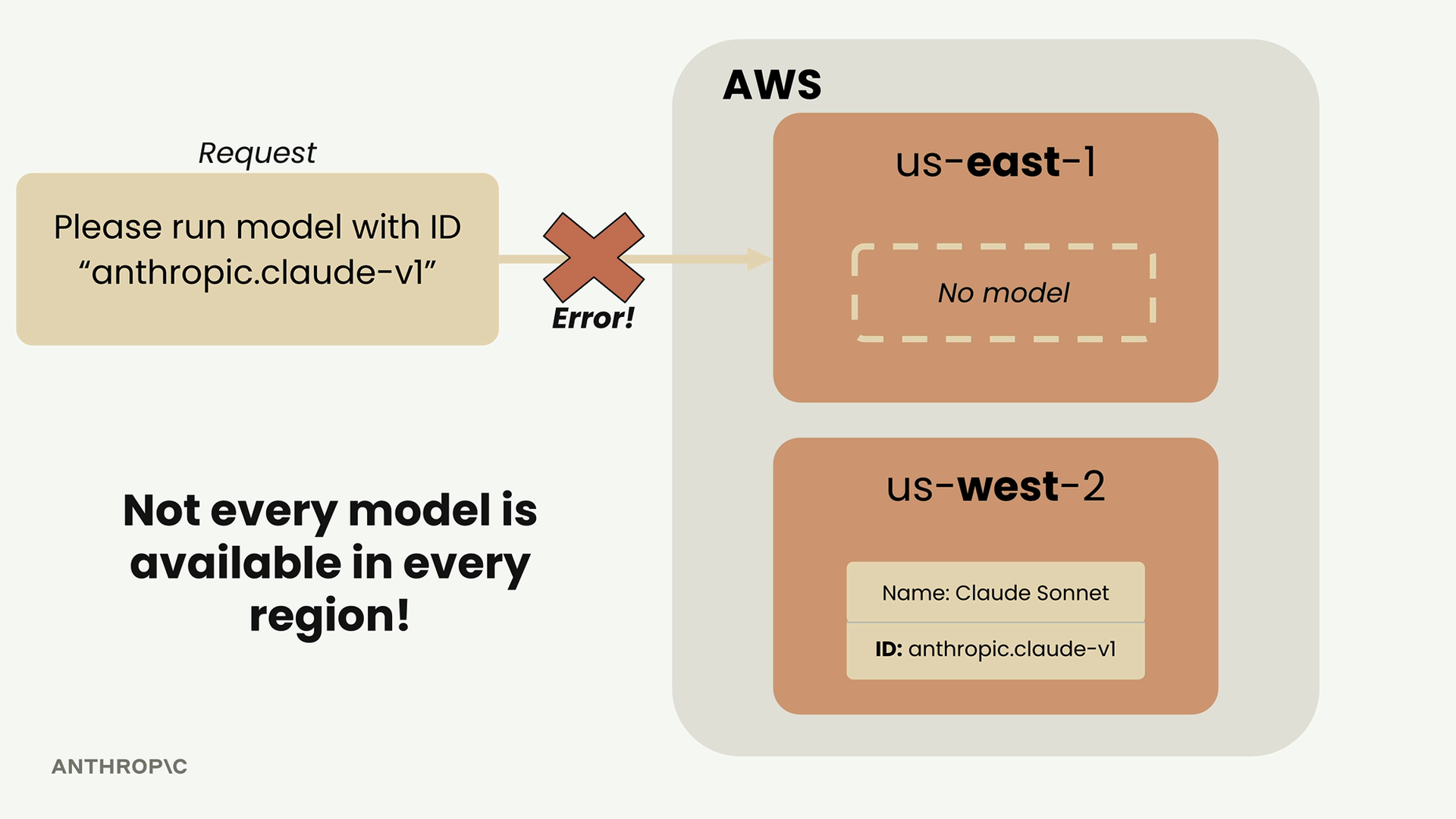
Here's where things get tricky. Not every model is available in every AWS region. If you try to run a model that doesn't exist in your chosen region, you'll get a cryptic error message saying the model doesn't exist.
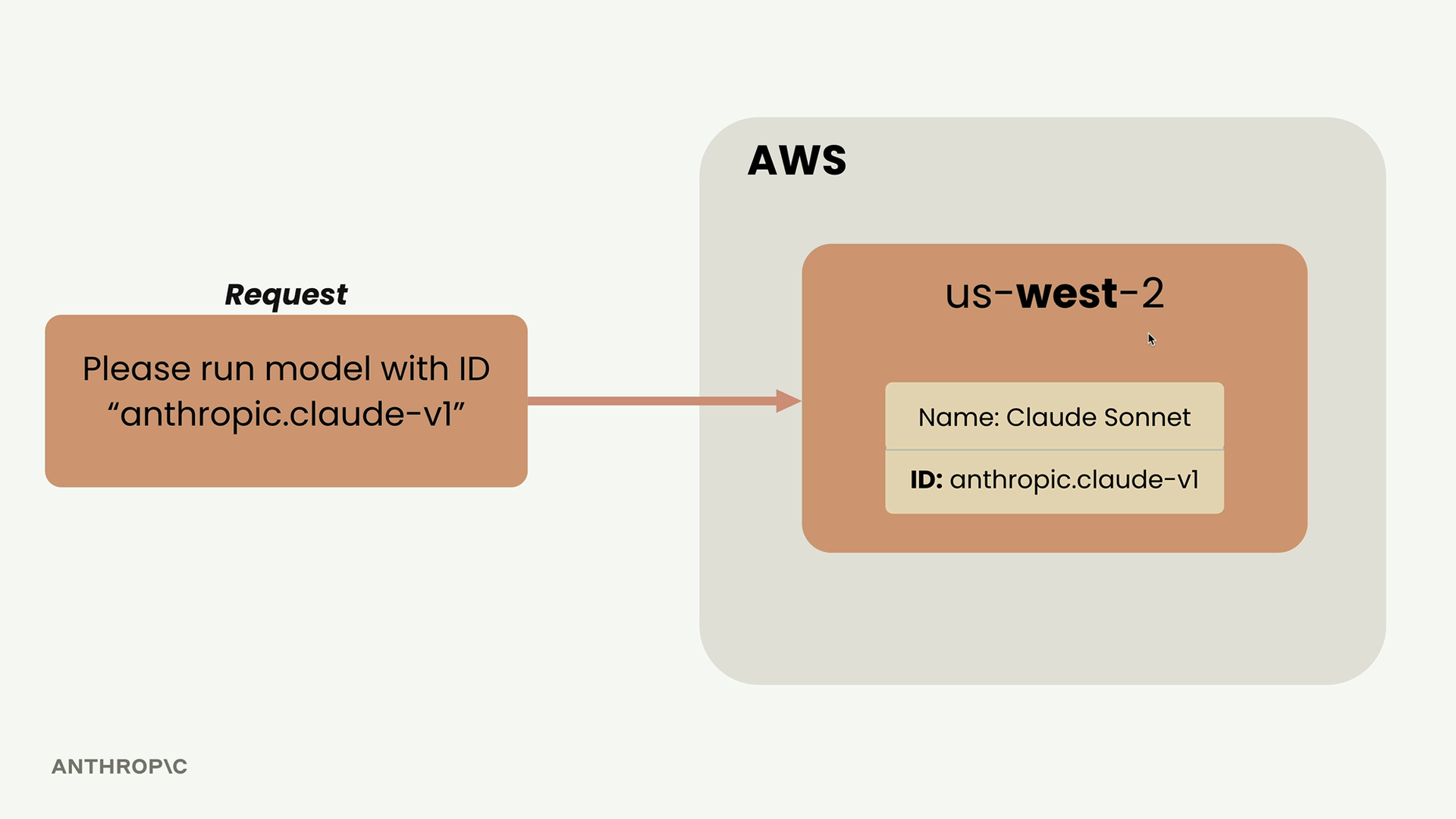
For example, if Claude Sonnet is available in us-west-2 but you're making requests from us-east-1, your request will fail.
Using Inference Profiles
Inference profiles solve the regional availability problem by automatically routing your requests to a region where your chosen model is actually hosted.
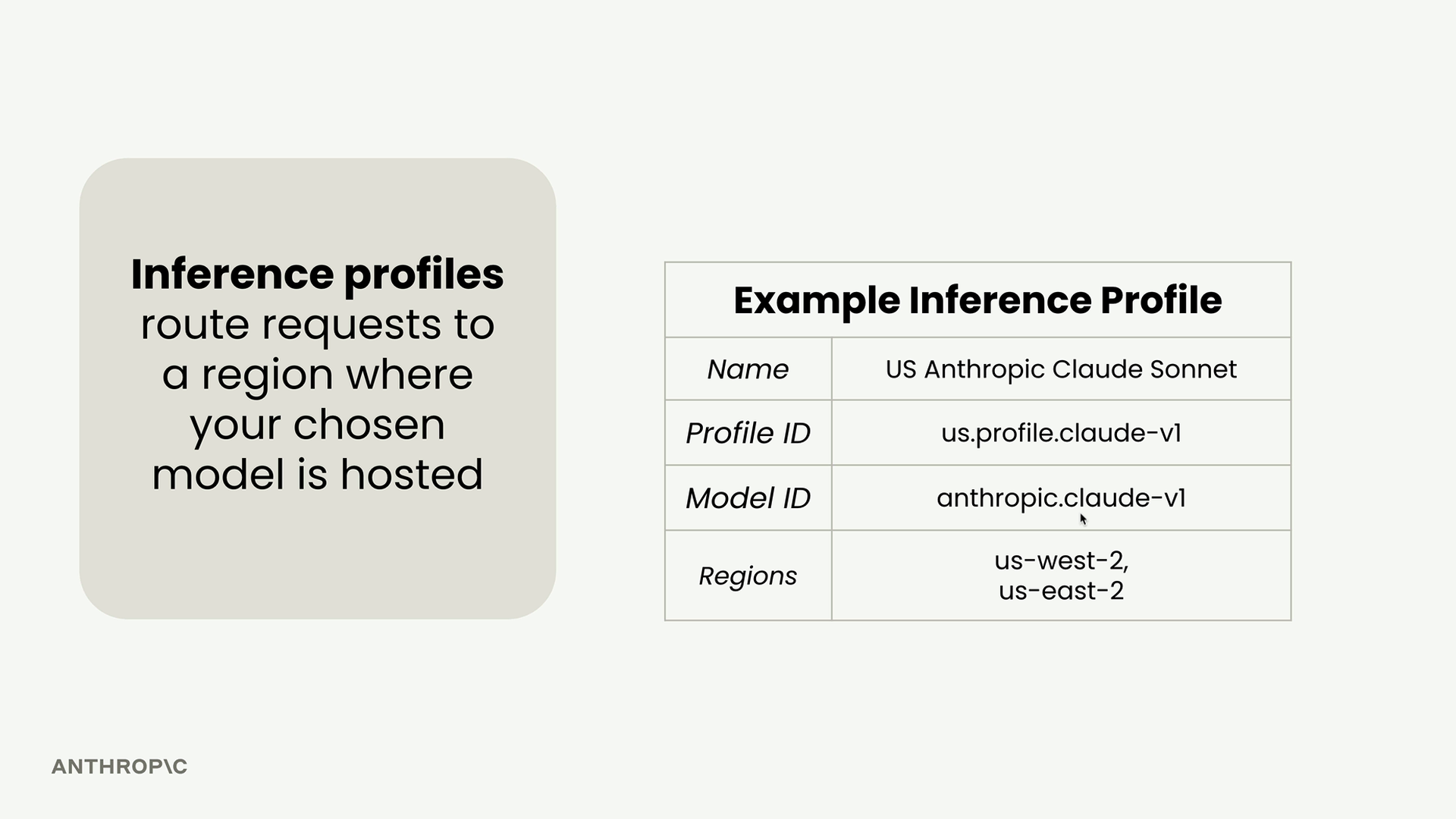
Instead of tracking which models are in which regions, you can use an inference profile that knows the model is available in multiple regions like us-west-2 and us-east-2.
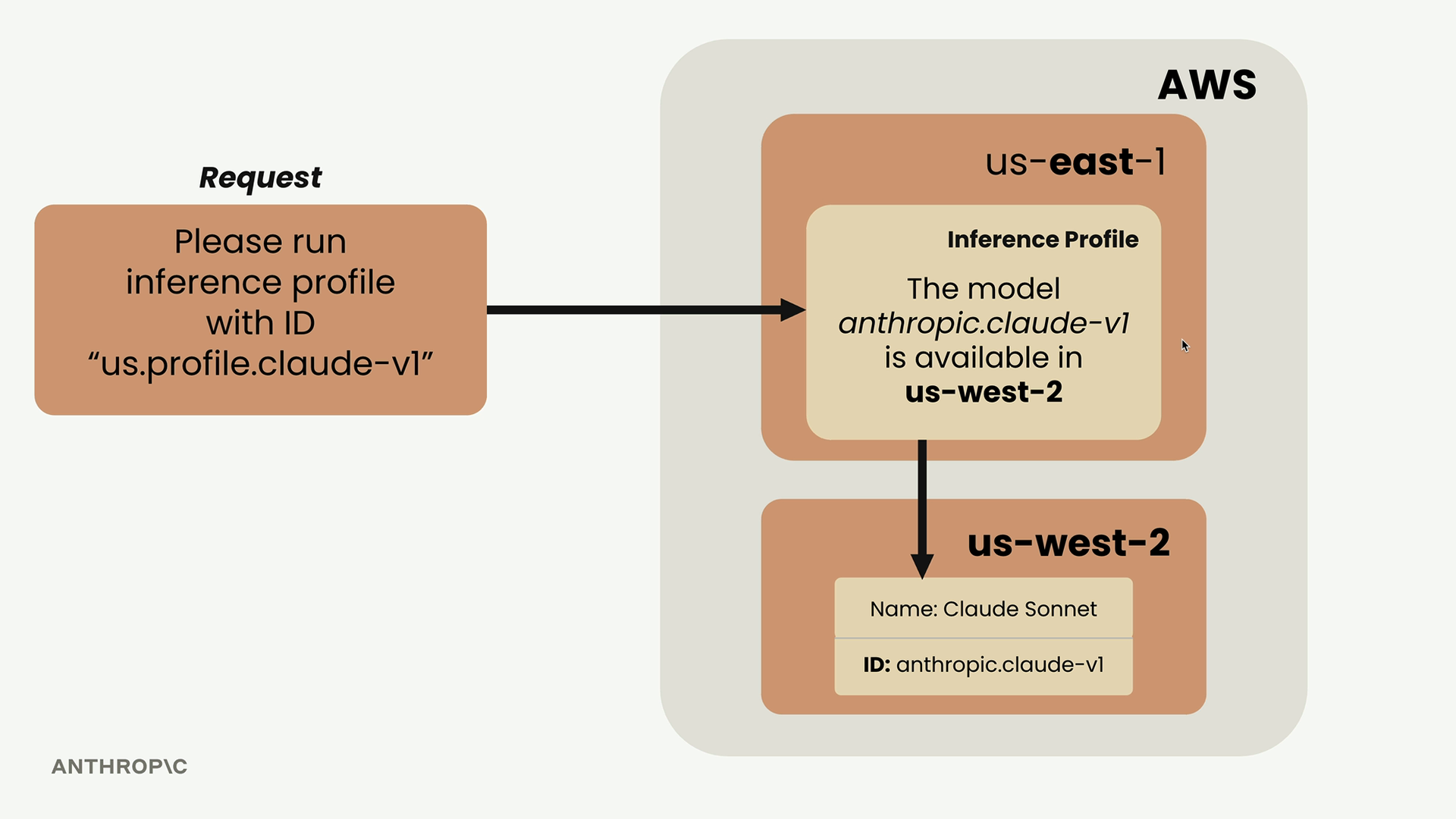
When you make a request using an inference profile, AWS automatically routes it to the correct region where your model exists, even if you're connecting from a different region.
To find inference profile IDs, go to the AWS Bedrock console and look under "Cross-region inference" rather than using the model ID from the main model catalog page.
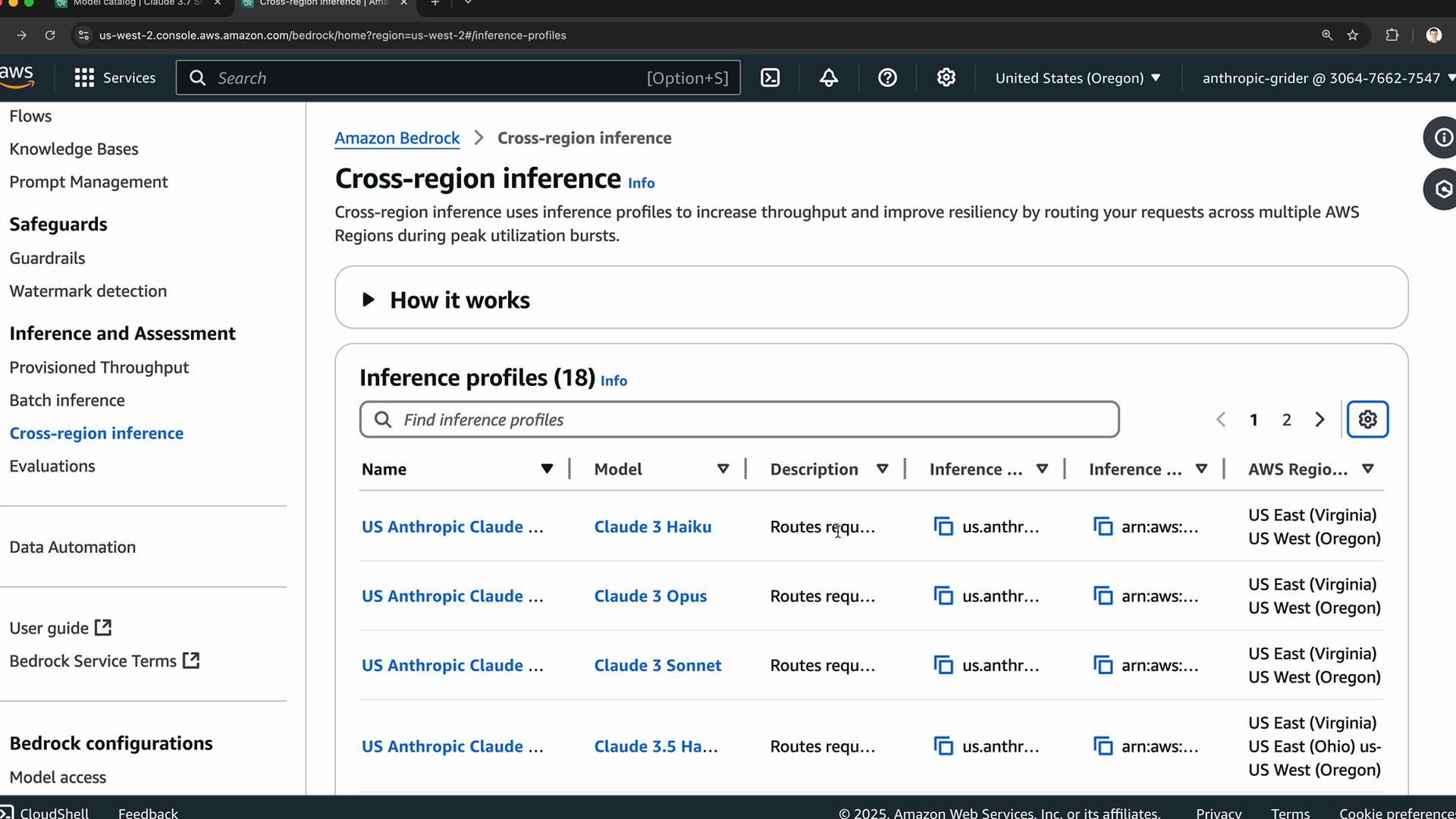
Copy the inference profile ID for your chosen model. The examples in this course use Claude Haiku 4.5, whose inference profile ID is us.anthropic.claude-haiku-4-5-20251001-v1:0.
Creating User Messages
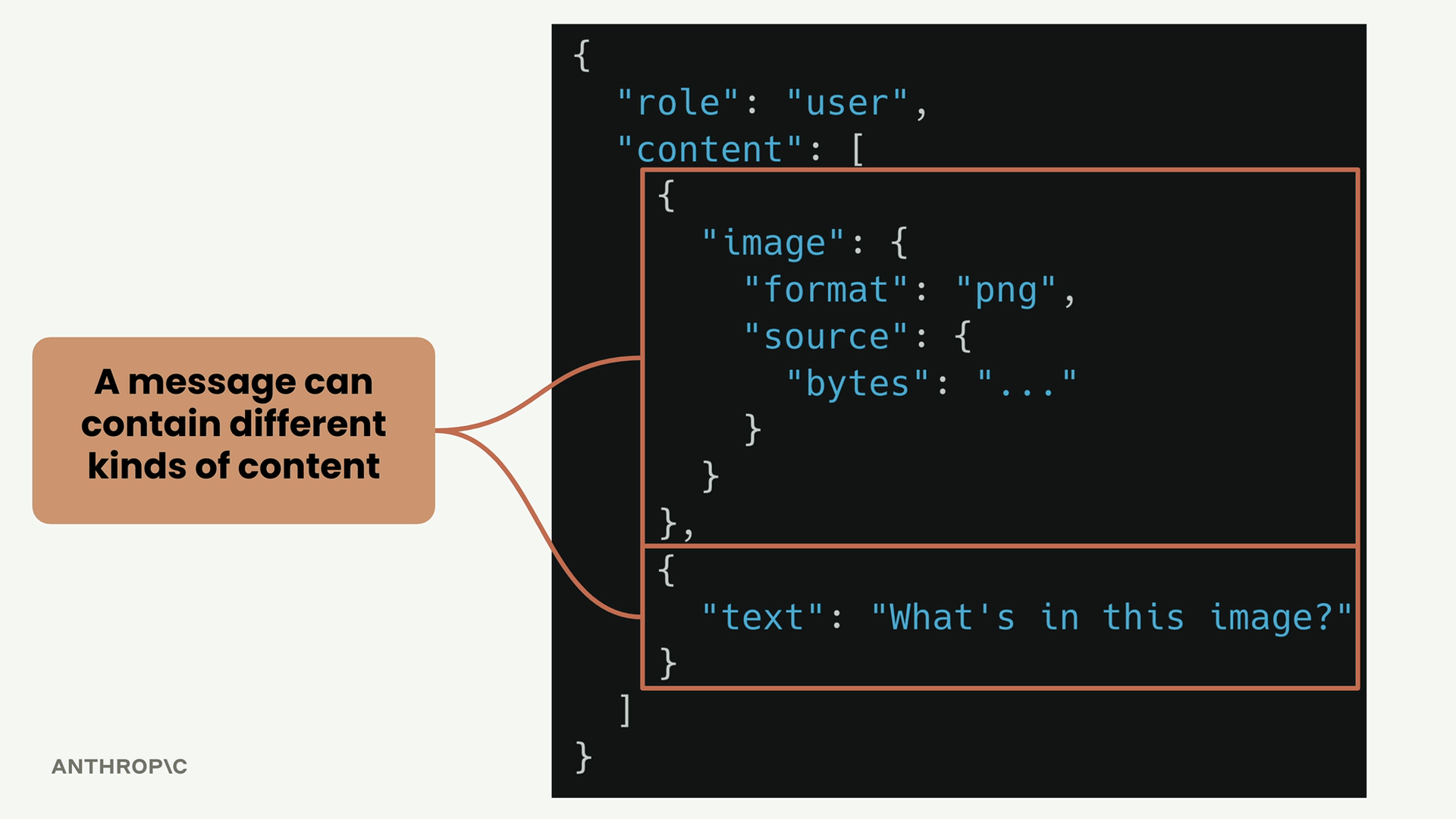
User messages have a specific structure that might look overly complex at first, but there's a good reason for it:
user_message = {
    "role": "user",
    "content": [
        {"text": "What's 1+1?"}
    ]
}
The content is a list because a single message can contain different types of content - text, images, or other media types. This structure allows you to send multimodal requests.
Making the Request
Now you can make your API call using the converse method:
response = client.converse(
    modelId=model_id,
    messages=[user_message]
)
The response contains a lot of metadata, but to get just the generated text, you need to navigate through the response structure:
response["output"]["message"]["content"][0]["text"]Understanding Message Types
There are two main message types you'll work with:
- User messages - Content you want to feed into the model (role: "user")
- Assistant messages - Content the model has produced (role: "assistant")
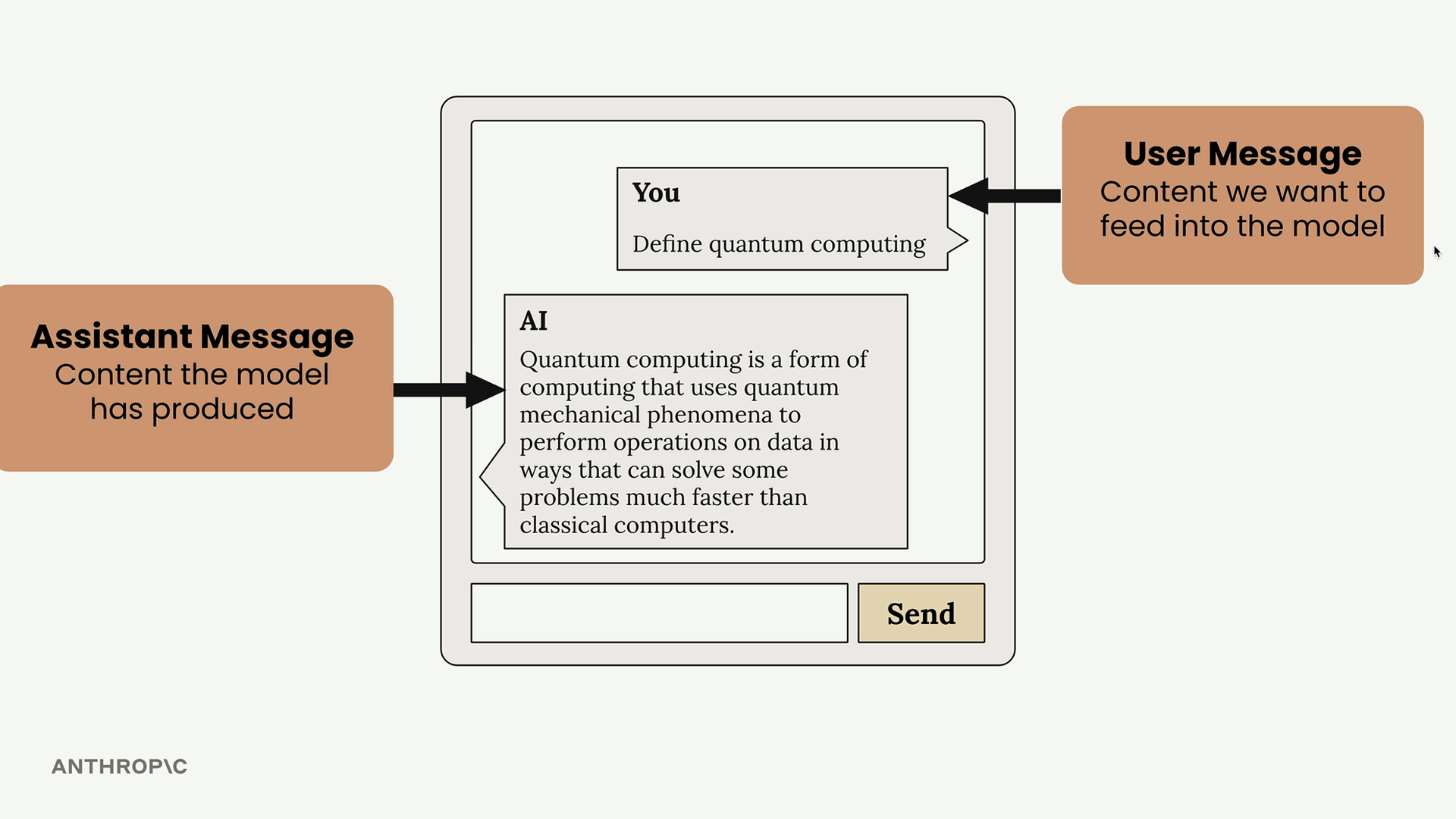
Both message types follow the same structure with a role and content list. This consistency makes it easy to build conversations by alternating between user and assistant messages.
The assistant message you get back from Bedrock follows the exact same format as your user message, just with a different role. This standardized structure makes it straightforward to chain multiple requests together for longer conversations.