After creating your tool function, the next step is writing a JSON schema to describe it. This schema tells Claude what arguments your function expects and how to use it properly. While the configuration might look intimidating at first, it's actually straightforward once you understand the process.
Understanding JSON Schema
JSON Schema isn't something invented just for AI tools - it's been around for years as a standard way to validate data. The schema has two main parts: the name and description at the top (which help Claude understand when to use the tool), and the actual schema that describes the function's arguments.
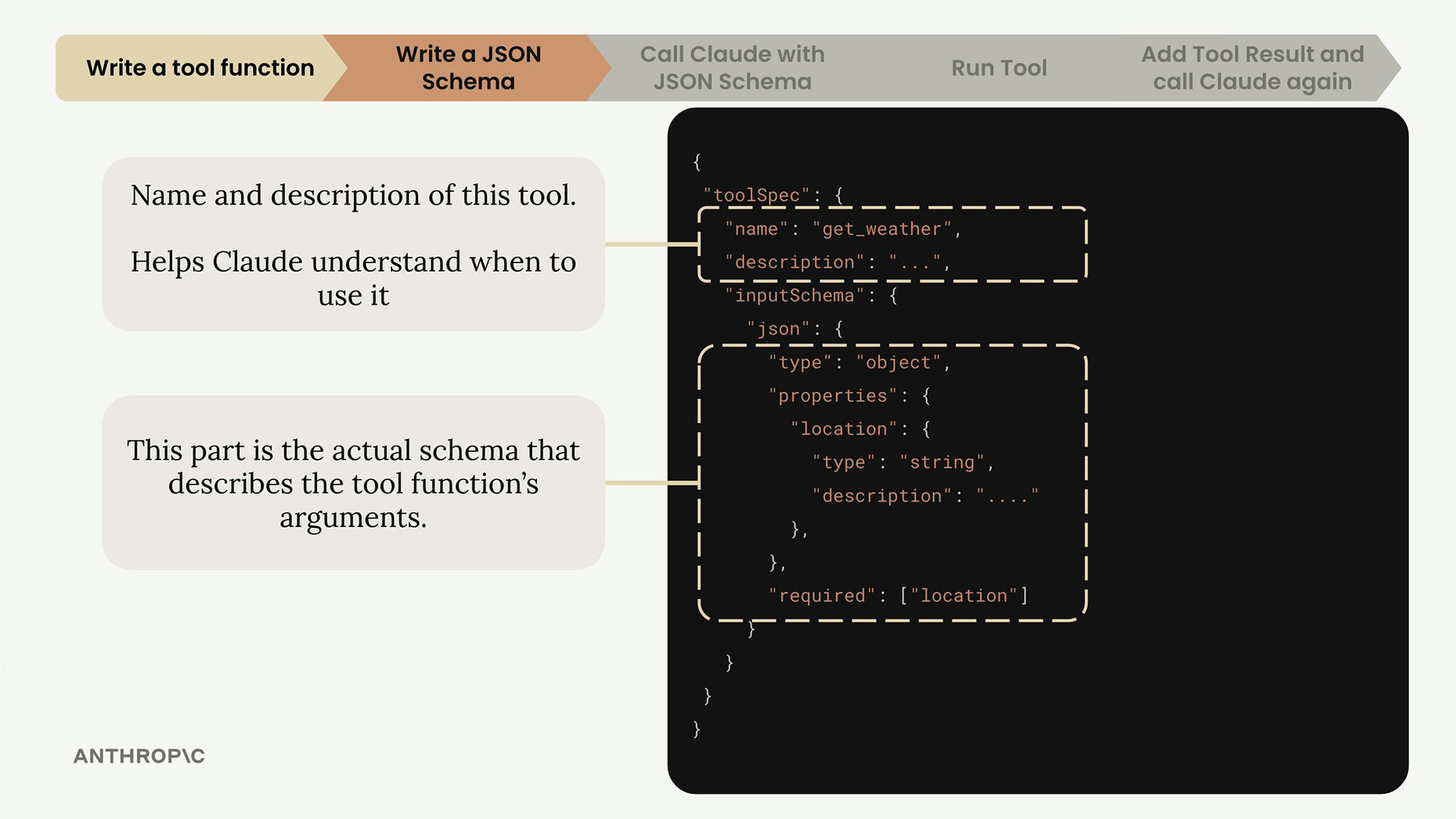
The top section contains the tool's name and description, which helps Claude understand when to use it. The bottom section is the actual schema that describes your function's arguments in detail.
Creating a JSON Schema: Step-by-Step
Here's the simplest way to create a JSON schema for any function:
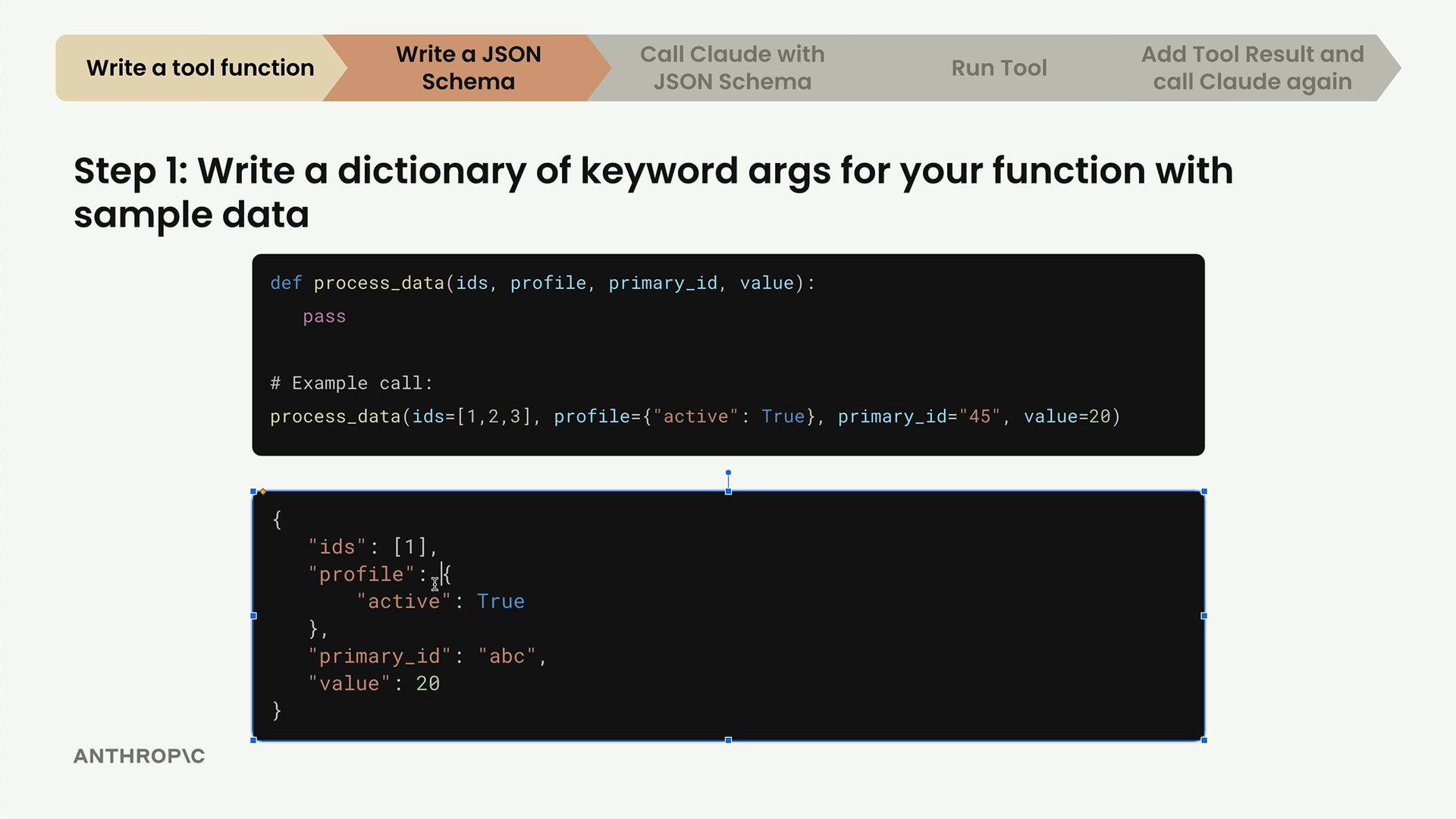
Step 1: Write a Dictionary with Sample Data
Take your function and create a dictionary of all keyword arguments with sample data. For example, if you have a function like this:
def process_data(ids, profile, primary_id, value):
    pass
Create a dictionary with sample values:
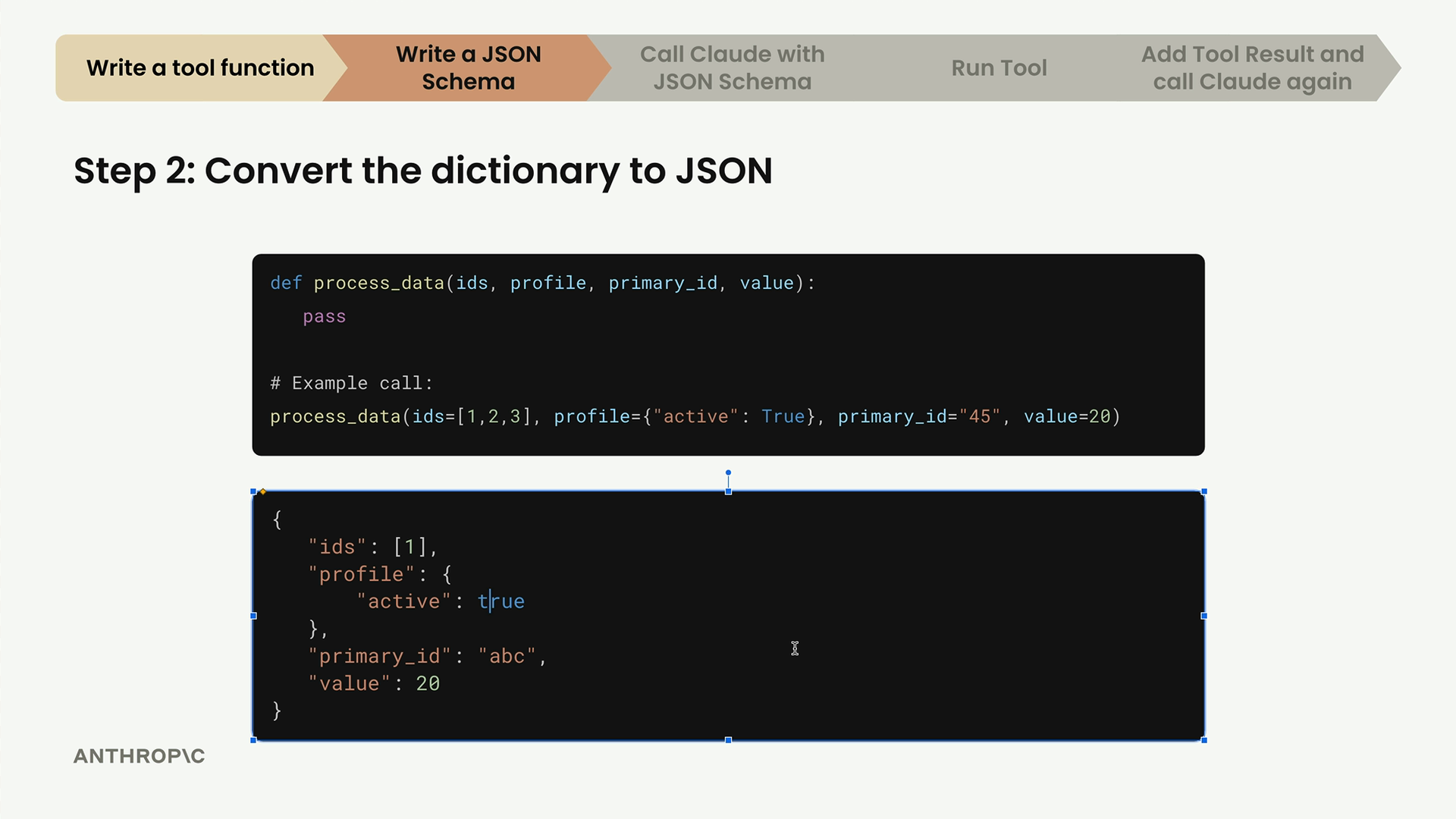
Step 2: Convert to JSON
Convert your Python dictionary to proper JSON format. The main difference is changing Python's True to JSON's true.
Step 3: Use an Online Converter
Search for "JSON to JSON Schema converter" and use one of the many free online tools. Paste your JSON data and let it generate the schema automatically.
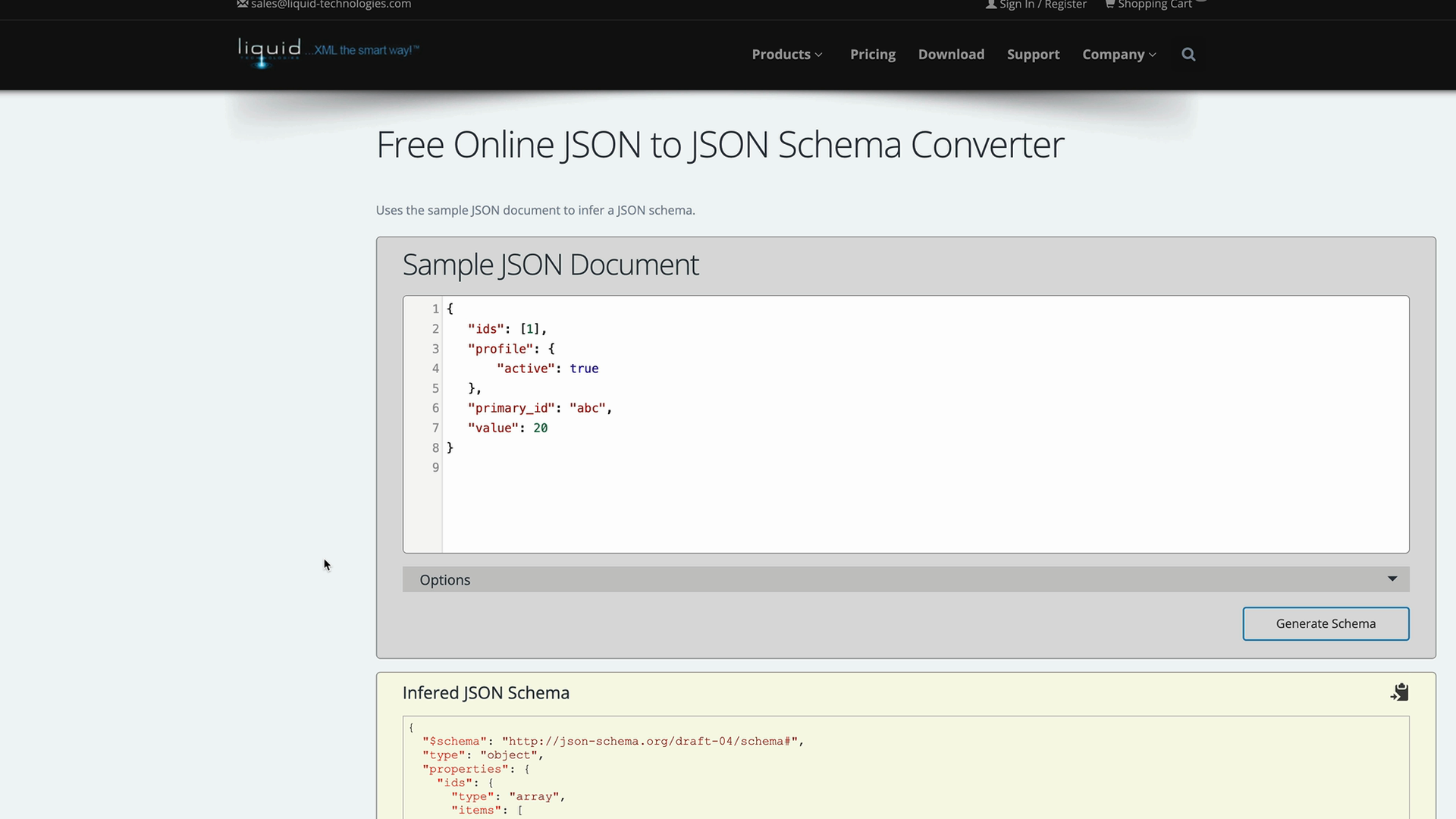
The tool will analyze your sample data and create a proper schema structure. Remove any $schema declarations from the output - you don't need them.
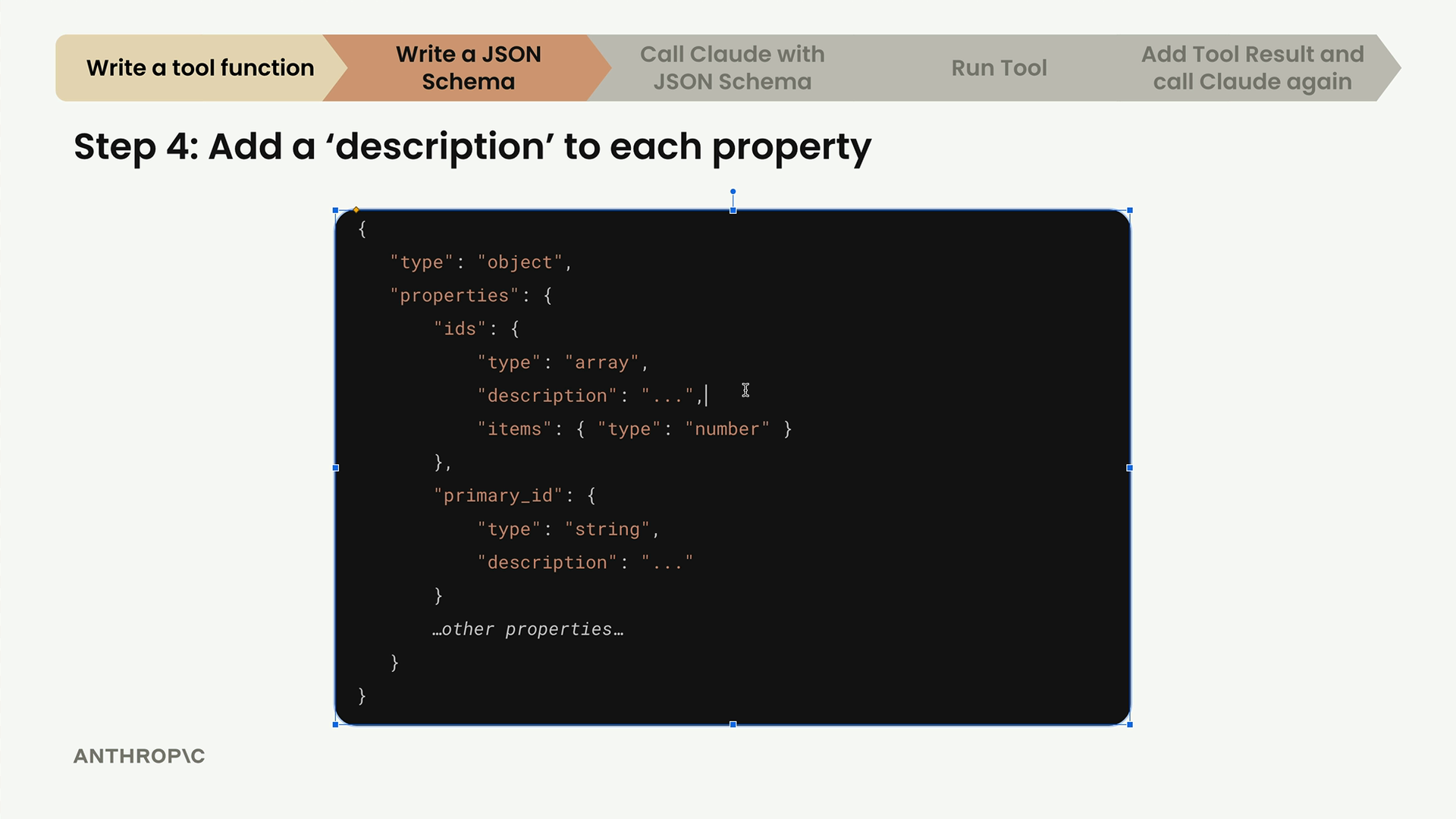
Step 4: Add Descriptions
The most important step is adding detailed descriptions to each property. These descriptions help Claude understand exactly what each argument does and how to use it.
Writing Good Descriptions
When writing descriptions for your tools and properties, follow these best practices:
- Explain what the tool does, when to use it, and what it returns
- Aim for 3-4 sentences in your tool description
- Provide super detailed descriptions for each property
- If you're stuck, paste your function into Claude and ask it to write descriptions for you
Here's an example of a well-described tool schema:
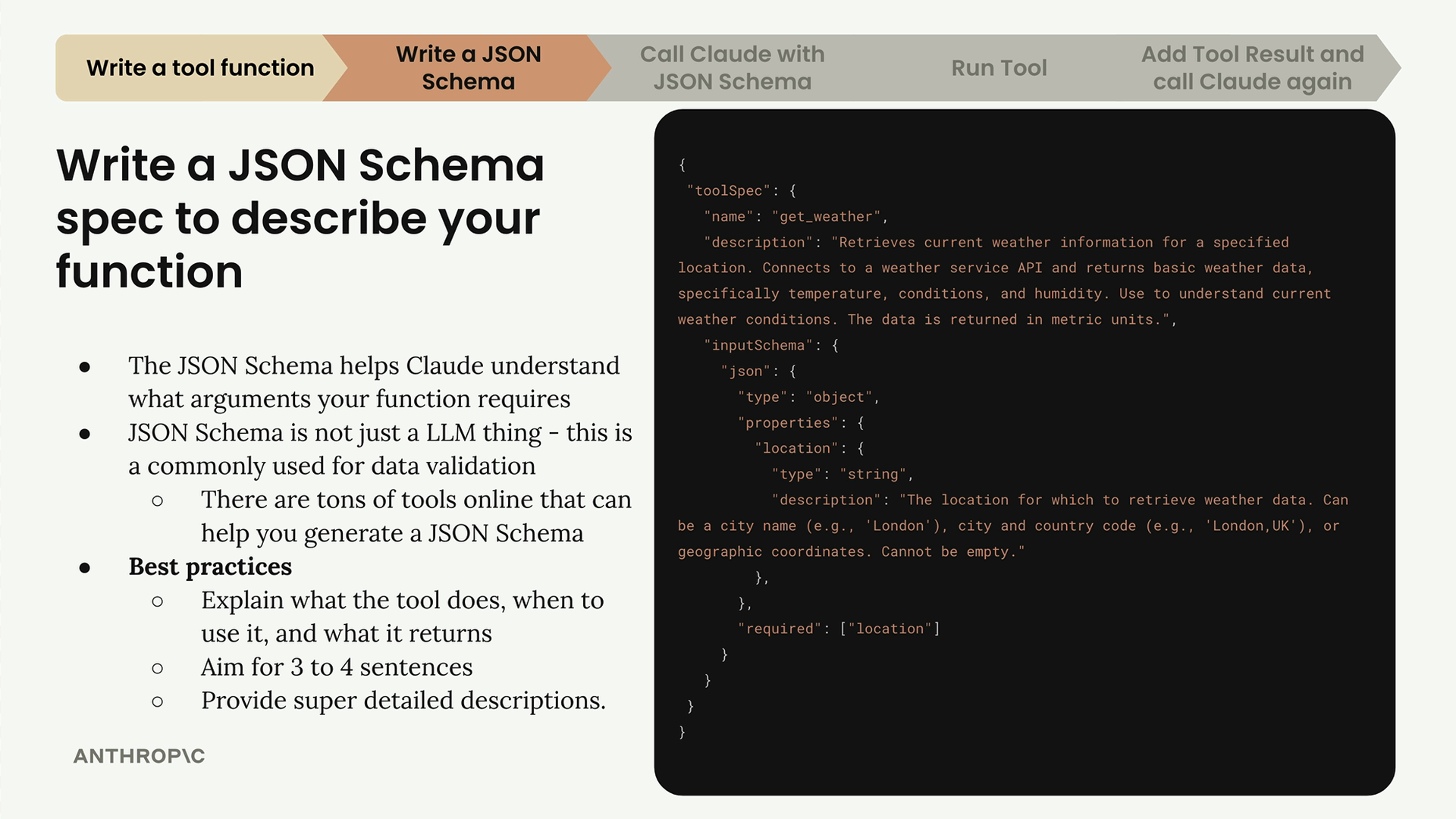
Notice how the description clearly explains what the weather tool does, when to use it, what data it returns, and provides specific examples of valid location formats.
Putting It All Together
Your final JSON schema should look something like this structure, with the toolSpec containing the name, description, and inputSchema with the detailed argument specifications:
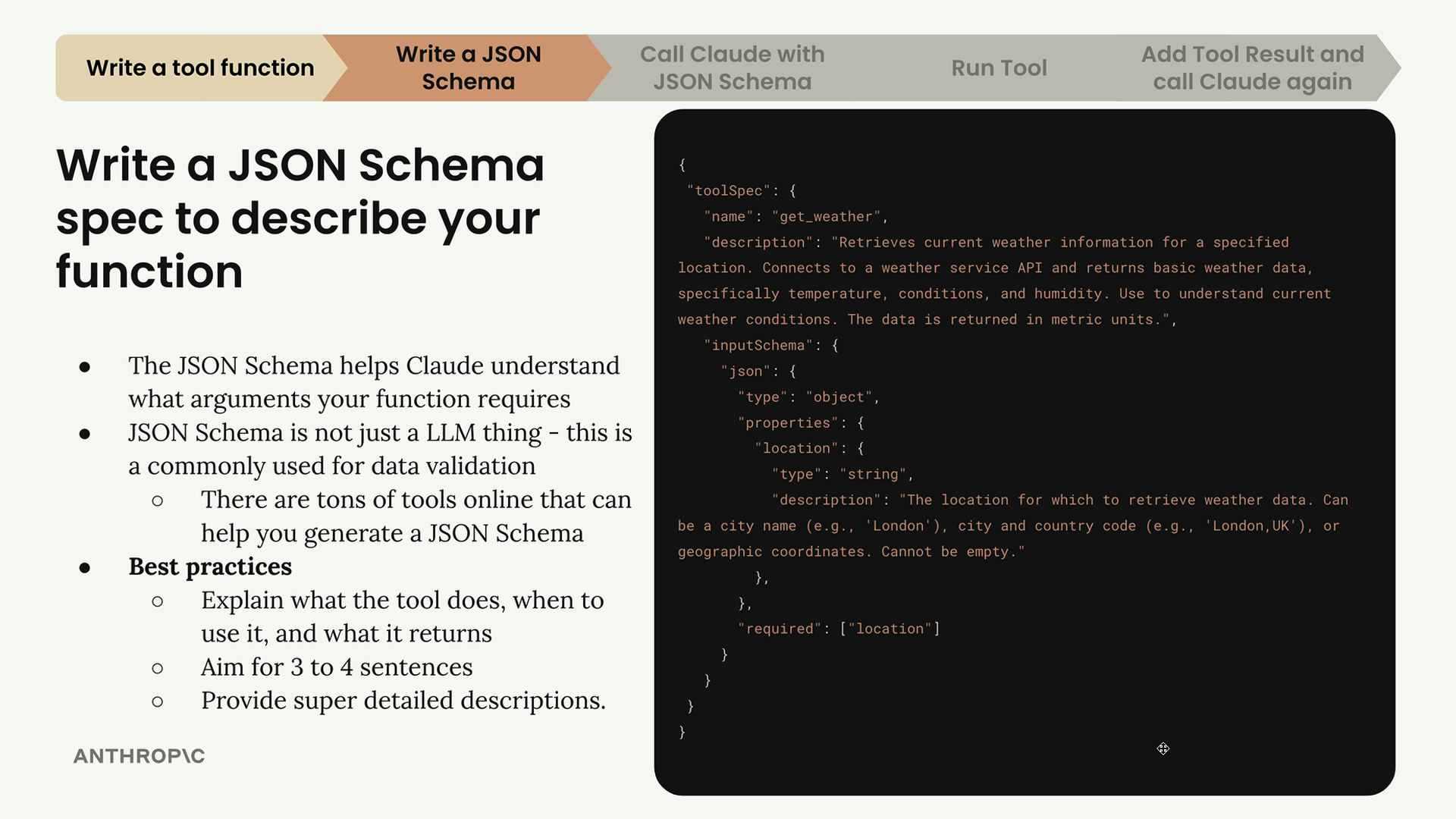
The schema acts as a contract between your code and Claude, ensuring that when Claude decides to use your tool, it knows exactly what information to provide and in what format. This clear communication is what makes tool use reliable and effective.