Sharing skills
Sharing skills · 4 min
Skills become much more valuable when they're shared across a team or organization. This video covers the three main distribution methods — repository commits, plugins, and enterprise managed settings — and explains how to configure custom subagents to use skills. You'll learn which approach fits which scenario and how to handle an important gotcha: subagents don't inherit skills automatically.
Key takeaways
- Project skills in
.claude/skillsare shared automatically through Git — anyone who clones the repo gets them - Plugins let you distribute skills across repositories via marketplaces for broader community use
- Enterprise managed settings deploy skills organization-wide with the highest priority, ideal for mandatory standards and compliance
- Subagents don't see the skills you've already invoked. If they have the Skill tool, they can still find and invoke skills
- Built-in agents (like Explore and Plan) don't preload skills. Only custom subagents can list skills to load at startup, in their
skillsfield
Skills become much more valuable when they're shared. A PR review skill that only you use is helpful, but that same skill shared across your entire team standardizes code review and creates a consistent experience across your organization. Let's look at the different ways you can distribute skills.
Committing Skills to Your Repository
The simplest sharing method is committing skills directly to your repository. Place them in .claude/skills, and anyone who clones the repo gets those skills automatically — no extra installation needed.
When you push updates, everyone gets them on the next pull. This approach works well for:
- Team coding standards
- Project-specific workflows
- Skills that reference your codebase structure
The .claude directory contains your agents, hooks, skills, and settings — all version-controlled and shared with the team through normal Git workflows.
Distributing Skills Through Plugins
Plugins are a way to extend Claude Code with custom functionality designed to be shared across teams and projects. In your plugin project, create a skills directory that follows a similar file structure to the .claude directory — each skill gets its own folder with a SKILL.md file inside.
After you distribute your plugin to a marketplace, other users can discover and install it into Claude Code for themselves.
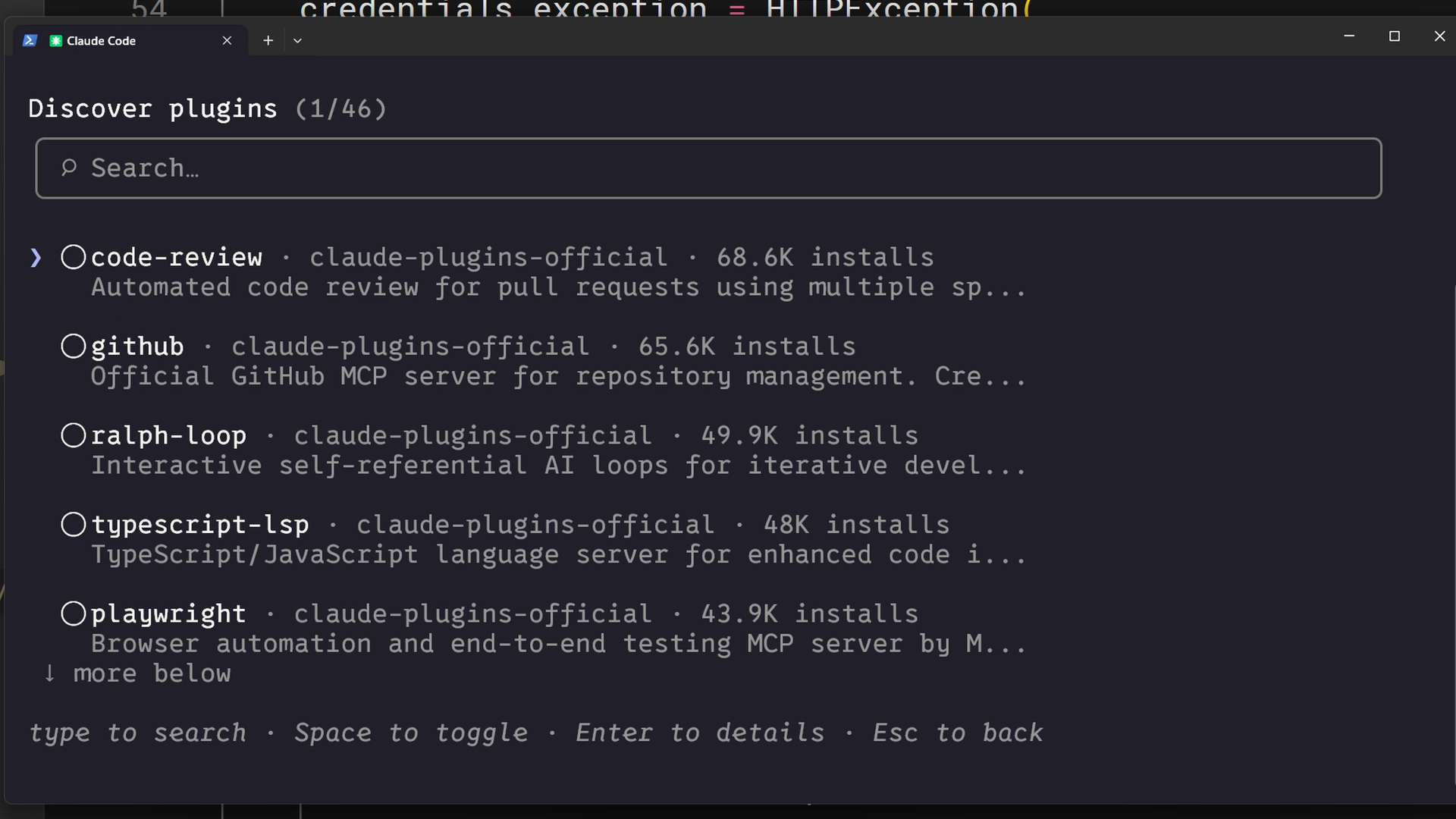
This approach is best when your skills aren't too project-specific and can be useful to community members beyond your immediate team.
Enterprise Deployment Through Managed Settings
Administrators can deploy skills organization-wide through managed settings. Each skill goes in .claude/skills/ inside the managed settings directory on each machine, for example, /etc/claude-code/.claude/skills/ on Linux. Enterprise skills take the highest priority: they override personal and project skills with the same name.
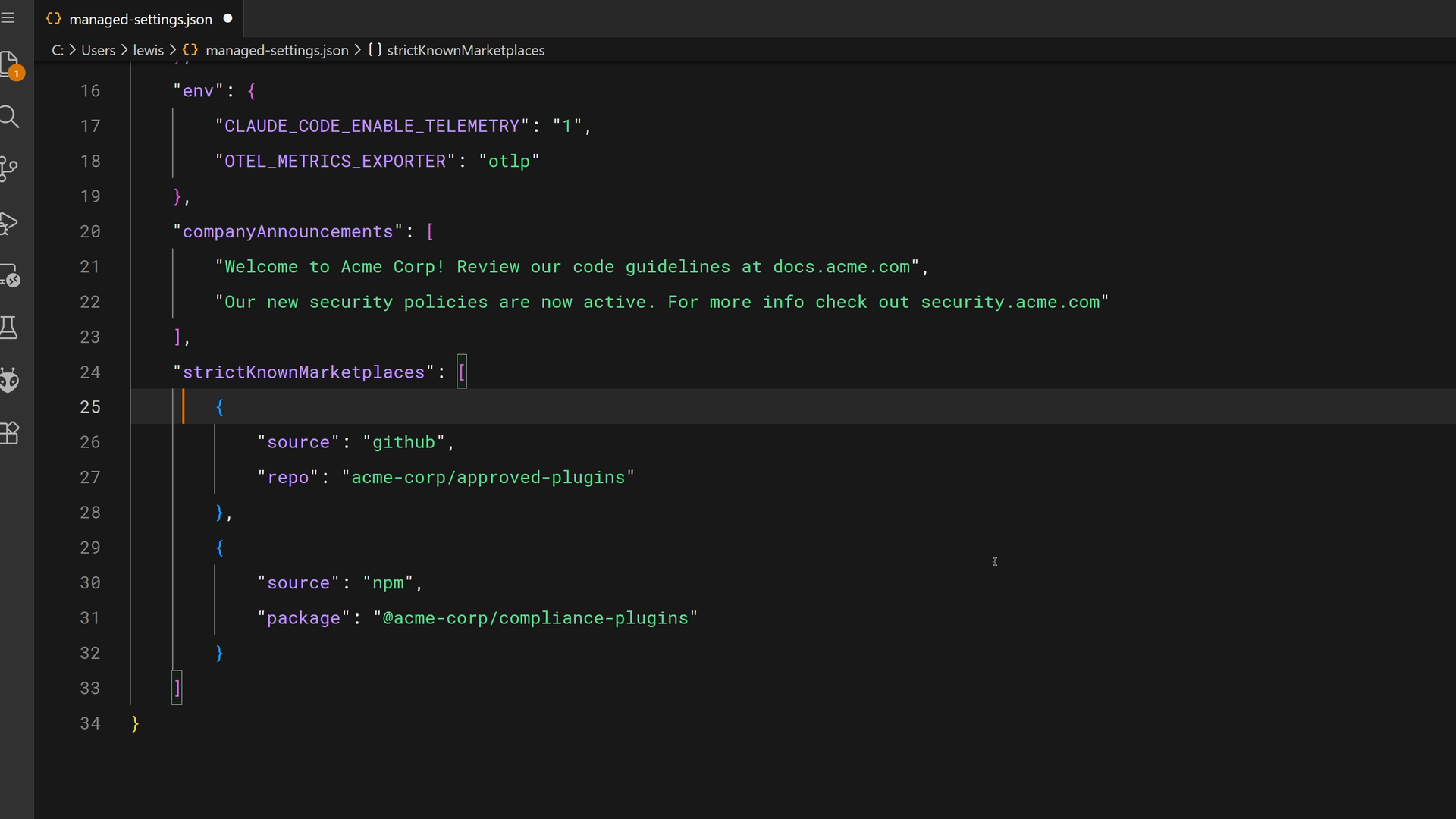
Managed settings also control plugins. For example, strictKnownMarketplaces limits which marketplaces people can add and install plugins from. The screenshot above includes an npm entry, which matches nothing, so this example uses a url entry instead:
"strictKnownMarketplaces": [
  {
    "source": "github",
    "repo": "acme-corp/approved-plugins"
  },
  {
    "source": "url",
    "url": "https://plugins.example.com/marketplace.json"
  }
]
Enterprise deployment is the right choice for mandatory standards, security requirements, compliance workflows, and coding practices that must be consistent across the organization. The keyword here is "must."
Skills and Subagents
Here's something that surprises people: a subagent doesn't see the skills you've already invoked. When you delegate a task to a subagent, it starts with a fresh, clean context, unless it's a fork(opens in new tab), which starts with a copy of your conversation. A subagent that starts fresh can still find and invoke skills through the Skill tool, as long as it has that tool.
There are important distinctions to understand:
- Built-in agents (like Explore and Plan) don't preload skills
- Custom subagents you define can preload the skills you list in their
skillsfield. If you give one atoolslist, keepSkillin it so the subagent can still invoke unlisted skills - Preloaded skills are loaded in full when the subagent starts, not on demand like in the main conversation
To create a custom subagent with skills, add an agent markdown file in .claude/agents. You can write the file yourself or ask Claude to create it for you. If .claude/agents didn't exist when your session started, restart Claude Code to load the new subagent. The screenshot below shows the /agents wizard, which was removed in Claude Code v2.1.198.
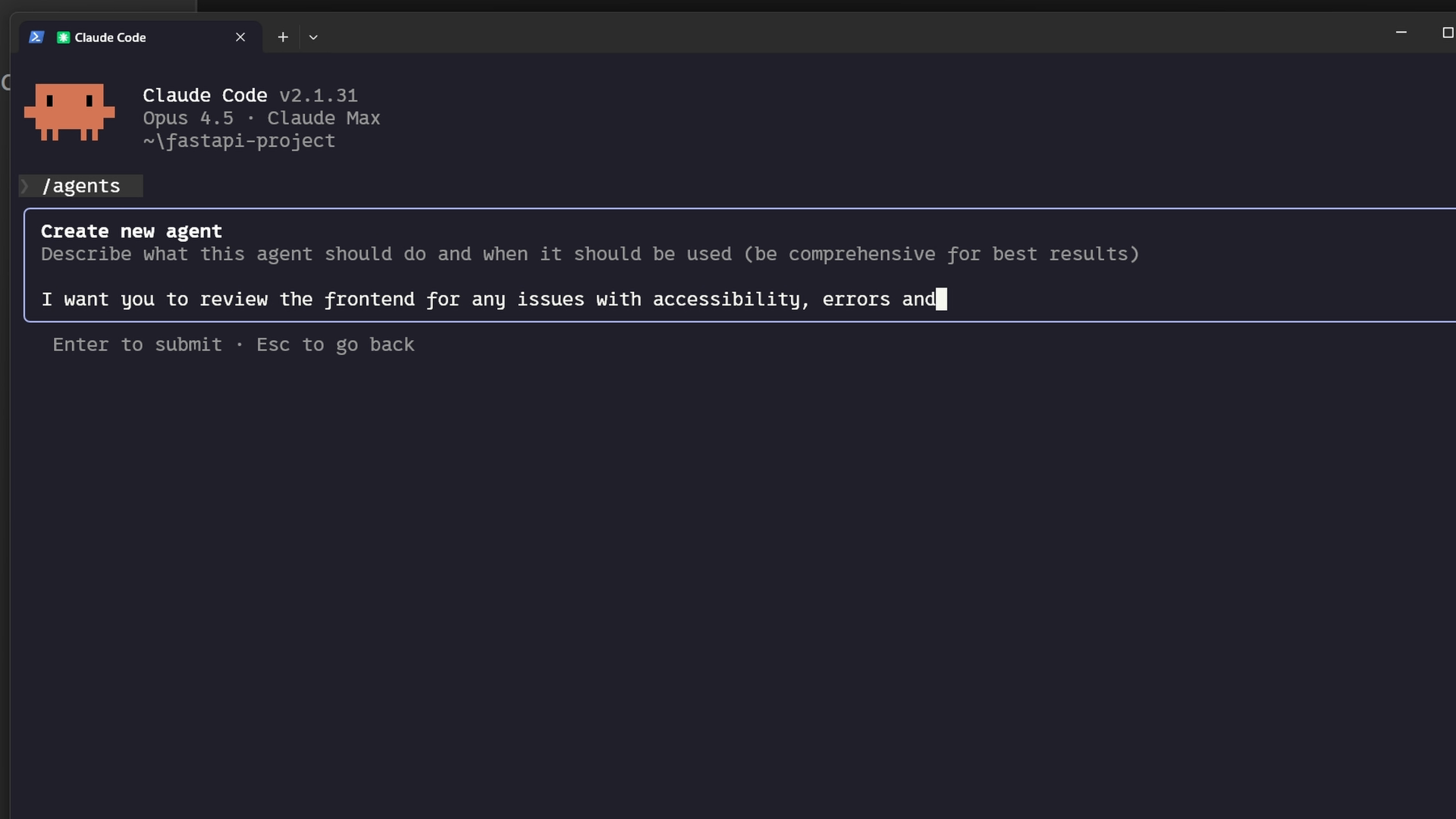
The agent file's skills field lists which skills to load. Here's what the frontmatter looks like:
---
name: frontend-security-accessibility-reviewer
description: "Use this agent when you need to review frontend code for accessibility..."
tools: Bash, Glob, Grep, Read, WebFetch, WebSearch, Skill...
model: sonnet
color: blue
skills: accessibility-audit, performance-check
---
When you delegate to this subagent, it has both skills loaded and applies them to every review. First make sure the skills exist in your .claude/skills directory, then either create a new subagent or add the skills field to an existing agent's markdown file.
This pattern works really well when:
- You want isolated task delegation with specific expertise
- Different subagents need different skills (frontend reviewer vs. backend reviewer)
- You want to enforce standards in delegated work without relying on prompts
Lesson reflection
- Which sharing method (repository, plugin, enterprise) makes the most sense for the skills you've been thinking about building?
- Do you have workflows where custom subagents with specific skills would improve consistency in delegated work?
What's next
In the final lesson, you'll learn how to troubleshoot common skill issues — from skills that don't trigger, to priority conflicts, to runtime errors — with a practical checklist you can reference anytime.