When building applications with multiple tools, you need to handle scenarios where Claude might need to call several tools in sequence to answer a single user question. For example, if a user asks "What day is 103 days from today?", Claude needs to first get the current date, then add 103 days to it.
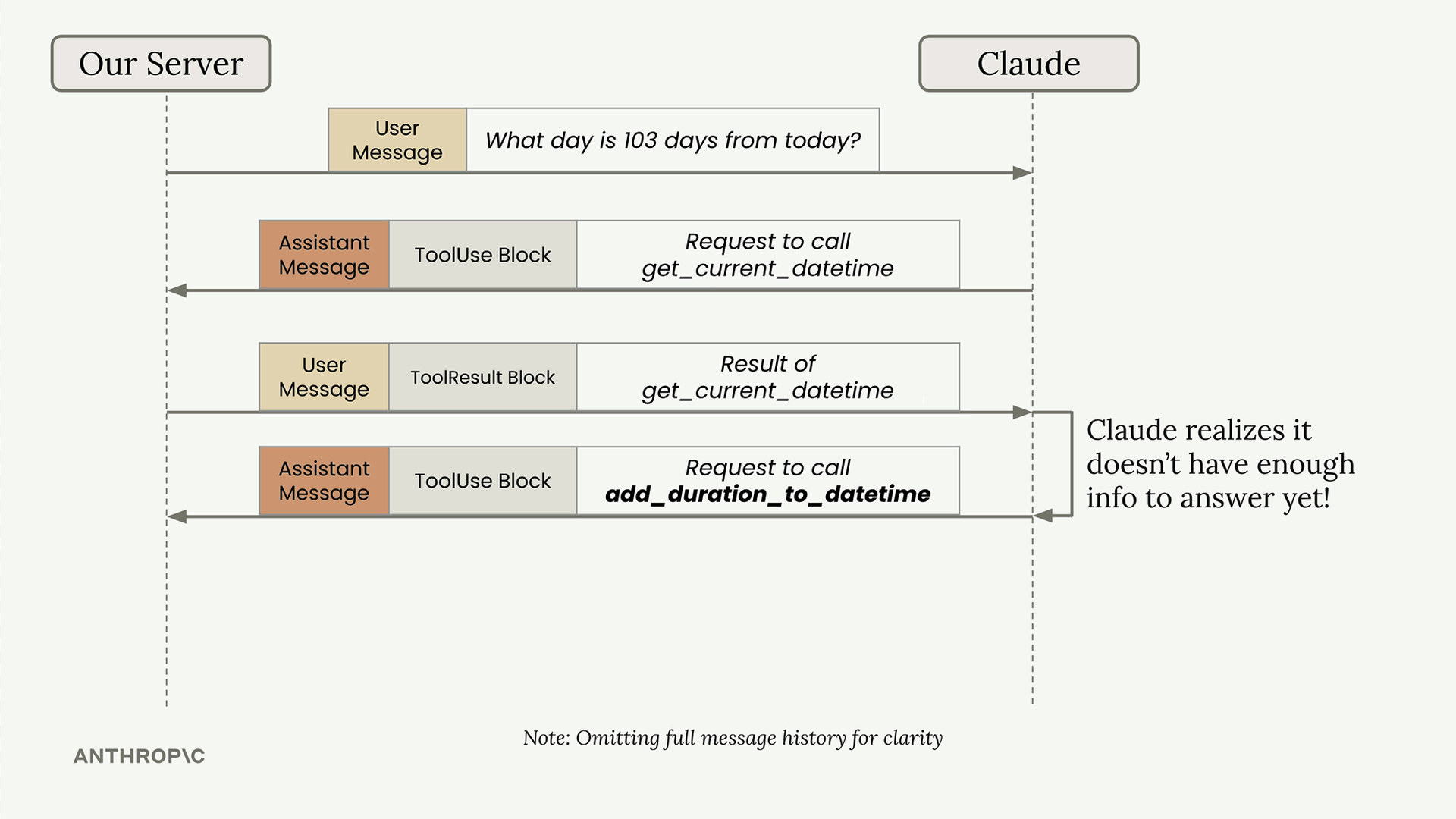
This creates a multi-turn conversation pattern where Claude makes multiple tool requests before providing a final answer. Your application needs to handle this automatically.
The Multi-Turn Tool Pattern
Here's what happens behind the scenes when Claude needs multiple tools:
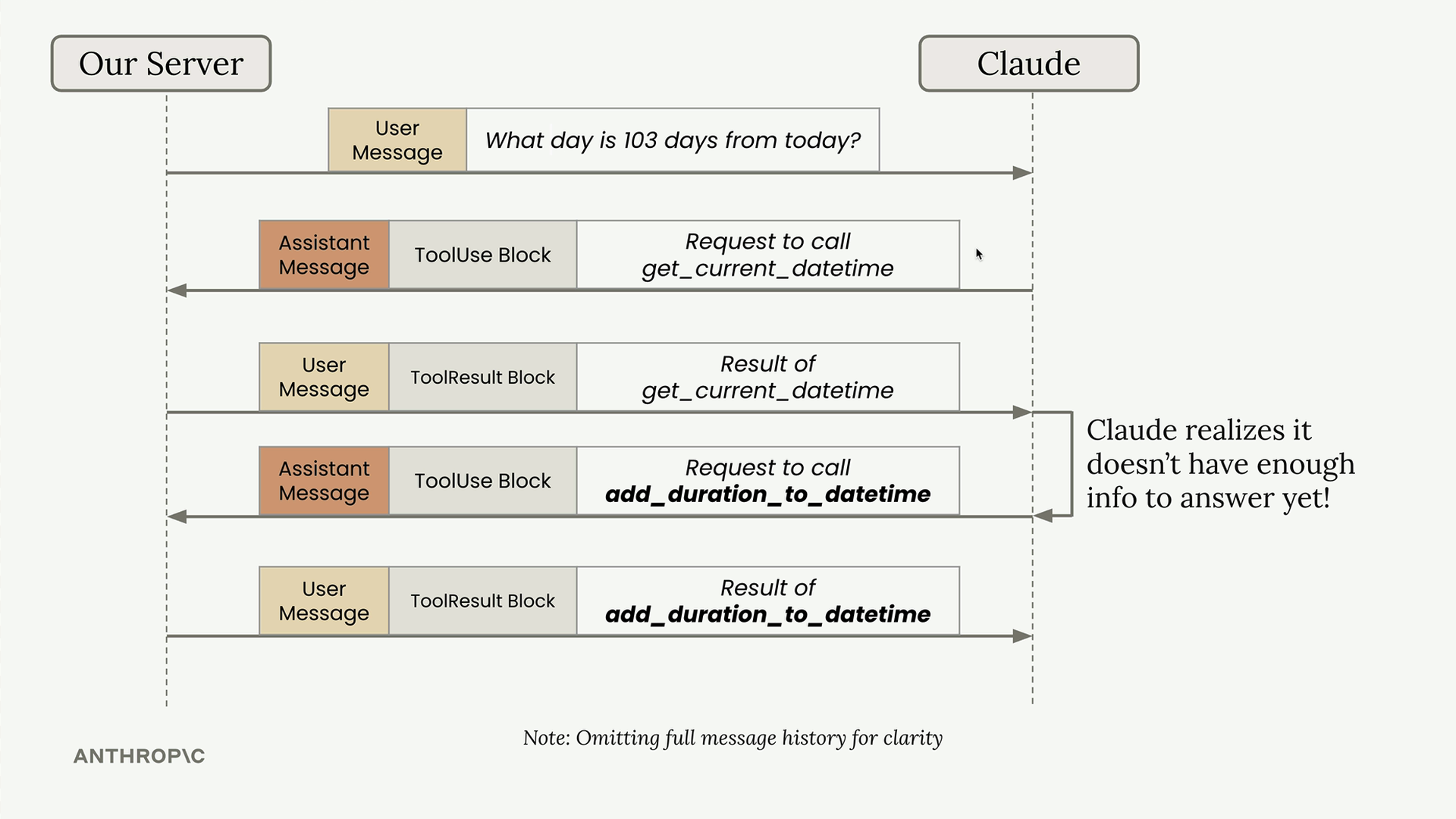
- User asks: "What day is 103 days from today?"
- Claude responds with a tool use block requesting
get_current_datetime - Your server calls the function and returns the result
- Claude realizes it needs more information and requests
add_duration_to_datetime - Your server calls that function and returns the result
- Claude now has enough information to provide the final answer
Building a Conversation Loop
To handle this pattern, you need a conversation loop that continues until Claude stops requesting tools:
def run_conversation(messages):
    while True:
        response = chat(messages)

        add_assistant_message(messages, response)

        # Pseudo code
        if response isn't asking for a tool:
            break

        tool_result_blocks = run_tools(response)
        add_user_message(messages, tool_result_blocks)

    return messages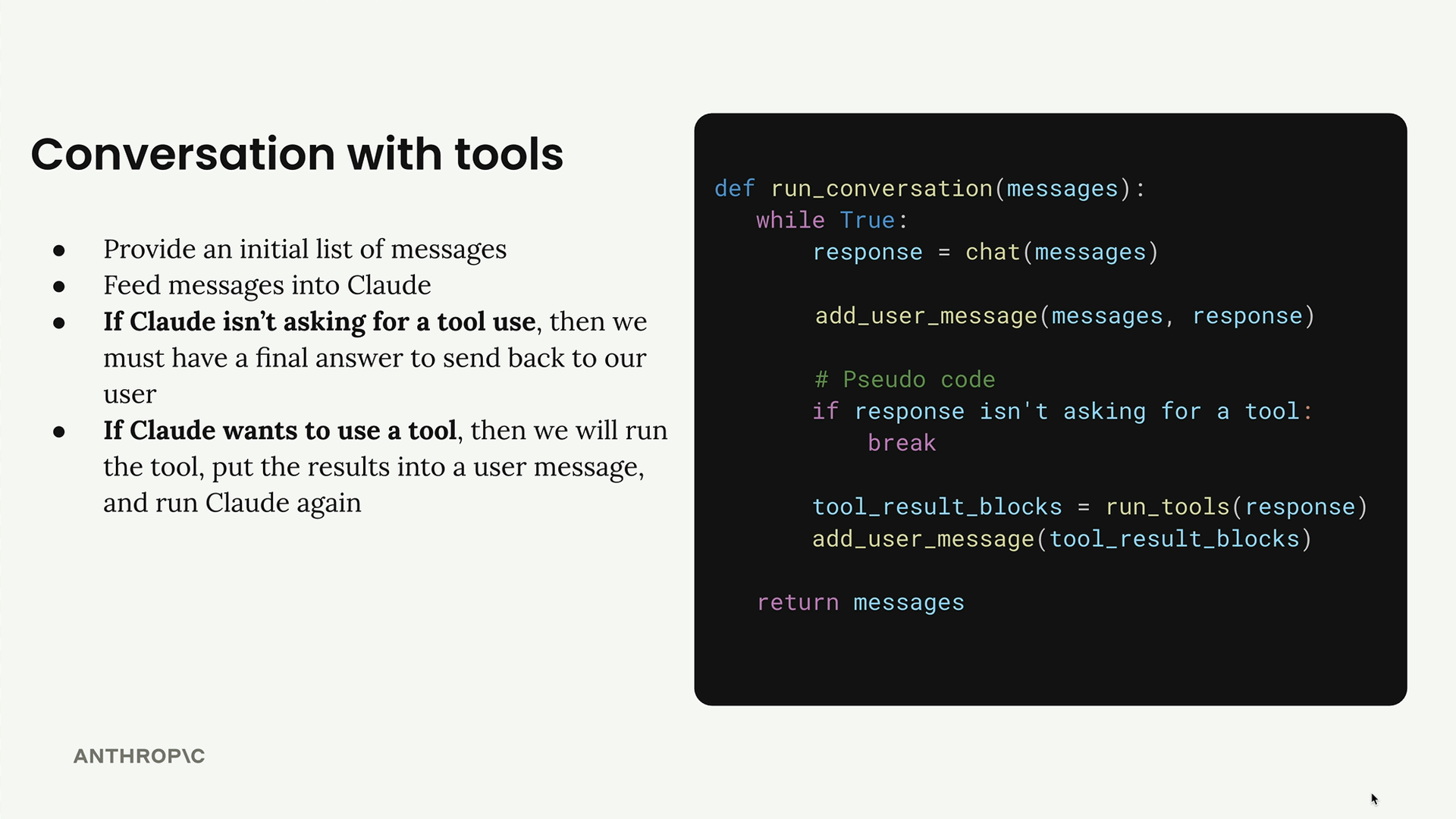
Refactoring Helper Functions
Before implementing the conversation loop, you need to update your helper functions to handle multiple message blocks properly.
Updating Message Handlers
Your add_user_message and add_assistant_message functions currently assume you're always working with plain text. Update them to handle full message objects:
from anthropic.types import Message

def add_user_message(messages, message):
    user_message = {
        "role": "user",
        "content": message.content if isinstance(message, Message) else message
    }
    messages.append(user_message)
This allows you to pass in either a string, a list of blocks, or a complete message object.
Updating the Chat Function
Modify your chat function to accept a list of tools and return the full message instead of just text:
def chat(messages, system=None, temperature=1.0, stop_sequences=[], tools=None):
    params = {
        "model": model,
        "max_tokens": 1000,
        "messages": messages,
        "temperature": temperature,
        "stop_sequences": stop_sequences,
    }

    if tools:
        params["tools"] = tools

    if system:
        params["system"] = system

    message = client.messages.create(**params)
    return message
Extracting Text from Messages
Since you're now returning full message objects, create a helper to extract text when needed:
def text_from_message(message):
    return "\n".join(
        [block.text for block in message.content if block.type == "text"]
    )
This function finds all text blocks in a message and joins them together, which is useful when you need to display the final response to users.
Key Improvements
These refactoring steps prepare your code for robust tool handling:
- Flexible message handling - Your helper functions can now work with different message formats
- Tool support in chat - The chat function can receive and pass through tool schemas
- Full message returns - You get complete message objects instead of just text, preserving all blocks
- Text extraction utility - Easy way to get readable text from complex messages
With these foundations in place, you're ready to implement the conversation loop that handles multiple tool calls automatically, creating a seamless experience where Claude can use as many tools as needed to answer user questions.